

What is PageCritic?
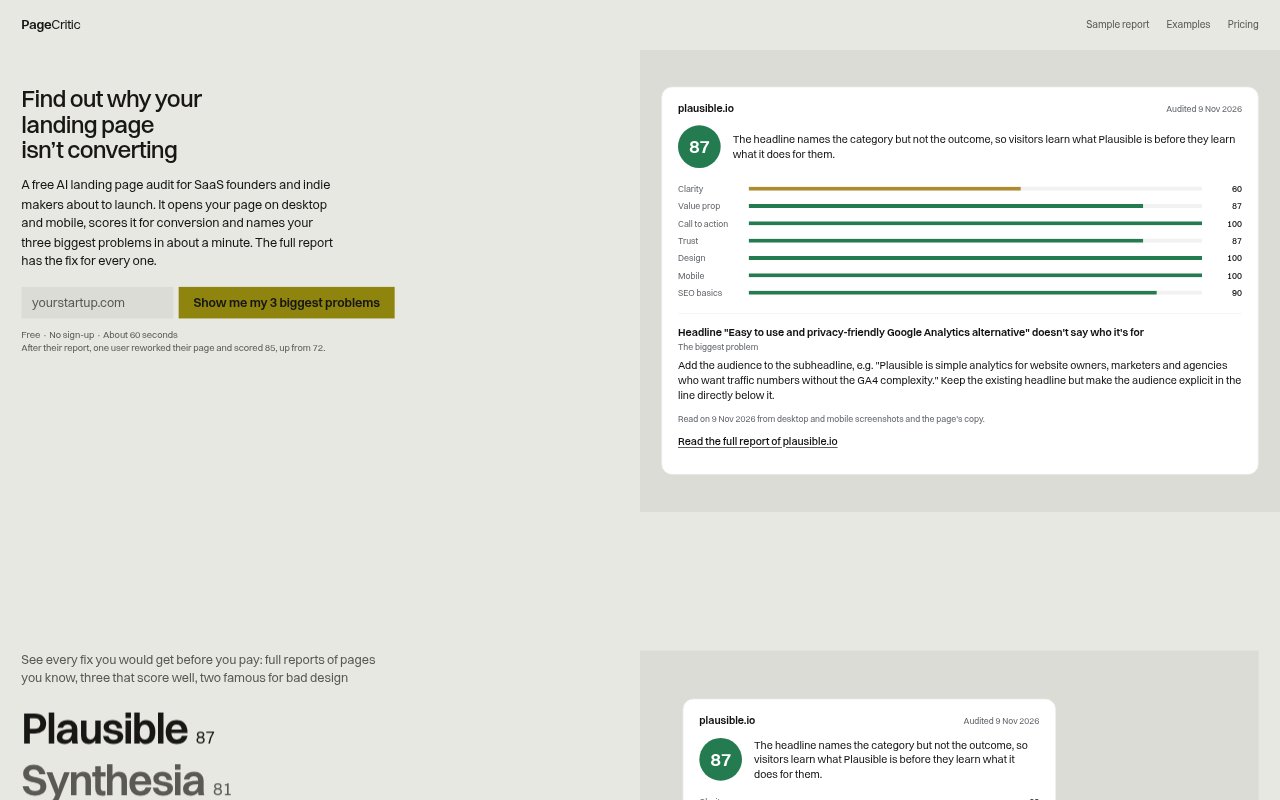
PageCritic is an AI landing-page audit for SaaS founders and indie makers preparing to launch or improve a page. It opens a site in a real browser on desktop and mobile, reviews screenshots and copy, and returns a conversion score with identified problems. The free audit takes about a minute and needs no sign-up; a full report costs $5 as a one-time payment, with no subscription.
PageCritic Features:
Desktop and Mobile Review: PageCritic loads a page in a browser on desktop and phone, then reviews screenshots alongside the page's copy.
Seven-Area Scoring: The audit scores clarity, value proposition, call to action, trust, design, mobile experience and SEO basics.
Top Three Problems: The free report names the three biggest issues it finds and includes a preview of the suggested fixes.
Ranked Full Report: The paid report ranks all identified problems by points and explains why each issue matters and how to address it.
Copy-Specific Fixes: Suggestions are written using the page's own copy, with headline and call-to-action rewrites and quick wins.
Coding Agent Prompt: The full report turns its fixes into one prompt that can be copied for a coding agent working on the site.
AI Readiness Checks: The report provides an AI readiness score and fixes to paste into robots.txt, JSON-LD and llms.txt.
PageCritic Benefits:
Clearer Priorities: A short list of the most significant problems helps teams decide what to tackle first instead of making scattered page edits.
Faster Implementation: Copy-specific recommendations and a ready-to-use agent prompt can reduce the effort needed to turn audit findings into changes.
Less Guesswork: A consistent set of scored areas gives founders a structured second opinion on how well a page communicates and guides visitors.
Safer Revisions: Seeing what already works in the full report can help teams improve weak areas without discarding useful parts of the page.
Accessible First Check: A free audit without sign-up lets a small team get an initial assessment before deciding whether a detailed report is worth buying.
Use Cases:
Prelaunch Page Review: A SaaS founder preparing to launch can check whether the landing page explains the offer and gives visitors a clear next step.
Conversion Troubleshooting: An indie maker whose page is not converting can use the report to identify messaging, trust or call-to-action issues to investigate.
Mobile Page Check: A marketer can review how a campaign landing page appears on a phone as well as on a desktop before sending visitors to it.
Homepage Refresh: A small business team can assess an existing homepage before rewriting its headline, supporting copy or primary action.
Agent-Assisted Changes: A founder working with a coding agent can pass the full report's combined prompt along with the recommended page fixes.