

What is Papilot?
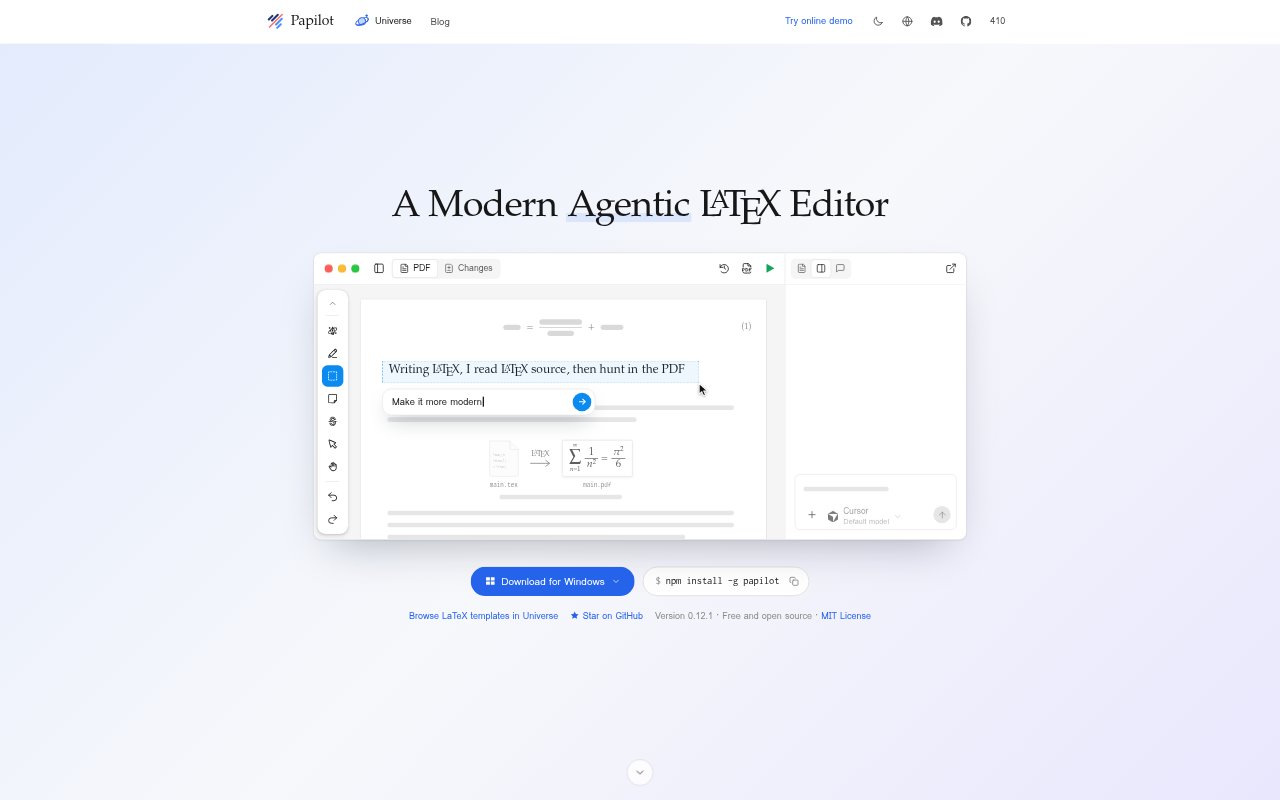
Papilot is a desktop and command-line LaTeX editor for researchers and others preparing papers in LaTeX. You mark up the compiled PDF with requested changes, and Papilot gives a supported coding agent the relevant source context to make edits. Each proposed change returns as a typeset result for review before accepted work is committed or pushed through Git, keeping the paper’s rendered form central to editing.
Papilot Features:
PDF Annotations: Select a sentence or draw a box around an equation or figure in the compiled PDF, then describe the change you want.
Source Context: Papilot passes the agent the relevant source lines for an annotation, so you can direct an edit without locating its file yourself.
Typeset Review: Each proposed edit appears as a typeset before-and-after change that you can accept or reject individually.
Agent Support: Choose among supported coding agents including Codex, Claude, Cursor, GitHub Copilot, Grok, DeepSeek, Qwen, and OpenCode.
Revision Feedback: Comment on a proposed change that needs more work, and the agent can revise it before you decide whether to accept it.
Git Worktrees: Each task runs in its own Git worktree, while committing and pushing accepted edits remain separate steps and changes stay in Git history.
Desktop And CLI: Use the desktop app on macOS, Linux, or Windows, or install the command-line version through npm; both require Git and a TeX distribution.
Papilot Benefits:
Visual Editing: Seeing edits on the typeset page makes it easier to judge wording, equations, and layout in the same form readers encounter.
Clear Decisions: Reviewing changes individually keeps unapproved edits out of the paper and leaves you in control when the agent proposes several revisions.
Less Source Searching: Pointing to page content avoids searching through LaTeX files and matching PDF locations to source lines before requesting an edit.
Change History: Keeping accepted work in Git history gives you a record of how the paper has changed.
Separate Tasks: Using a worktree for each task keeps its working changes apart, making it easier to manage multiple editing tasks.
Use Cases:
Plain Language: Select a dense sentence in a paper and ask an agent to make the wording more straightforward, then review the typeset revision.
Equation Revision: Box an equation or inference rule in the PDF and request a change without first locating its LaTeX source.
Figure Layout: Mark a figure in a paper and ask the agent to reposition an element such as its legend, then check the rendered result.
Paper Review: Work through a batch of agent edits one at a time, accepting suitable changes and commenting on revisions that need another pass.
LaTeX Drafting: Edit a research paper with a coding agent while reviewing changes in the compiled PDF instead of relying on source diffs alone.