

What is Pieces?
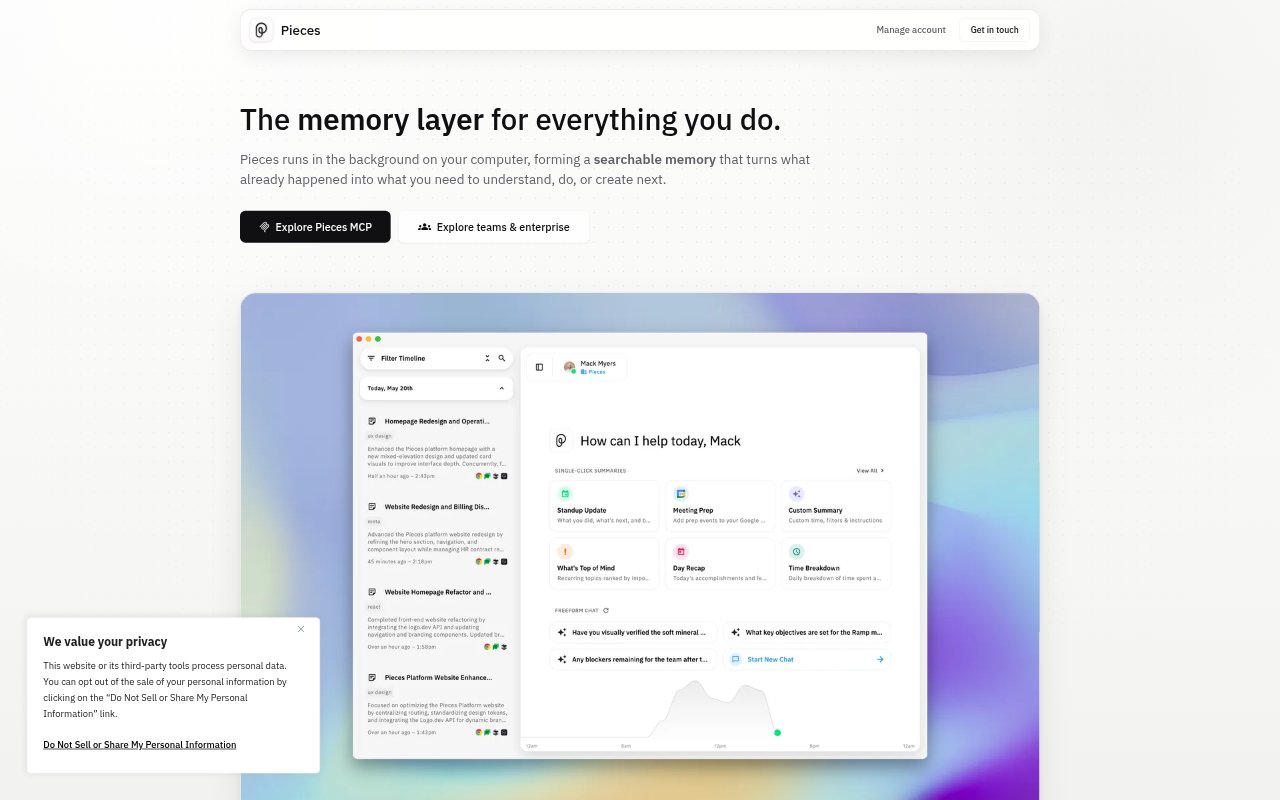
Pieces is a personal work-memory app that runs in the background on a computer, capturing activity across apps and websites to build a searchable, chronological history. It helps people recover information, decisions, and research from earlier work, then use that context to continue tasks or create summaries. Users can ask questions about their history and carry remembered context into MCP-ready AI assistants. Personal Pro costs $18.99 per user monthly and includes a 7-day free trial; Enterprise adds organization-level controls.
Pieces Features:
Activity Timeline: Pieces organizes captured research, chats, emails, notes, and meetings chronologically, so users can search, filter, and revisit moments from their work.
Scoped Recall: Users can ask questions about past activity and narrow prompts by time, source, or topic to find relevant information.
Background Capture: The app captures what is visible in the currently focused application and what users copy and paste, forming memories as they work.
Generated Summaries: Pieces can create standup updates, morning briefs, meeting preparation, and day recaps from the user's work context.
Assistant Context: The Pieces MCP Server carries work history into Claude, Cursor, Codex, Antigravity, and other MCP-ready AI assistants.
Capture Controls: Users can pause capture, exclude specific apps or websites, and delete data by time, source, or capture method.
Model Selection: Pro users can switch between Claude, Gemini, ChatGPT, and local models for individual questions.
Pieces Benefits:
Less Repeated Searching: Finding information in a searchable history can spare users from reopening tabs and retracing the searches that led to it.
Easier Task Resumption: Past notes, research, and decisions remain available as context, making it easier to return to work after a break.
Less Context Reentry: Carrying work history into compatible AI assistants means users do not have to rebuild the background for every conversation.
Quicker Routine Updates: Summaries based on real work context can reduce the manual effort of gathering details for briefs, recaps, and standups.
Governed Team Use: Organization-level controls give teams a way to set approved providers and capture policies before rolling Pieces out.
Use Cases:
Finding Past Reading: Search for an article read several days ago across a collection of browser tabs without remembering its exact title.
Preparing for Meetings: Generate meeting preparation from recent chats, notes, emails, and other work activity related to the people or topic.
Resuming Research: Return to a deep dive by gathering earlier notes, bookmarks, screenshots, and sources into the context for the next session.
Writing Daily Updates: Create a standup update, morning brief, or day recap from the work completed and captured during the day.
Using AI With History: Ask an MCP-ready assistant to work with remembered context when continuing a project or revisiting an earlier decision.