

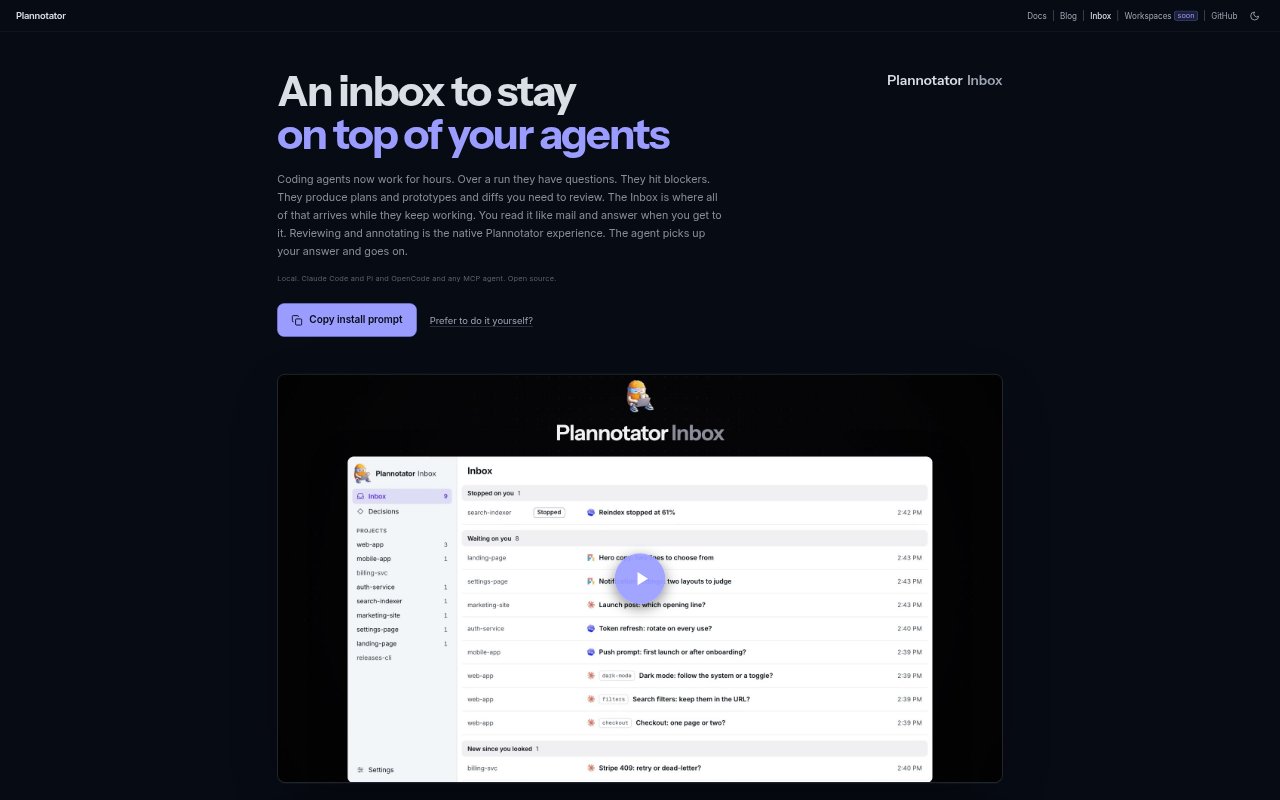
What is Plannotator Inbox?
Plannotator Inbox is a local, browser-based place to receive questions, blockers, plans, prototypes, and code-review work from AI coding agents. It is for developers running long or multiple agent sessions who need to respond without staying in each agent’s terminal. You can answer or annotate items and send feedback back to the agent, which resumes with your response. It connects natively with Claude Code, Pi, and OpenCode, and with other agents through MCP.
Plannotator Inbox Features:
Agent Threads: Agents can send questions with answer options, blockers, plans, prototypes, and diffs to individual inbox threads with their context attached.
Reply Delivery: Choose an option or send a response from a thread, then the agent receives it as the session’s next turn.
Document Annotation: Review design documents alongside their threads, comment on specific lines, and send your annotations when they are ready.
Prototype Review: Open prototypes in the thread or full screen and pin comments to parts that need changes; supported formats include Markdown, HTML, Mermaid, and Graphviz.
Guided Reviews: Read an agent’s completed change in sections, with each section pairing a diff with a short summary checked against the actual diff.
Local Access: The Inbox runs in a browser, listens on 127.0.0.1, and stores threads and answers as files under ~/.plannotator.
Plannotator Inbox Benefits:
Work Asynchronously: You can handle agent questions when convenient instead of monitoring each run as it happens.
Manage Multiple Runs: A shared destination for agent messages makes it easier to keep track of work when several sessions are running.
Give Clear Feedback: Comments tied to the relevant document or prototype help agents act on specific review notes without you retyping them.
Review With Context: Seeing an item and its supporting material together helps you understand what the agent needs before replying.
Respond Away From Desk: Mobile access through Tailscale lets you read, answer, and review from a phone when you are away from your computer.
Use Cases:
Answer Agent Questions: Choose among options in a coding agent’s question while its run is underway, then send the decision back to the session.
Clear Work Blockers: Handle a blocker from the Inbox rather than waiting until you return to the agent’s terminal window.
Review Design Documents: Read an agent’s design doc, comment on particular lines, and send feedback while the agent continues its work.
Comment on Prototypes: Inspect a generated prototype or diagram and pin comments to the specific parts you want changed.
Inspect Completed Changes: Use the guided review at the end of an agent run to work through its code changes section by section.