
What is PocketConsole?
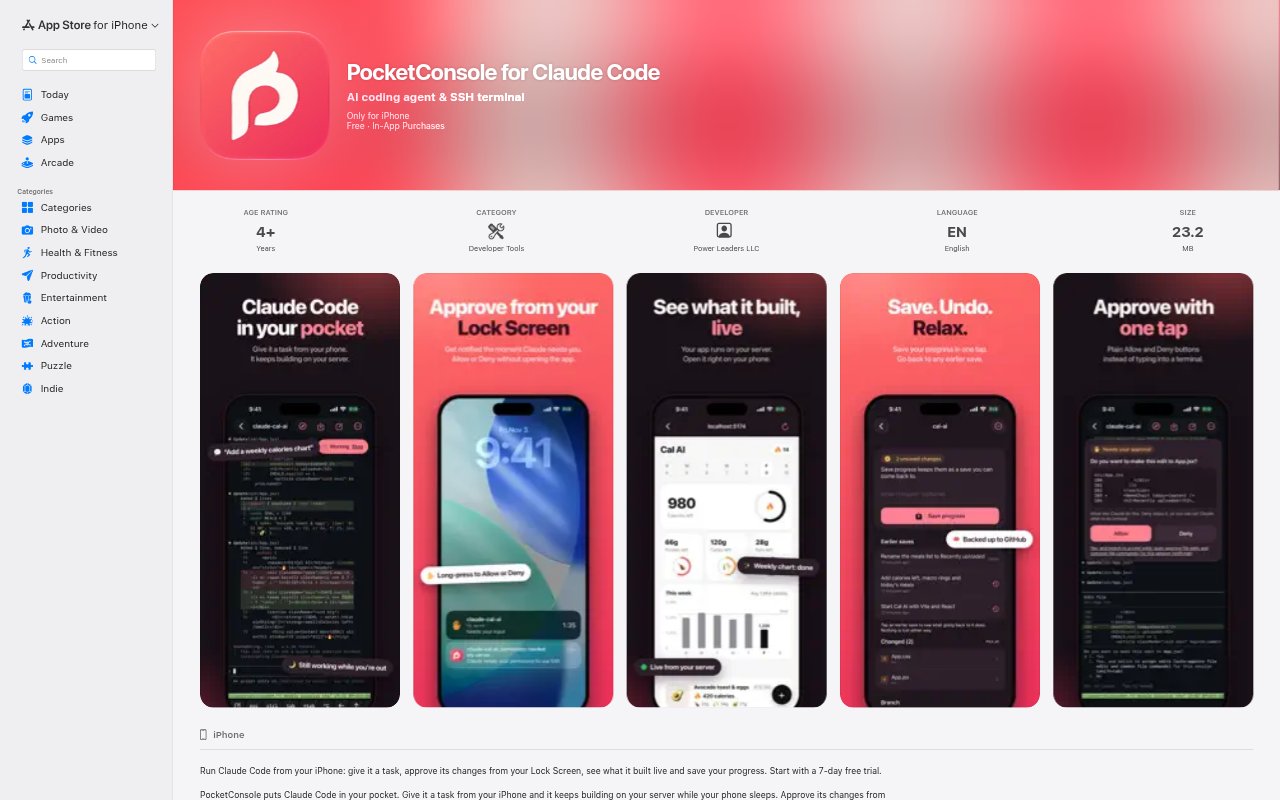
PocketConsole is an iPhone app for developers who want an AI coding agent and an SSH terminal on their phone. It is presented specifically for Claude Code, with its stated focus on coding and terminal access. The app is listed as iPhone-only and requires iOS 18.0 or later. It is categorized as a Developer Tools app and is free to download, with optional PocketConsole Pro in-app purchases.
PocketConsole Features:
Claude Code Focus: PocketConsole is presented for Claude Code, giving developers a phone-based app centered on that coding agent.
AI Coding Agent: The app is described as an AI coding agent, making coding assistance a core part of its stated purpose.
SSH Terminal: An SSH terminal is included, providing a terminal-oriented way to work with remote systems from an iPhone.
iPhone Availability: PocketConsole is listed for iPhone only and requires iOS 18.0 or later, rather than being offered as an iPad or Mac app.
Pro Purchase Options: The free download offers PocketConsole Pro as a lifetime purchase for $99.99, a monthly purchase for $7.99, or a yearly purchase for $59.99.
PocketConsole Benefits:
Mobile Work Windows: A phone-based option can help developers use brief moments away from their main workstation instead of waiting until they return to it.
Remote System Reach: SSH access from an iPhone can make remote-system work more available when a developer is not sitting at a computer.
Fewer Tool Changes: Having an AI coding agent and terminal in one app can mean fewer separate mobile tools to open for coding-related work.
Clear Platform Fit: Its iPhone-only focus gives developers who prefer working on Apple's phone a direct way to see whether mobile coding suits their routine.
Use Cases:
Claude Code on Phone: Use PocketConsole when you want a phone-based option for coding work centered on Claude Code rather than relying only on a desktop.
SSH While Away: Open the SSH terminal for developer work involving a remote system when you are using an iPhone away from your desk.
Short Coding Sessions: Try the app for a brief coding-related task during a break, when returning to a computer for a full session is impractical.
Mobile Workflow Evaluation: Assess whether an iPhone-based AI coding agent and SSH terminal fit into your regular developer workflow before choosing to use them more often.