

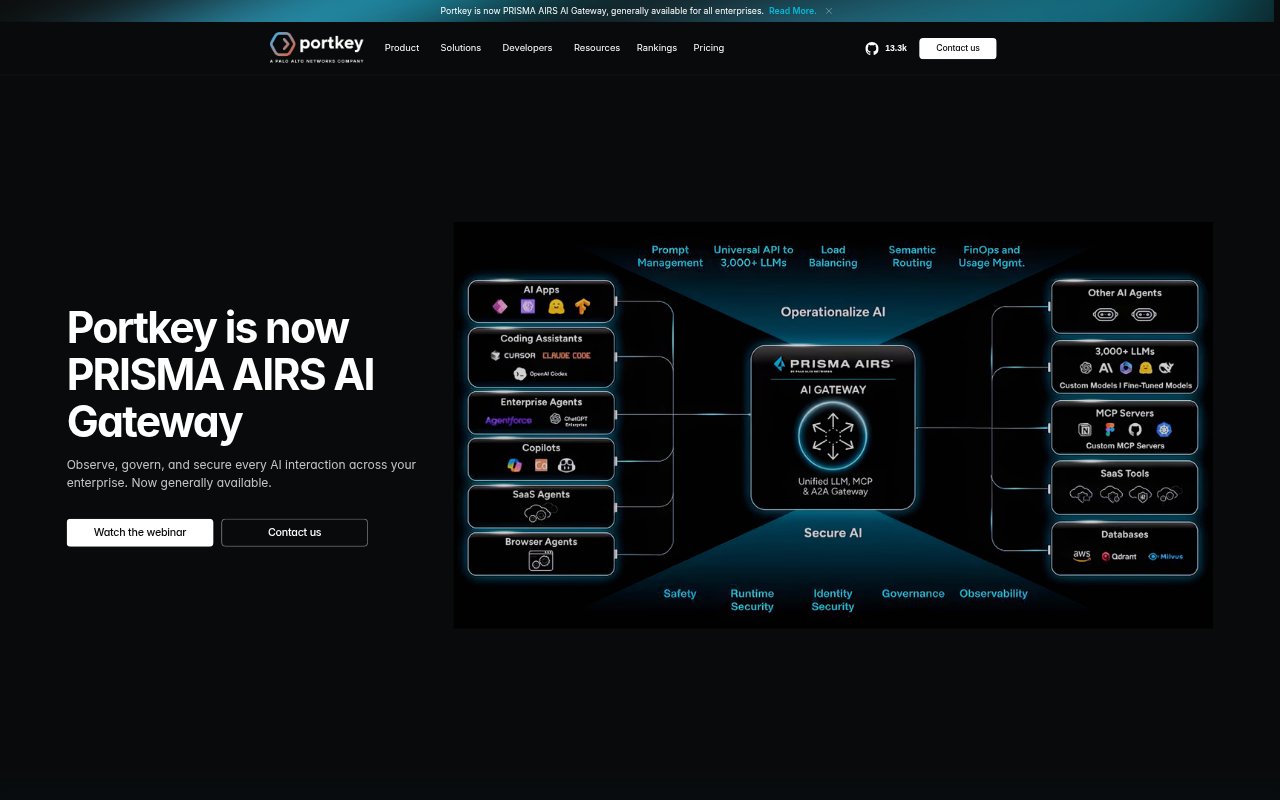
What is Portkey?
Portkey is a platform for teams building and operating generative AI applications. It combines an AI gateway with observability, guardrails, governance, and prompt management, giving developers and organizations a central way to connect to models and manage AI interactions. Teams can use a unified API across model providers, monitor application activity, and apply controls as they move from prototypes to production. Enterprise deployments are also available for organizations with more complex compliance and hosting needs.
Portkey Features:
Unified Model API: Connect to more than 1,600 language models and providers through one API, without creating a separate integration for each.
Model Routing: Set rules to switch between models, distribute workloads, and use failover, retries, and load balancing.
Request Observability: Review logs, traces, feedback, metadata, and alerts to monitor model activity and investigate errors.
Request Caching: Use simple or semantic caching to reuse results for repeat requests and avoid making unnecessary model calls.
Prompt Management: Create and test prompt templates in a playground, then manage their versions, variables, and API endpoints.
Guardrails and Redaction: Apply deterministic or partner guardrails, including regex-based rules that replace sensitive information in requests.
Key Management: Store model keys in a vault and control access with virtual keys that can be rotated, revoked, and monitored.
Portkey Benefits:
Simpler Provider Changes: A shared API reduces the work involved in adapting an application when its team needs to use different model providers.
Faster Issue Diagnosis: Logs and traces give teams a clearer view of model requests, helping them investigate errors and understand application behavior.
Lower Repeat Costs: Caching can prevent repeat requests from reaching a model, reducing avoidable usage and associated costs.
More Consistent Prompts: Shared templates and version history help teams review prompt changes and use a consistent approach across applications.
Tighter Access Control: Central key management and configurable guardrails help teams apply their chosen controls to AI interactions.
Use Cases:
Multi-Model Applications: Build an application that can route requests across different model providers without maintaining a separate connection for each.
Production Monitoring: Track model calls in a live product and inspect traces, feedback, or errors when results need investigation.
Repeat Test Requests: Cache unchanged AI tests in a GitHub workflow so repeated runs do not need to make the same model requests.
Sensitive User Inputs: Redact information matching configured patterns before sensitive data in a request is sent onward.
Organization-Wide AI: Manage prompts, model keys, and AI usage controls centrally when several teams are deploying generative AI applications.