

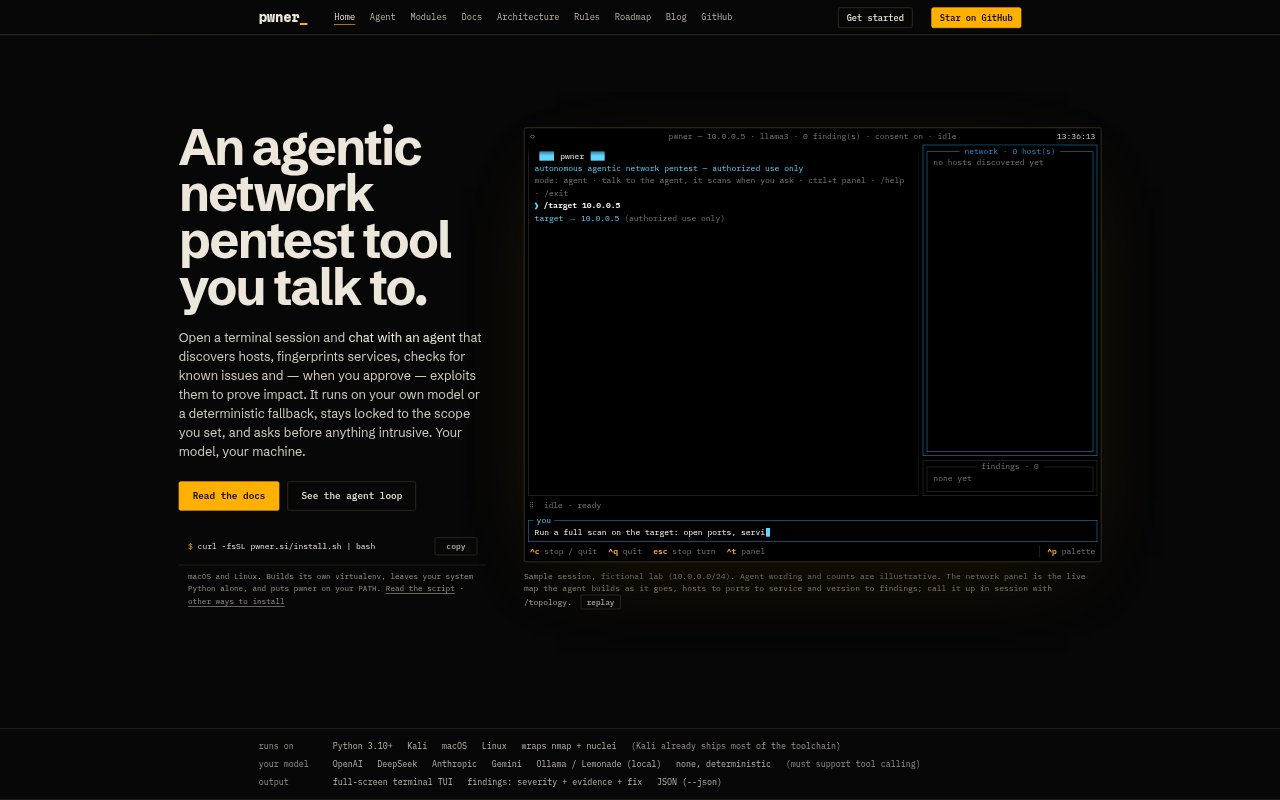
What is pwner?
pwner is an open-source network penetration-testing tool that runs in a terminal and lets you direct an agent in plain language. It can discover hosts, identify services, check for known issues, and report findings within a scope you define. The agent can use a local or hosted model, including OpenAI, DeepSeek, Anthropic, Gemini, or Ollama, or run with a deterministic fallback. Intrusive actions require your approval, and the tool layer enforces the target scope.
pwner Features:
Conversational Testing: Direct the agent in a full-screen terminal session, steer its work as it proceeds, and cancel a turn when needed.
Scope Enforcement: Set a target host or range, and pwner enforces that boundary outside the model for every tool.
Network Discovery: The agent can discover hosts, fingerprint services, check for known issues, and build a live map of network findings.
Consent Gates: Read-only discovery and detection run freely, while brute-force, exploitation, remote command execution, reverse shells, and credential dumping require approval.
Model Choices: Run pwner with OpenAI, DeepSeek, Anthropic, Gemini, or Ollama, or use its deterministic fallback without a model.
Testing Modules: Available tools cover known-CVE detection, credential attacks, Active Directory, remote command execution, and reverse shells.
pwner Benefits:
Fewer Scope Errors: Enforcing the defined target outside the model helps prevent testing from wandering beyond the network you authorized.
Controlled Intrusion: Approval gates let you decide whether to proceed before the agent runs intrusive tests or attempts to prove impact.
Flexible Model Setup: Choose a hosted or local model, or use the deterministic fallback when you do not want to configure a model.
Protected Python: The installer uses an isolated virtual environment, so installing pwner leaves your system Python untouched.
Clearer Findings: A live network map organizes hosts, ports, services, versions, and findings, making results easier to inspect together.
Use Cases:
Lab Range Review: Ask the agent to map a lab subnet, identify exposed services, and check the discovered systems for known issues.
Single Host Assessment: Direct a scoped scan at one authorized host to learn which services it exposes and what versions they report.
Known Issue Checks: Use the agent to check an approved network range for known vulnerabilities associated with the services it identifies.
Active Directory Testing: Run authorized Active Directory checks or credential attacks after reviewing and approving the requested intrusive actions.
Impact Verification: In an authorized test, approve an exploitation attempt or remote command execution to assess whether a finding can be demonstrated.