
What is Recast Studio?
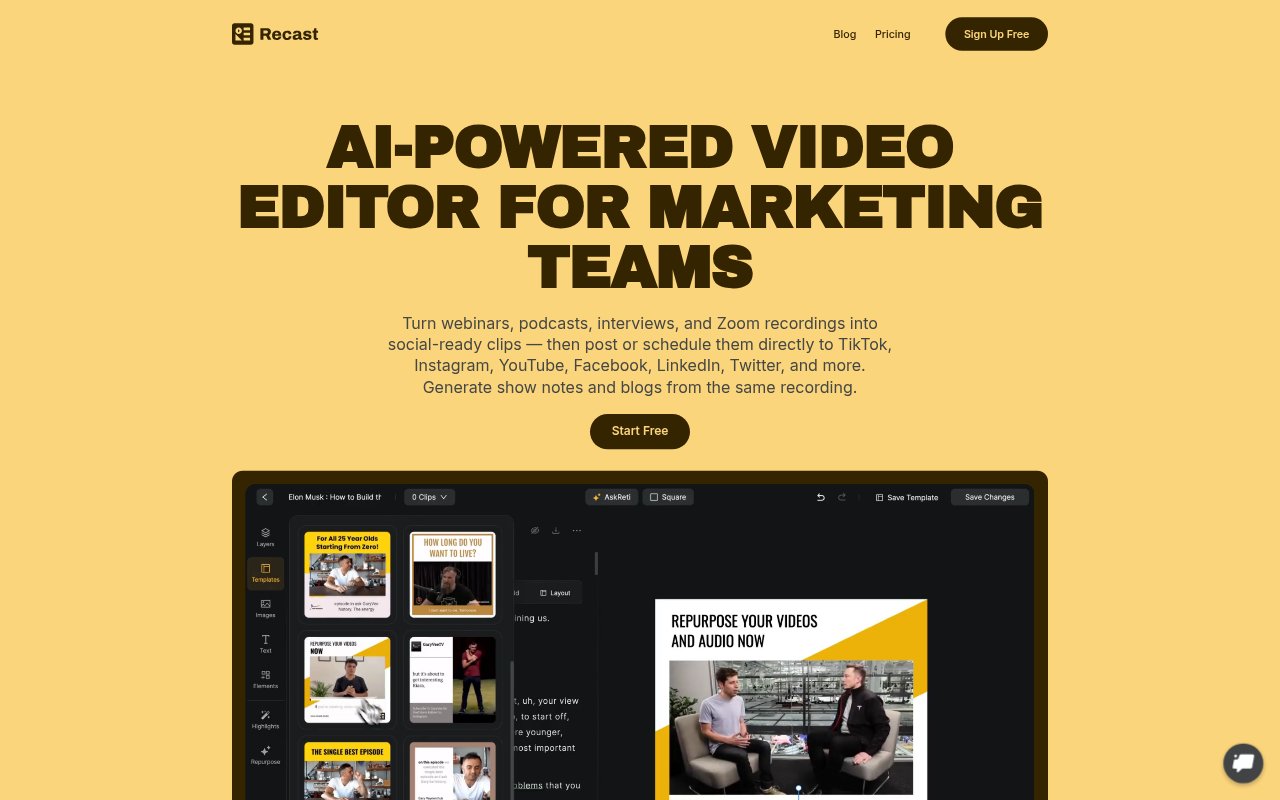
Recast Studio is an AI-assisted video editor for marketing teams that turns webinars, podcasts, interviews, Zoom recordings, and other long videos into social-ready content. It combines clip editing, captions, social publishing, and written-content generation in one workflow. Teams can use it to repurpose a recording for social channels and create supporting posts, show notes, or blog drafts without starting each asset from scratch.
Recast Studio Features:
Transcript Editing: Select transcript text to trim video, remove unwanted words, and keep captions synchronized without editing on a traditional timeline.
AI Clip Generator: Generate clips from longer recordings, with options to add animated captions, brand styles, music, b-roll, and other visual layers.
Automatic Reframing: AI detects faces and important scenes, then adjusts the frame to keep the subject in view across different formats.
Audio Cleanup: Remove filler words such as “um” and “uh,” along with pauses, from recorded audio.
Written Content: Create drafts of blog posts, show notes, LinkedIn posts, email copy, and summaries from the same recording.
Social Publishing: Post or schedule content from Recast to TikTok, Instagram, YouTube, Facebook, LinkedIn, and X.
Team Workspace: Invite teammates to share videos, leave feedback, and manage projects in a shared workspace.
Recast Studio Benefits:
Faster Production: A transcript-based workflow helps marketers prepare clips without building edits through a complex timeline.
More From Recordings: One source recording can support both video and written content, helping teams get more use from material they have already made.
Consistent Publishing: Creating and scheduling content in one place can make it easier to maintain a regular presence across social channels.
Cleaner Results: Automatic reframing and audio cleanup help teams produce polished clips without manually correcting every crop or pause.
Shared Workflow: A common space for projects and feedback gives teammates a place to coordinate their content work.
Use Cases:
Webinar Repurposing: Turn a recorded webinar into short clips for social channels, plus show notes or a blog draft for follow-up.
Podcast Promotion: Select moments from a video podcast, add captions and brand styling, and prepare posts to promote an episode.
Interview Highlights: Create focused clips from interviews for social feeds without manually searching through a full recording on a timeline.
Zoom Recording Clips: Adapt a recorded Zoom session into shorter videos and written content for sharing after the meeting or event.
Cross-Channel Scheduling: Prepare a batch of clips and schedule them across supported social platforms from the editor.