

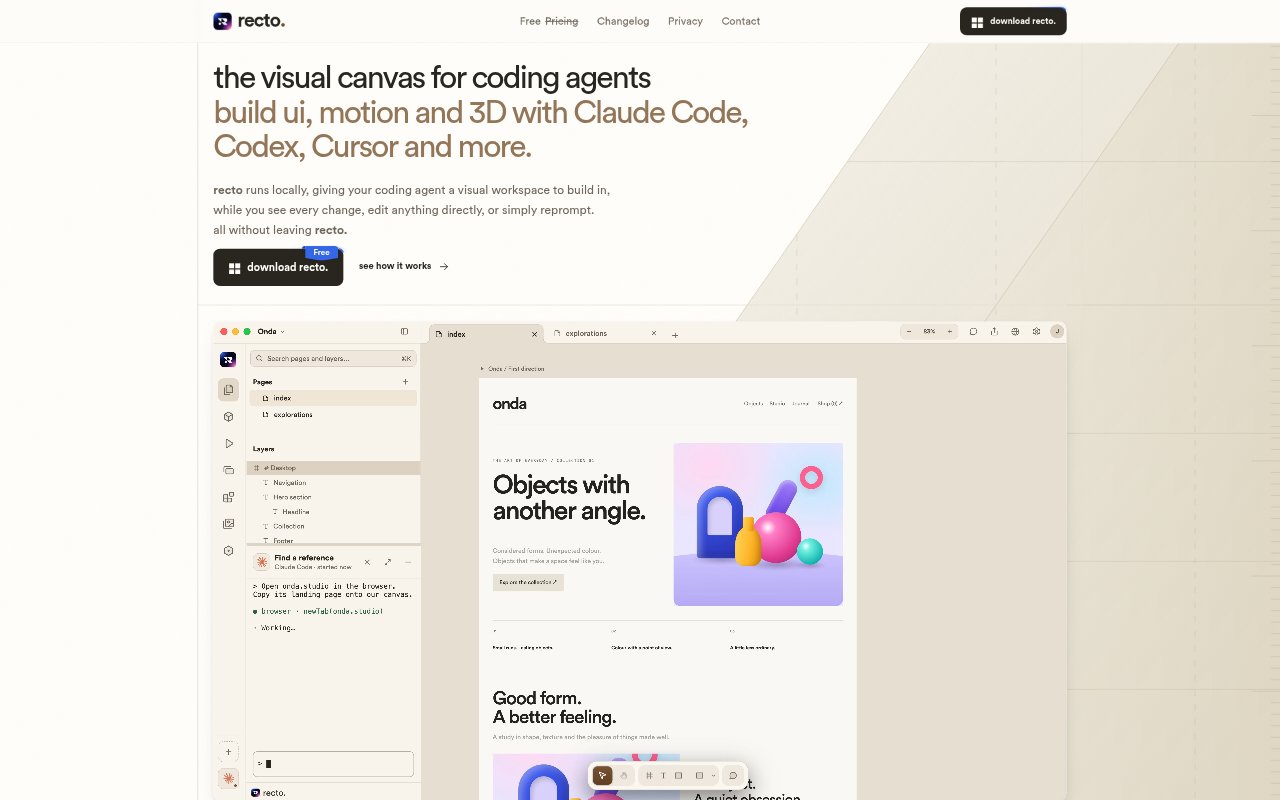
What is Recto?
Recto is a local visual workspace for building and editing interfaces, motion, SVG graphics and 3D with coding agents such as Claude Code, Codex and Cursor. It combines an interactive canvas with agent workflows, so people can inspect generated designs, make direct edits and ask an agent for changes in the same workspace. It is aimed at designers and developers who want to shape agent-built web experiences visually while keeping the underlying HTML and CSS editable.
Recto Features:
Visual Canvas: View designs as they are built, select elements on the canvas and adjust them directly or ask an agent to make a change.
Agent Access: Recto detects coding agents installed on the computer and lets users run their CLIs inside the workspace, with support for working with multiple agents on one design.
Design Comments: Pin a comment to an element, add text, an image or a drawing, then send the feedback and its context to an agent.
Design Variations: Explore different versions of an idea and keep them side by side, with unlimited frames for comparing directions.
Multiple Formats: Create interfaces, websites, landing pages, dashboards and product experiences, as well as motion with a visual timeline, SVG graphics and 3D elements.
Shared Design System: Keep colours, type, spacing and components together in a project system that an agent reads before designing; edit a token to apply it across pages.
Editable Web Output: Build designs with HTML and CSS, and bring in a design from the web to edit and restyle in Recto.
Recto Benefits:
Fewer Context Switches: Keeping the canvas and agent workflows together means users can review, adjust and prompt without moving between a terminal, browser preview and screenshots.
Clearer Feedback: Comments attached to specific elements give agents visual context, helping users communicate the exact detail they want changed.
More Design Control: Direct canvas edits let users fine-tune details themselves instead of relying on prompts for every adjustment.
Consistent Pages: A shared set of design tokens helps keep pages aligned as a project grows and styles change.
Portable Work: HTML and CSS remain editable outside Recto, so designs are not limited to a format trapped in the workspace.
Use Cases:
Landing Page Design: Build a landing page with an agent, then adjust the hero layout, spacing and visual direction on the canvas.
Dashboard Prototyping: Explore dashboard layouts and compare alternate interface directions side by side before settling on a version.
Motion Experiments: Create interface interactions, transitions or animations and work with them on a visual timeline.
Website Restyling: Bring a design from the web into Recto, then change its layout, restyle it or animate it.
Design Review: Mark a specific element with a comment and send an agent focused feedback about a proposed change.