

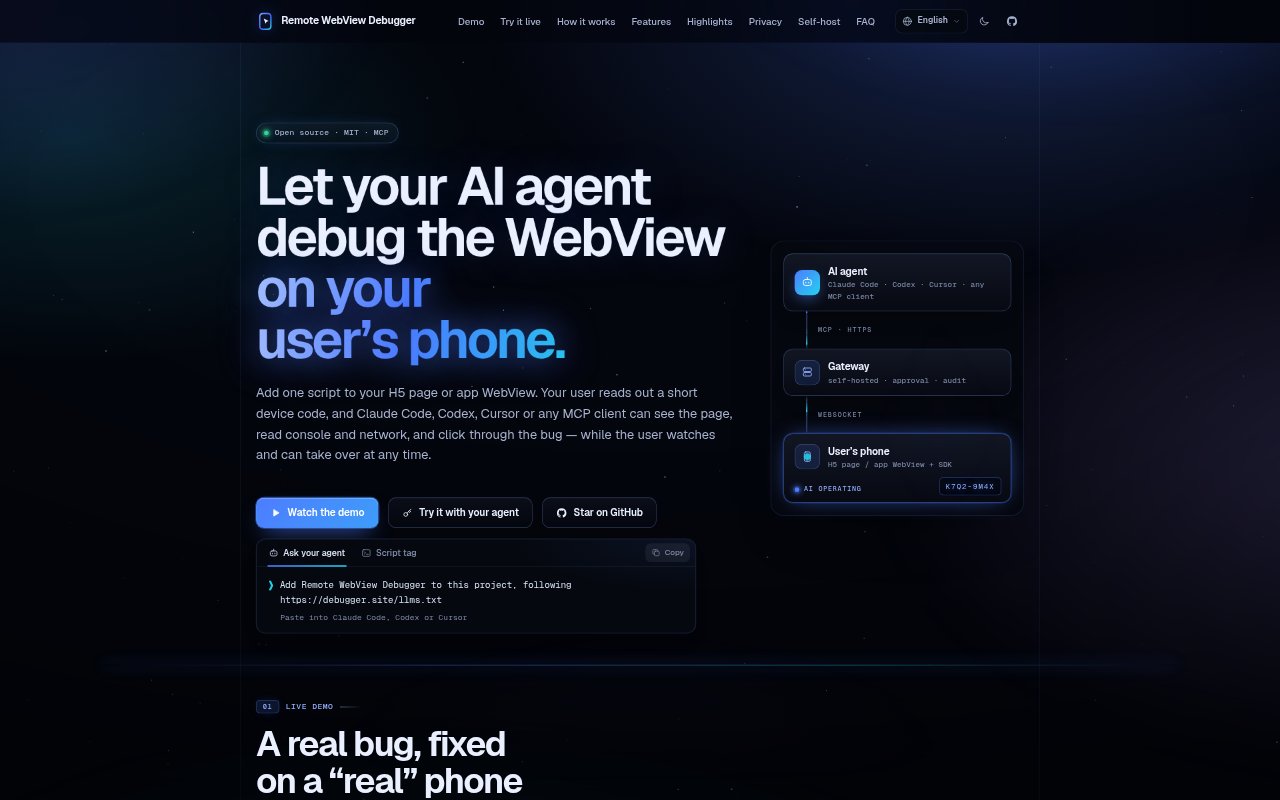
What is Remote WebView Debugger?
Remote WebView Debugger connects an AI agent to an H5 page or in-app WebView running on a user’s phone, allowing teams to inspect and operate the real mobile page remotely. A page SDK sends device activity through an MCP gateway, which works with Claude Code, Codex, Cursor, and other MCP clients. The project is open-source and self-hosted, and the user must approve an agent’s connection before it can work on the page.
Remote WebView Debugger Features:
Page SDK: Add one script to an H5 page or inject it into an app WebView to record console and network activity from page load.
MCP Agent Access: Connect compatible AI clients through a Streamable HTTP MCP endpoint, or use the stdio bridge for other MCP clients.
Page Inspection: Give the agent accessibility snapshots in a Playwright-style YAML format, with element references it can use to understand the page.
Phone Interactions: Let the agent click, fill, type, press keys, select, hover, scroll, and drag through the page with actionability checks.
Console and Network: Keep bounded console and network records from page load, including activity from before the agent joined, with request bodies available on request.
Multi-Page Sessions: Group the pages and WebViews on a device into one session, with navigation and activity shown in a cross-page timeline.
Masked Screenshots: Show native screenshots when an app provides a bridge, or DOM-rendered images otherwise, with masking applied to both.
Remote WebView Debugger Benefits:
Remote Diagnosis: Investigate a problem on the phone where it occurs without asking someone to connect a USB cable or expose a debugging port.
Earlier Error Context: Review console and network activity from the start of the page session, so troubleshooting can include errors that happened before the agent connected.
User Oversight: Keep the person holding the phone informed with an on-device task card and let them take over or end the session at any time.
Connected Troubleshooting: Follow activity across tabs and WebViews in one session, making it easier to understand issues that span more than one page.
On-Page Verification: Check whether a fix addresses the problem on the running page before ending the debugging session.
Use Cases:
Mobile Checkout Bugs: Reproduce a checkout problem on a customer’s phone, inspect the page and activity, and trace an issue such as a missing order total.
User-Reported Errors: Investigate a bug reported by someone using an H5 page or in-app WebView, even when the agent was not connected when it first occurred.
Cross-Page Flows: Trace a journey from a product list through product details to checkout when the issue depends on navigation between pages.
Mobile UI Checks: Have an agent operate the real phone page to check whether buttons, forms, selections, and scrolling behave as expected.
Live Fix Testing: Use an advanced agent session to patch a running page and verify whether the change resolves the issue in place.