

What is RenderPixels?
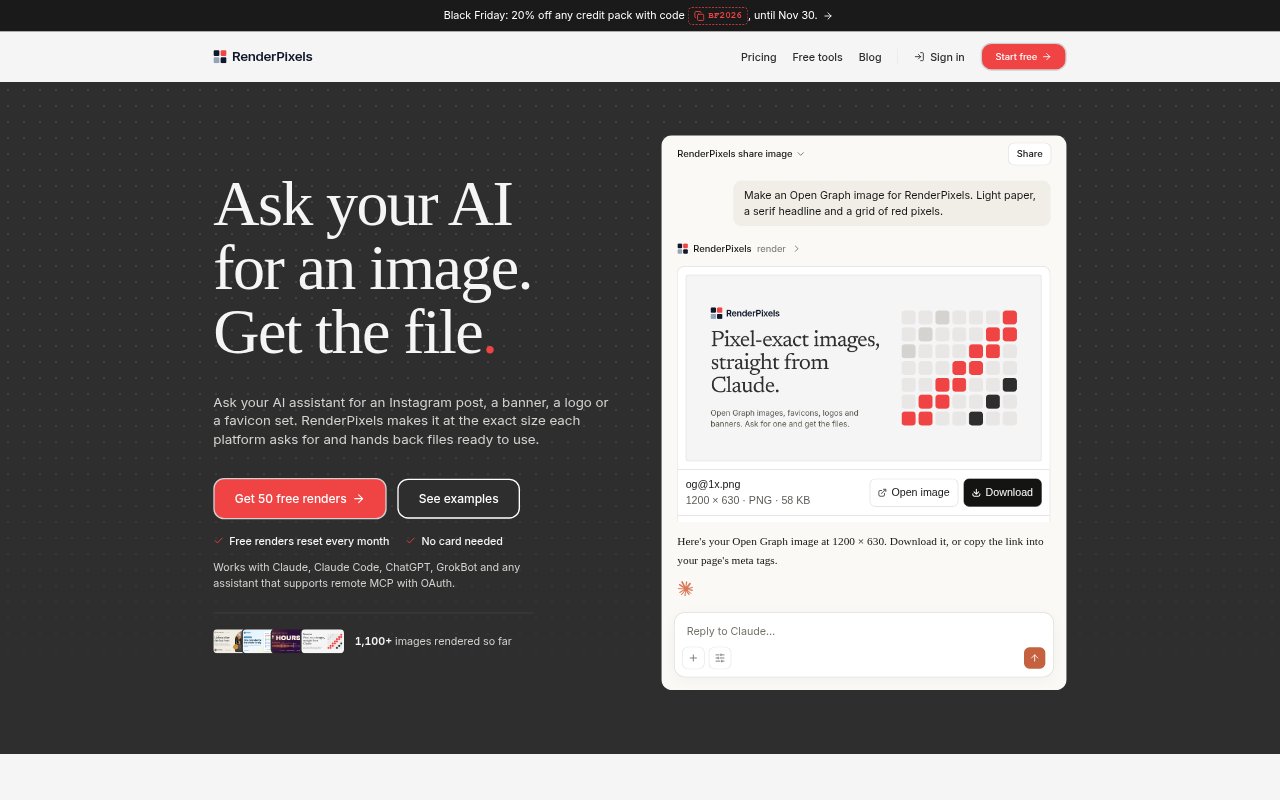
RenderPixels turns requests made through an AI assistant into image files sized for specific platforms and ready to use. The assistant writes the design as code, and RenderPixels renders it in a browser. It works with Claude, Claude Code, ChatGPT, GrokBot and other assistants that support remote MCP with OAuth. Founders, marketers and creators can use it for social graphics, banners, logos, favicons and link preview images.
RenderPixels Features:
Platform-Sized Images: Request graphics at the exact dimensions needed for formats such as Instagram posts, X headers and Open Graph images.
Browser Rendering: An AI assistant writes the design as code, which RenderPixels renders in a real browser into a downloadable file.
Render Checks: Each render reports clipped text and missing fonts or images so the assistant can correct issues and try again.
Preview And Download: View a preview before sharing, then download the image; share-image previews also show how the link will unfurl.
Permanent File URLs: Each finished file receives a permanent URL that can be used in a webpage, meta tag or message.
Brand Kits: Save colors, fonts and a logo in a named brand kit, then apply it to new renders across formats.
RenderPixels Benefits:
Less Resizing: Files made to the requested dimensions can go straight into platform workflows without a separate resizing step.
Fewer Export Fixes: Checks for clipping and missing assets help catch visible problems before a graphic is downloaded or shared.
Consistent Branding: Reusing a brand kit helps keep colors, fonts and logos aligned across a set of different graphics.
Simpler Handoffs: Permanent file URLs make it easier to place completed images in pages, metadata and messages.
One Request, Multiple Formats: Creating several social formats from one design can reduce the repeated work of preparing each asset separately.
Use Cases:
Social Campaigns: Create an Instagram product announcement with a photo, price badge, color options and launch details.
Profile Banners: Make an X header for a podcast that combines host photos, the show name and release information.
Website Sharing: Prepare an Open Graph image for an article or webpage, with its headline, author details and publication branding.
App Icon Sets: Generate a favicon and related app icons, including Apple touch, PWA and maskable icon formats.
Branded Launch Assets: Use a saved brand kit to produce a coordinated set of social graphics and a favicon for a campaign.