

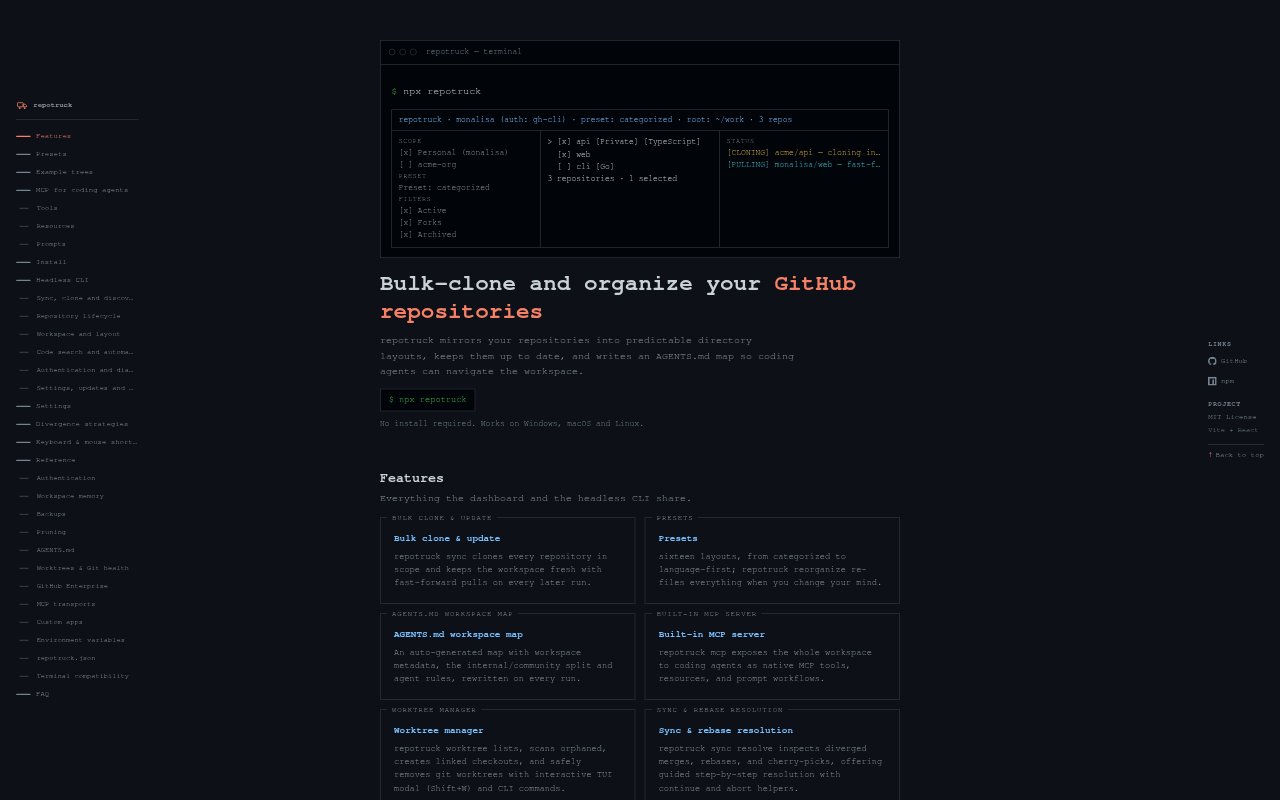
What is Repotruck?
Repotruck is a command-line tool for bulk-cloning GitHub repositories and arranging them in preset layouts. It also creates an AGENTS.md map for AI coding agents working with those repositories. You run it with a single npx command, and it is described as supporting Windows, macOS, and Linux. It is intended for developers who need to set up and organize a local collection of GitHub projects, including developers preparing repositories for AI-assisted coding.
Repotruck Features:
Bulk Repository Cloning: Clone multiple GitHub repositories in a single workflow, rather than treating each repository as a separate cloning task.
Preset Layouts: Place cloned repositories into preset layouts, so the local collection follows a predefined structure instead of being left unorganized.
Agent Context Map: Create an AGENTS.md map for AI coding agents, providing a repository-oriented reference for agent work.
Single npx Command: Run Repotruck with one npx command, keeping the tool's launch process within a single command-line step.
Cross-Platform Support: Use the command-line tool on Windows, macOS, or Linux when setting up a collection of GitHub repositories.
Repository Organization: Combine repository cloning and layout organization in one tool for building a structured local collection.
Repotruck Benefits:
Less Repetitive Setup: Handling repositories together can reduce the repeated effort involved in assembling a local workspace from multiple GitHub projects.
Consistent Workspaces: Preset layouts help keep repository collections organized in a predictable way across separate setup tasks.
Clearer Agent Context: An AGENTS.md map gives AI coding agents a dedicated reference to the repository collection, rather than leaving that context implicit.
Concise Launch Step: Starting the tool with one npx command makes the invocation straightforward when beginning a repository setup.
Choice of Platform: Developers on Windows, macOS, and Linux can use the same tool for organizing their GitHub repository collections.
Use Cases:
Multi-Repo Workspace: Use Repotruck when starting a project that requires several GitHub repositories cloned into a preset local layout.
Related Project Collection: Apply it when you want to gather multiple GitHub projects into one organized workspace instead of handling them repository by repository.
AI Coding Preparation: Create the repository collection and its AGENTS.md map when preparing GitHub projects for work with AI coding agents.
Repeatable Setup: Use the preset layouts when setting up a repository collection that should follow a defined structure.
Cross-Platform Setup: Run the tool on Windows, macOS, or Linux when building a local collection of GitHub repositories.