

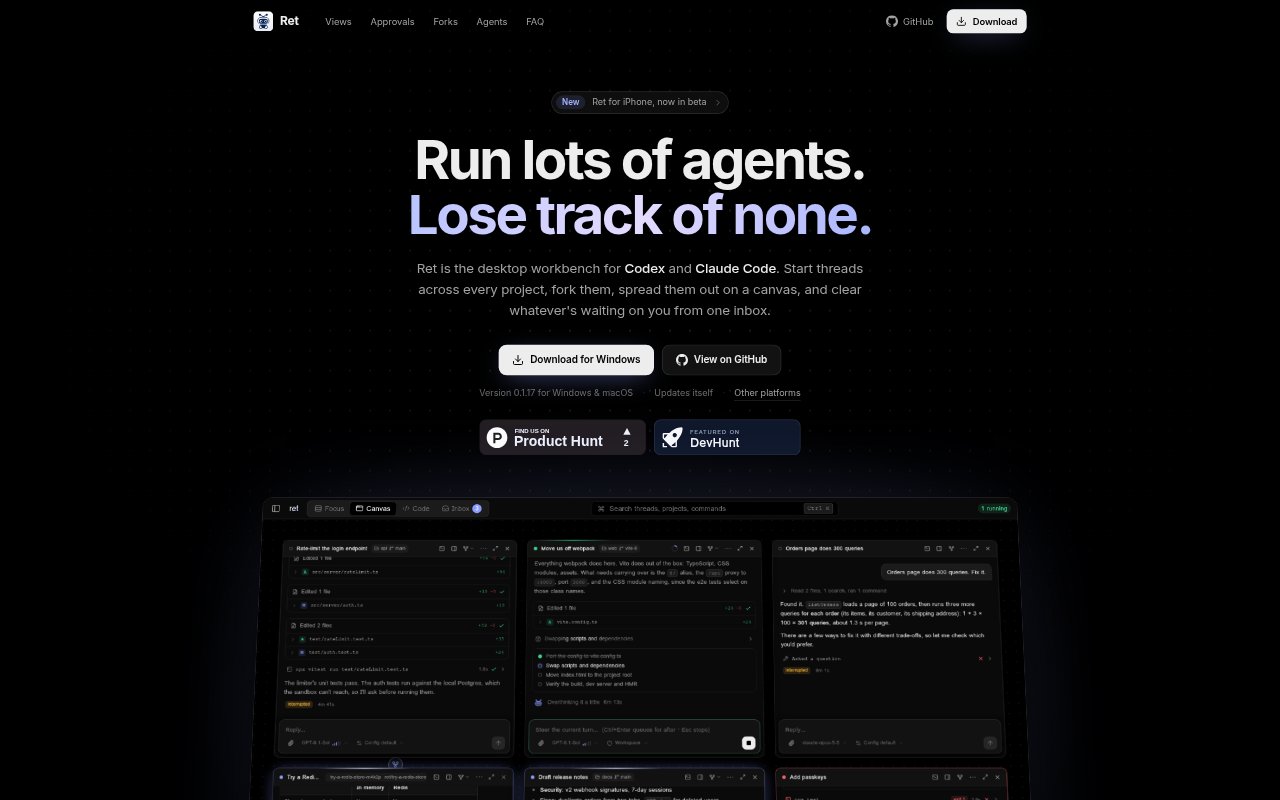
What is Ret?
Ret is a desktop workbench for running Codex and Claude Code across multiple projects on Windows and macOS. It brings agent threads into one workspace, with views for conversations, project files, a spatial canvas, and items awaiting a response. Developers can start and fork conversations, review changes, handle agent requests, and monitor work started in the agents’ command-line tools, editor extensions, or desktop apps.
Ret Features:
Thread Views: Switch between focused conversation tabs, an infinite canvas, a code view with project files, and an inbox for items needing attention.
Conversation Forks: Fork a whole conversation, an earlier turn, or selected text, and place forks in separate Git worktrees for parallel experiments.
Approval Controls: Review requests to run commands, edit files, or access more resources, then allow once, for a session, or always.
Turn Management: Steer a running turn, queue a message for later, bring it forward, edit or discard it, or stop the turn.
Plan Mode: Ask an agent to think through a task, ask questions, and propose a plan that can be implemented with one click.
Agent Compatibility: Use Codex and Claude Code with their own sign-ins and settings, including models, sandboxing, hooks, skills, and MCP servers.
External Threads: View live threads started in agent command-line tools, VS Code extensions, and desktop apps, with notifications when work finishes.
Ret Benefits:
Less Context Switching: Keep work across projects and supported agents in one desktop workspace instead of tracking each conversation in a separate app.
Safer Experiments: Separate worktrees let you compare alternative approaches without parallel forks changing the same project files.
Fewer Missed Requests: Inbox status and notifications make it easier to notice when an agent is waiting for a decision or has finished.
Clearer Priorities: See which tasks need attention, are ready for review, have failed, or are still running before deciding what to handle next.
More Flexible Oversight: Choose how much permission to grant for a command, so routine actions need less repeated intervention while sensitive requests remain reviewable.
Use Cases:
Parallel Prototyping: Explore two implementation ideas at once by forking a coding conversation and keeping each experiment in its own worktree.
Multi-Project Triage: Check agent work across several repositories and respond first to threads that need approval, review, or recovery from failure.
Code Review: Inspect files an agent has changed beside its conversation, then review the context behind those edits before continuing.
Long-Running Tasks: Queue follow-up instructions while an agent works, then bring a message forward or revise it when priorities change.
Cross-App Monitoring: Follow conversations launched from an agent’s CLI, VS Code extension, or desktop app without leaving Ret to check their progress.