

What is Rivermark?
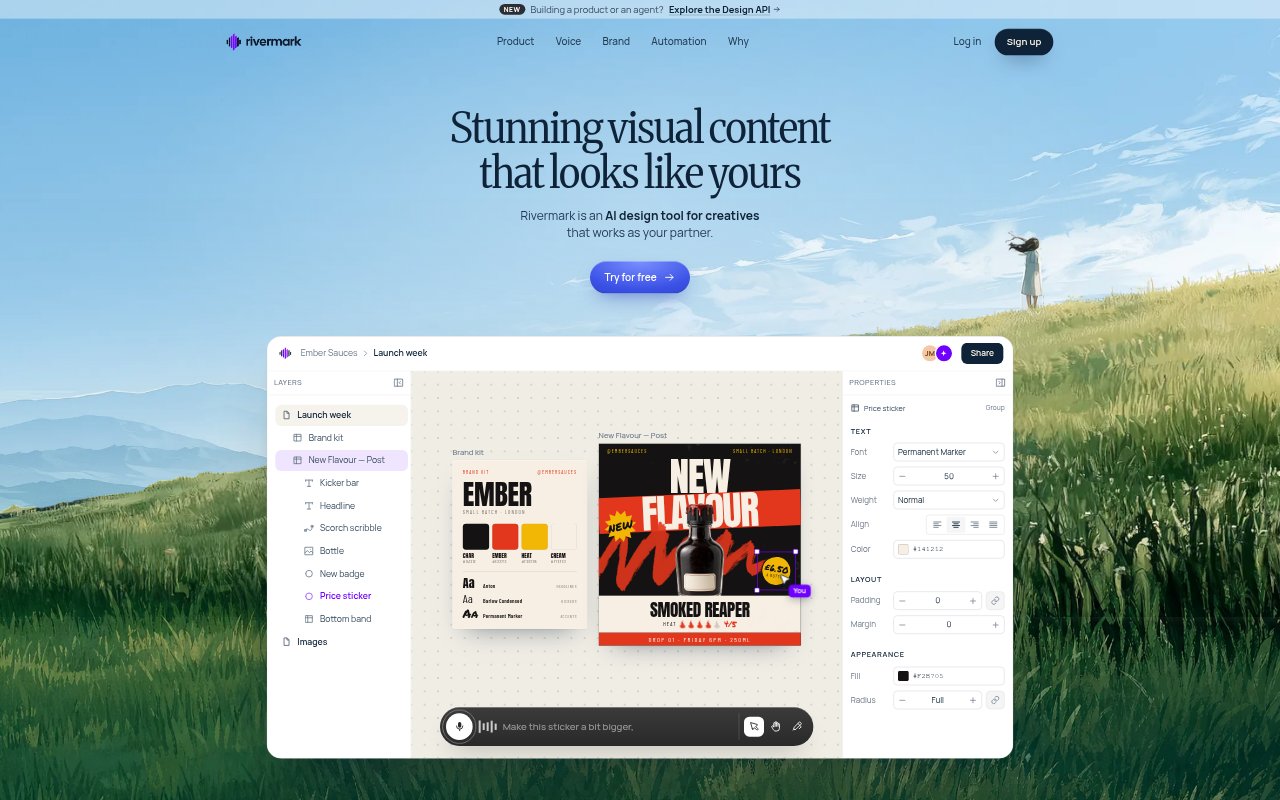
Rivermark is an AI design canvas for creatives making visual content who want AI to support their own ideas and judgment. You can brainstorm with it by speaking or typing, then make precise changes by hand or through further instructions. It can work from existing brand materials and turn a content plan into a set of posts in a chosen style, with options to adapt designs for different social formats.
Rivermark Features:
Voice and Text Editing: Brainstorm aloud or type instructions to adjust elements such as a headline, font, image size, or color.
Manual Adjustments: Edit designs by hand and make specific changes without handing over control of the creative direction.
Brand Material Input: Drag in a website, brand guidelines, or Canva templates for Rivermark to read and use as design context.
Content Plan Generation: Bring in a content plan and generate 50 posts in the style of a visual idea developed with Rivermark.
Social Format Resizing: Adapt designs for formats including Instagram 4:5, Stories or TikTok 9:16, and LinkedIn or X 1.91:1.
Precise Iteration: Give targeted instructions for changes, including small adjustments, and Rivermark aims to keep track of what you are referring to.
Rivermark Benefits:
More Creative Control: You can shape the finished design with your own taste and decisions instead of relying on a hands-off generation process.
Less Repetitive Work: Generating a series of posts from one visual direction can reduce the effort of building each item in a content plan separately.
Brand Consistency: Using existing brand materials as context helps keep new visuals aligned with the identity your audience already knows.
Faster Refinement: A conversational editing process lets you try a different headline, color, or layout without starting the design over.
Format Flexibility: Adapting a design to several social dimensions makes it easier to carry a visual idea across different placements.
Use Cases:
Product Launch Posts: Develop a launch-week visual campaign for a new product or flavor, then refine its headline, colors, and imagery.
Social Content Calendar: Turn a planned schedule of social content into a larger batch of posts that share a chosen visual style.
Multi-Format Campaigns: Prepare versions of a social design for Instagram feed posts, Stories or TikTok, and LinkedIn or X.
Brand-Based Design: Start a creative project with a website, brand guidelines, or Canva templates to guide the visual direction.
Draft Polish: Work through a draft by requesting a punchier headline, a different font, a larger product image, or a new color.