

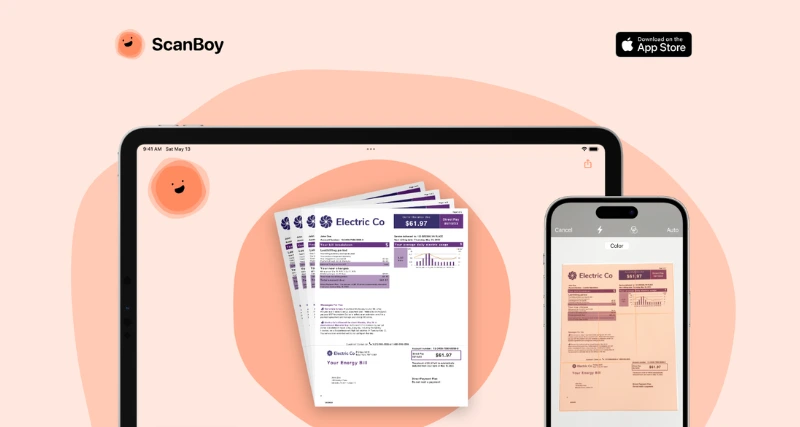
What is ScanBoy?
It is a fast, AI-powered document scanning app for iOS and iPadOS, developed by Deadpan, LLC, a Brooklyn-based software company. It transforms your device’s camera into a portable scanner, creating high-quality PDFs with selectable text. With AI-driven filename generation and optical character recognition (OCR), ScanBoy streamlines document digitization and organization, making it a valuable tool for content writers crafting documentation, reports, or research materials.
ScanBoy Features:
Rapid Scanning: Quickly scan documents into high-quality PDFs using your iOS device’s camera.
AI Filename Generation: Automatically generates descriptive filenames based on document content, powered by OpenAI.
Optical Character Recognition (OCR): Extracts selectable, searchable text from scanned documents for easy editing.
Filename Templates: Create custom templates for consistent naming of recurring document types.
Flexible Storage: Save scans to custom folders in the Apple Files app with iCloud syncing.
Customizable Themes: Personalize the app with vibrant colors and designs for a fun user experience.
Offline Scanning: Basic scanning works without an internet connection; AI features require connectivity.
Privacy-Focused: Data is not stored on servers, ensuring user privacy.
ScanBoy Benefits:
Time Efficiency: AI naming and templates reduce manual organization time.
Enhanced Accessibility: OCR enables text extraction for editing or repurposing content.
Seamless Organization: Custom folder storage and iCloud syncing keep documents accessible.
User-Friendly Design: Intuitive interface and playful themes make scanning enjoyable.
Cost-Effective: Free version available; Pro subscription unlocks AI and OCR features.
Use Cases:
Research Documentation: Scan articles or notes, extract text, and organize for writing projects.
Content Repurposing: Digitize handwritten drafts or printed materials for blog posts or reports.
Receipt Tracking: Scan receipts for expense reports with AI-generated filenames for easy sorting.
Collaborative Work: Share scanned PDFs with teams via iCloud or other cloud services.
Archiving References: Create searchable PDFs of reference materials for writing or editing tasks.