
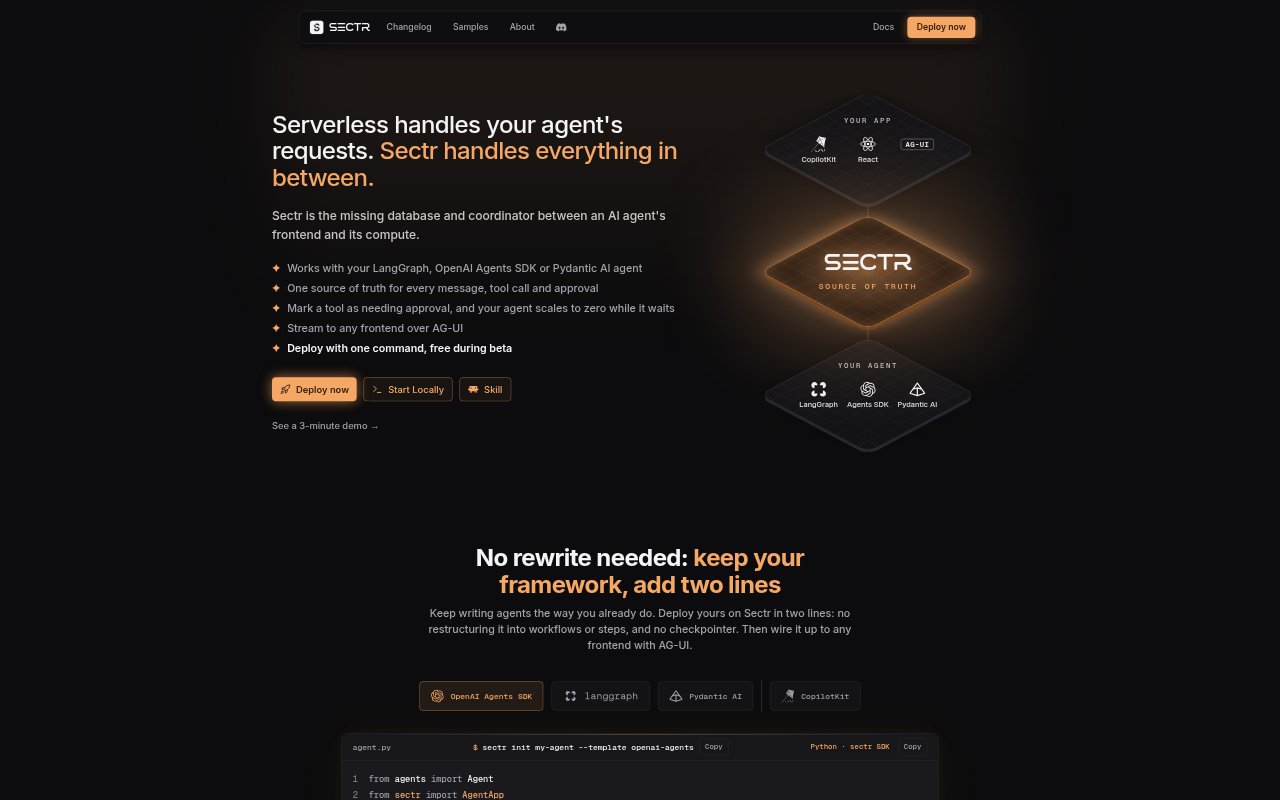
What is Sectr?
Sectr provides storage and coordination for AI agents, connecting an agent’s frontend with its compute. It works with LangGraph, OpenAI Agents SDK and Pydantic AI, so teams can keep their existing agent framework rather than restructure agents into workflows. Sectr stores conversations, streams them to frontends through AG-UI, and can suspend an agent while it waits for human input, then resume it when a response arrives.
Sectr Features:
Conversation Transcript: Sectr records messages, tool calls and results, approval decisions, and errors together in an ordered transcript.
Agent Resumption: After an approval, Sectr rebuilds the framework state from the transcript so the agent can continue from where it paused.
Human Approval: Teams can declare approval policies at the platform level, suspending an agent at a tool call until a person responds.
AG-UI Endpoint: Each deployed agent has an AG-UI endpoint that can stream text, tool calls, and approvals to a frontend.
CopilotKit Support: CopilotKit React components can connect to an agent endpoint to display streaming responses, tool calls, and approvals.
Local and Cloud: The sectr dev command provides a local chat interface and session dashboard, while sectr deploy builds an agent in the cloud.
Sectr Benefits:
Fewer Moving Parts: Keeping conversation history, tool activity, and approvals in one transcript avoids maintaining a separate copy for the chat interface.
Lower Wait Costs: Suspending an agent while a person considers an approval avoids leaving its compute running during the wait.
Simpler Agent Code: Platform-level approval policies remove the need to add checkpointer, queue, scheduler, or wake-up logic to the agent.
More Reliable Chats: Because a turn runs on Sectr rather than in the browser, users can reload mid-response and return to the ongoing chat.
Clearer Debugging: Reviewing messages, tool results, decisions, and errors in sequence helps teams understand why an agent took an action.
Use Cases:
Approval-Based Actions: Use Sectr when an agent must pause for a person to approve a tool call before continuing its work.
Agent Prototyping: Run an agent locally with sectr dev to test its behavior in a chat interface before building a frontend.
Team Feedback: Deploy an agent and share its dashboard page with a coworker, product manager, or customer to try it.
Persistent Chat History: Build a chat app that loads earlier conversations from Sectr instead of keeping a second history store in sync.
CopilotKit Frontends: Connect a CopilotKit React chat interface to a deployed agent for streamed text, tool calls, and native approval interrupts.