

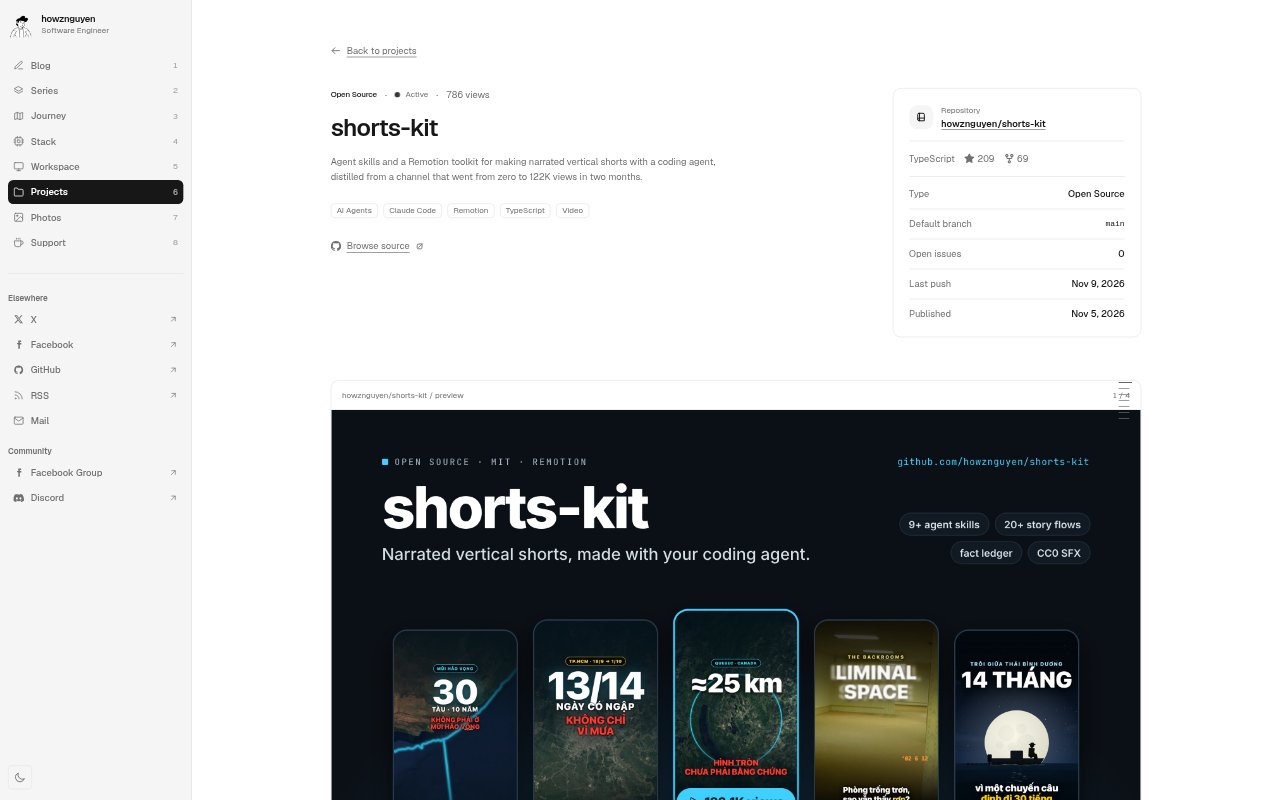
What is shorts-kit?
shorts-kit is a set of agent skills and a Remotion toolkit for producing narrated vertical videos for TikTok, YouTube Shorts, and Reels. It guides a coding agent through research, scripting, voice generation, storyboarding, scene building, rendering, and preparing a cover and caption. Creators can review the work at several stages and upload the finished video themselves; the kit does not publish videos.
shorts-kit Features:
Guided Production: Nine skills, coordinated by a pipeline skill, take a video from topic and research through narration, scenes, rendering, and hand-off.
Claim Tracking: A fact ledger records sources for script claims, and a linter checks that script lines are tied to documented facts.
Storyboarding: The agent plans each shot's camera, on-screen content, text, and transition, then waits for approval before writing scene code.
Video Components: The Remotion toolkit includes word-timed captions, animated typography, safe-zone overlays, camera moves, and illustrated settings such as sky, sea, and rain.
Maps and Globe: Map tools support satellite imagery, coastlines, borders, route animations, a Vietnam map, and a 3D globe with great-circle lines.
Local Preview: A local dashboard tracks project progress and shows the script, storyboard frames, cover at profile-grid size, and caption for copying.
shorts-kit Benefits:
Factual Review: Source records and claim checks give creators a way to inspect the basis for narration before it becomes a finished video.
Controlled Approval: Reviewing the script, voice, storyboard, and stills lets creators catch unwanted choices before the full render is handed off.
Consistent Style: A channel rulebook for voice, writing, captions, audio, and covers helps keep production choices aligned from one video to the next.
Platform Preparation: Captions, loudness normalization, covers, and platform-ready encoding are part of the production flow, reducing separate finishing work.
Adaptable Rules: Channel-specific defaults can be changed, so creators can shape the workflow around their niche, language, platform, voice, tone, and video length.
Use Cases:
Educational Shorts: Create narrated explainers about topics such as science, with sourced claims and a planned sequence of visuals.
Map-Based Stories: Build a short about a place or journey using borders, satellite views, animated routes, or globe transitions.
Channel Production: Set up a repeatable workflow for a knowledge channel that needs scripts, voice, scenes, covers, and captions for vertical videos.
Creator Review: Use the staged approvals when a creator wants to check narration, shot plans, and rendered stills before producing the final video.
Agent-Assisted Editing: Give a coding agent a topic and guide it through video production while keeping final review and uploading in the creator's hands.