

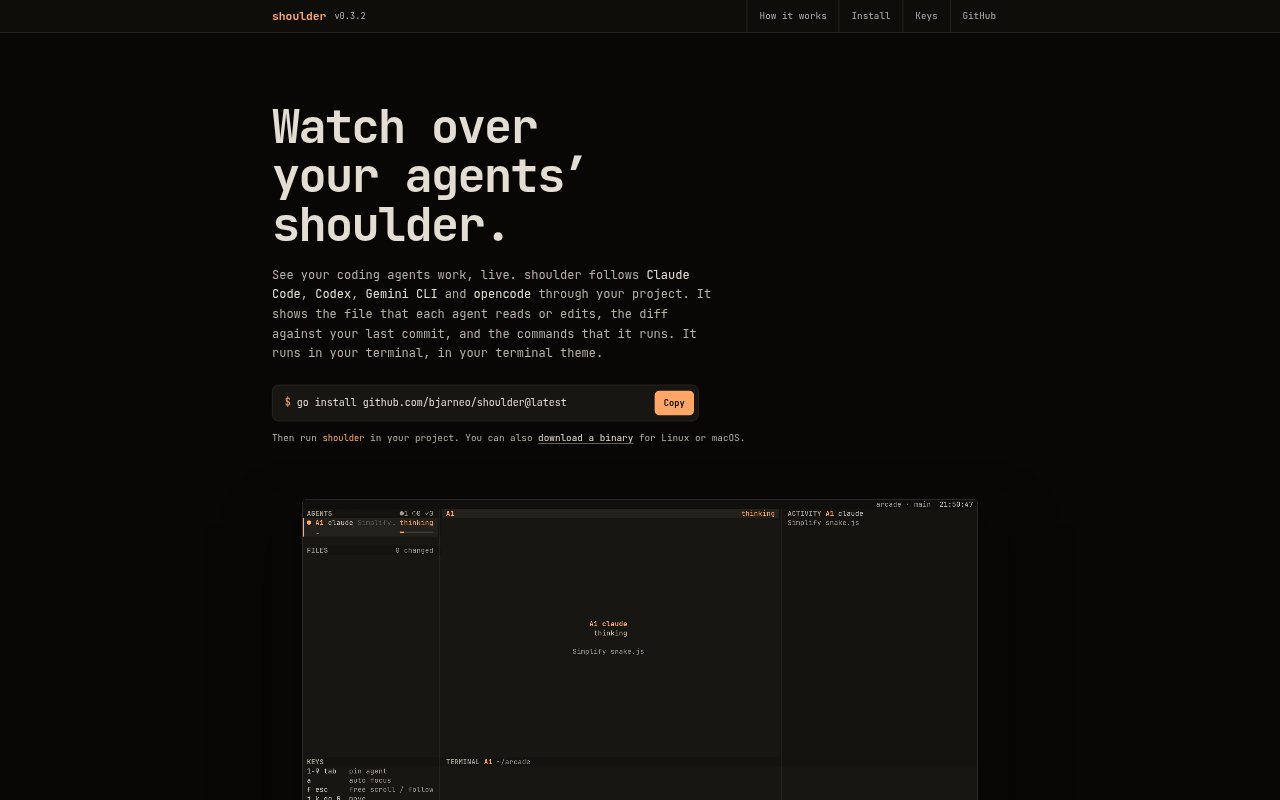
What is shoulder?
shoulder is a terminal app for watching Claude Code, Codex, Gemini CLI and opencode work in a project. It gathers their sessions into one view, showing which files they read or edit, the changes against the last commit, and the commands they run. Developers can use it while agents work, without configuring the agents or sending them input through shoulder.
shoulder Features:
Supported Agents: shoulder follows sessions from Claude Code, Codex, Gemini CLI and opencode, including Claude Code subagents.
Project Overview: Agents working in the project appear side by side, and shoulder can also show agents across all projects.
File Activity: The view identifies files an agent reads or edits, including changes made through shell commands such as sed or scripts.
Commit Diff: For each agent, shoulder displays the diff between its project changes and the last commit.
Command Tracking: The terminal view shows commands agents run, along with session activity and whether an agent is still working or done.
Automatic Focus: The display moves to an agent when it edits a file or asks a question, and shifts to another working agent when the focused one finishes.
Read Only: shoulder reads the agent logs and session data without changing project files, sending agent input, or connecting to the network.
shoulder Benefits:
Shared Visibility: Seeing several agents in one terminal view makes it easier to keep track of concurrent work in a project.
Faster Review: File activity and commit diffs help developers find what an agent changed without relying only on its summary.
Less Context Switching: Automatic focus brings relevant agent activity into view, reducing the need to manually search through separate sessions.
Low Disruption: Because shoulder only reads session data, developers can observe agents without routing their work through another tool.
Terminal Fit: Using the terminal's colors and theme keeps the monitoring view consistent with a developer's existing terminal setup.
Use Cases:
Parallel Agent Work: Watch Claude Code and Codex work in the same project while keeping their sessions visible side by side.
Change Review: Check which files an agent has edited and inspect its changes against the last commit during a coding task.
Shell Edits: Track project files an agent modifies through shell commands or scripts, rather than only edits made directly by an editor.
Approval Monitoring: Notice when a Gemini CLI tool call is waiting for approval or when an agent asks a question during its session.
Multi-Project Status: Use the all-projects view or shoulder status to check agent activity from a terminal status bar.