

What is Snippet?
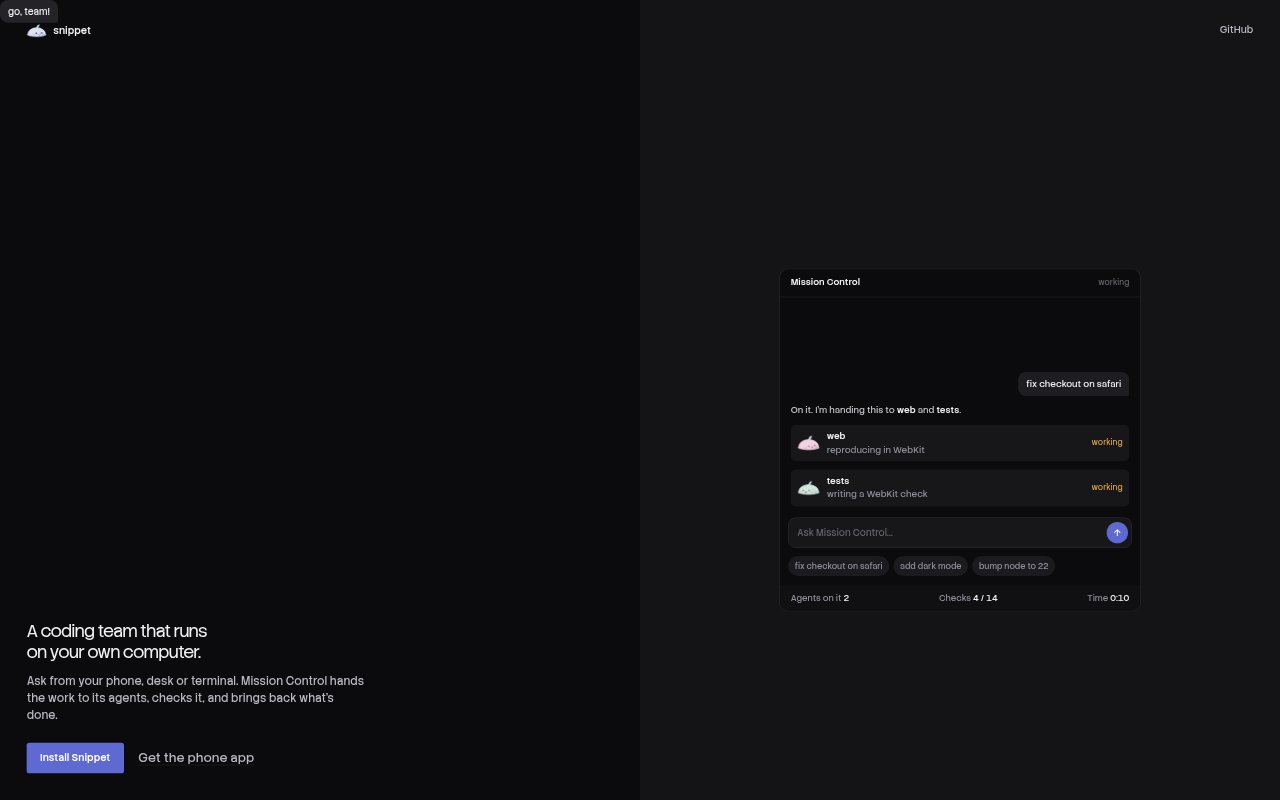
Snippet is an open-source team of coding agents for developers who want to delegate work on their projects. It runs on your computer, with Mission Control assigning work to agents and returning the results. You can send requests from a phone, desktop, or terminal, then review and approve work from those devices while keeping the app connected to your own computer rather than a cloud copy of your code.
Snippet Features:
Task Routing: Mission Control assigns requests to agents, checks their work, and brings the results back for you to review.
Agent Roles: Each agent has a distinct job, colour, and memory, and you can create additional agents for other kinds of work.
Phone Access: Send tasks and approve work from the phone app, with the app communicating with your own computer.
Terminal Sessions: Use the same agent team in a terminal app, where sessions also appear on your phone and desktop.
Model Fallback: When an agent reaches its limit, background work can move to the next model on your list without requiring a model choice for each task.
Scheduled Work: Set work to run on a schedule, and use quiet hours to hold non-urgent tasks until morning.
Project Memory: Agents retain project knowledge in plain files in your repository, which you can read and edit.
Snippet Benefits:
Less Task Switching: Delegate coding requests from the device at hand instead of stopping to open a separate workflow for each task.
Code Stays Local: Keeping the app connected to your computer avoids working from a cloud copy of your project.
Work Continues: Scheduled tasks and background model fallback can keep work moving when you are away or an agent reaches its limit.
Clearer Handoffs: Agent roles and retained project context help make delegated work more consistent from one task to the next.
Easier Review: Returned checks, previews, and reviewable changes give you concrete results to assess before accepting work.
Use Cases:
Fixing Project Bugs: Delegate a small bug, such as a checkout date-parsing issue, then review the proposed changes before merging.
Checking Web Changes: Ask an agent to run browser checks on a web change and inspect the returned results before approving it.
Reviewing Interface Options: Have an agent prepare alternative onboarding headers or settings previews, then choose an option from the chat.
Routine Maintenance: Schedule dependency checks so updates can be prepared and their test results reviewed later.
Remote Code Handoffs: Start a coding task from your phone while away from your desk, then follow up or approve it on another device.