
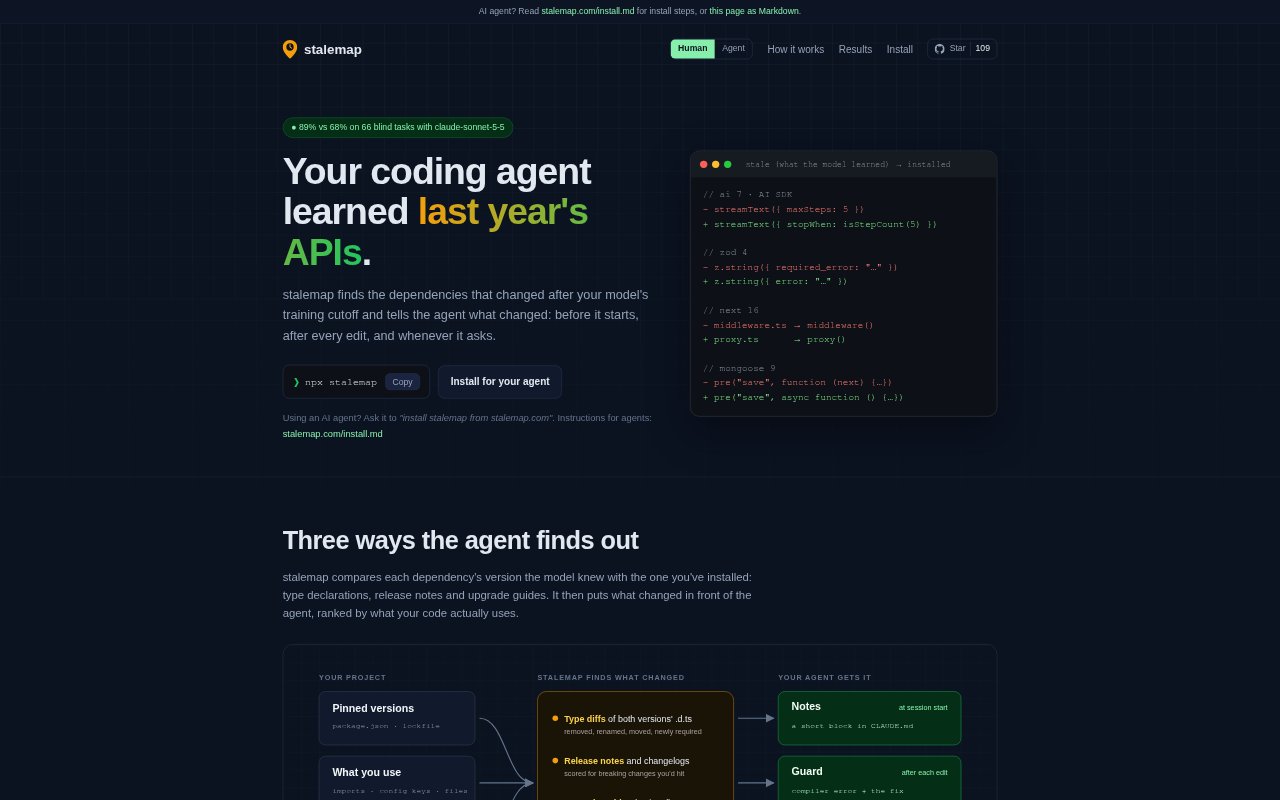
What is stalemap?
stalemap helps AI coding agents work with JavaScript and TypeScript dependencies that changed after the model’s training cutoff. It compares installed package versions with versions the model may know, then surfaces relevant API and configuration changes during a coding session. It is for developers using supported coding agents who want guidance on newer dependency behavior while keeping source code on their own machine.
stalemap Features:
Dependency Change Detection: stalemap compares installed dependency versions with versions associated with the model’s cutoff, using type declarations, release notes and upgrade guides to identify changes.
Ranked Project Notes: It adds a short, ranked summary to CLAUDE.md or AGENTS.md, covering removed or renamed APIs, new required options, changed defaults and replacements.
Post-Edit Guard: After edits, the guard runs the project’s TypeScript compiler and pairs dependency-related errors with fixes from its notes or matching documentation.
Change Search: An MCP tool lets an agent search for relevant dependency changes in its own words and receive matching details with sources and code.
Agent Setup: Setup detects supported agents and their model settings, then adds notes, registers the MCP server and installs the guard as a post-edit hook.
Local Source Scanning: stalemap scans project code locally; package names and versions are sent to npm and GitHub to retrieve declarations and release information.
stalemap Benefits:
Less API Guesswork: Agents can work from current dependency details instead of relying only on APIs and behavior represented in their training.
Fewer Dead Ends: When dependency changes cause compiler errors, developers get a possible correction alongside the error rather than having to diagnose it unaided.
Catch Silent Changes: Flagging renamed files and moved configuration keys can help prevent overlooked changes that do not cause compilation errors.
Less Manual Research: Relevant changes are surfaced in the project workflow, reducing the need to separately search upgrade guides and release notes.
Keep Code Private: Because source code stays on the machine, teams can add dependency guidance without uploading their project files.
Use Cases:
Starting Agent Work: Use stalemap when beginning a coding task in a JavaScript or TypeScript project whose dependencies may have changed since the agent’s training cutoff.
Updating Dependencies: Use it while adapting application code after installing a newer version of an npm package with changed APIs or defaults.
Resolving Build Errors: Use it when an agent’s recent edits trigger TypeScript errors that may be explained by a dependency change.
Migrating Configuration: Use it when changing package versions and checking whether configuration keys or files need to move or be renamed.
Checking a Specific Change: Ask the agent to search for a dependency change when troubleshooting a particular setting, such as an alias in a project configuration file.