

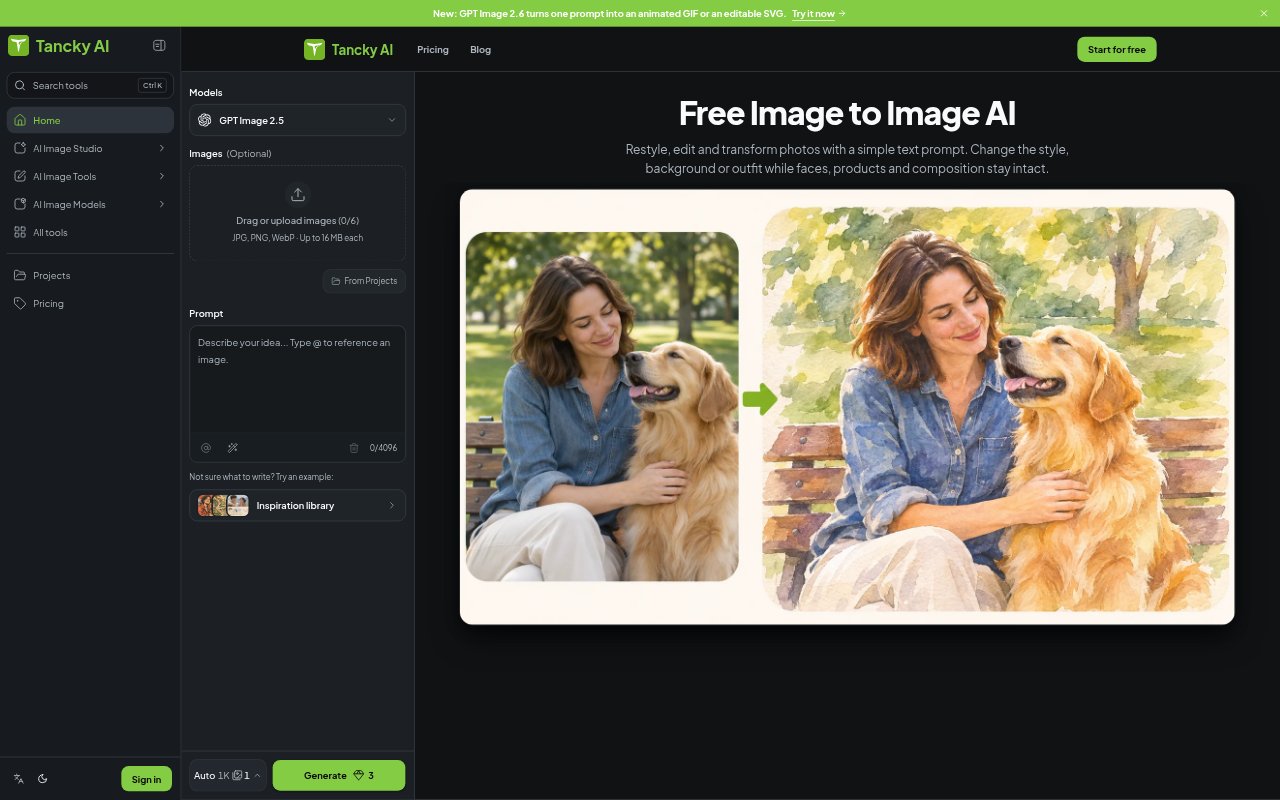
What is Tancky AI?
Tancky AI is a browser-based image studio for editing and transforming photos, sketches, and product shots with text prompts. It can restyle an image while retaining recognizable details, and includes separate tools for tasks such as background changes, image upscaling, and object removal. It is suited to creators, sellers, and anyone who wants to adapt an existing image without working with layers or masks.
Tancky AI Features:
Prompt-Based Editing: Describe the change and the details to preserve in plain language, then refine the result by adjusting the prompt and generating again.
Reference Images: Upload a starting image and as many as five additional images to provide references for a style, outfit, or background.
Image Adjustments: Keep the original aspect ratio or choose a different one before generating an edited image from your uploaded picture.
Built-In Editing Tools: Continue working on a generated result with tools to upscale it, change or remove its background, extend its frame, or erase objects.
Multiple Image Models: Choose from listed image models including MiniMax H3 Image, GPT Image 2.6, GPT Image 2.5, and several Nano Banana and Seedream options.
Credit Options: Start with free credits, then choose one-time credit packs or a subscription; credit packs do not expire, and failed generations are refunded automatically.
Tancky AI Benefits:
Less Manual Editing: Text instructions let you make common visual changes without having to work through layers, masks, or sliders.
Keep What Matters: Preserving a face, product shape, or room layout helps you explore a new look without losing the image's recognizable subject.
Faster Iteration: Changing a few prompt words and generating again makes it practical to compare variations before settling on an image.
Lower Commitment: One-time credit packs with no expiration suit occasional projects without requiring a recurring subscription.
Ready for Commercial Work: Commercial use is included with credit packs, so paid users can make images for business projects as well as personal ones.
Use Cases:
Product Listing Photos: Turn a phone shot into a product scene with a different setting, such as placing an item on marble or beside a bathroom sink.
Room Makeover Concepts: Preview a new interior style or wall color in a photo of a real room before buying furniture or paint.
Sketch Development: Transform a pencil draft or doodle into a realistic image, digital illustration, or 3D render while retaining its layout.
Portrait Restyling: Make an anime, cartoon, or watercolor version of a portrait while asking the edit to retain the person's face.
Photo Background Changes: Replace a distracting setting with a beach or plain backdrop while keeping the subject's pose and clothes.