

What is TaskPocket?
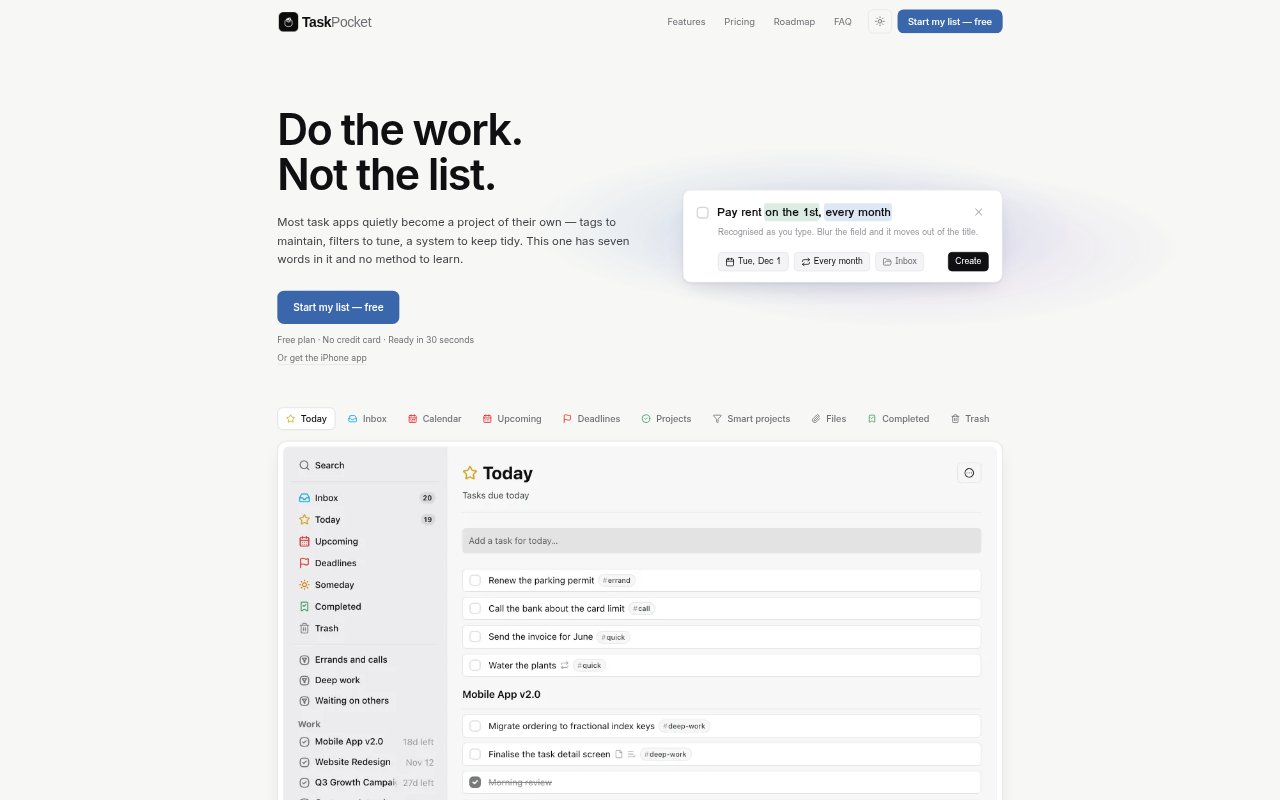
TaskPocket is a to-do list app for the browser and iPhone, built around tasks, areas, projects and a small set of dates rather than a customizable productivity method. It helps people organize work and personal responsibilities, with views for what to start, what is actually due and what can wait. There is no built-in AI, but users can connect an assistant they choose if they want it to work with their task list.
TaskPocket Features:
Task Organization: Tasks can sit in an Inbox, a Project or Someday, while Areas group related projects such as work or home.
Start Dates and Deadlines: Separate fields let a task appear in Today based on its planned start date while keeping its actual due date in the Deadlines view.
Repeat Rules: Repeats can use patterns such as the last business day of the month, run after a task is completed, stop on a date or after a set number, and be skipped or undone.
Notes and Checklists: Tasks support formatted notes with clickable links and reorderable checklists for steps that do not need their own task.
Tags and Smart Projects: Tags can be added in task titles, and Premium smart projects collect tasks automatically using filters such as tags or dates in an Area.
Task Attachments: Attach up to 20 files to a task from the web app or an iPhone, including images, text files, Markdown files and PDFs.
Quick Capture: Create tasks with the N key on the web, from the iPhone share sheet or through a browser extension, with dates and repeats parsed from text.
TaskPocket Benefits:
Less System Upkeep: A ready-made structure means people can spend less time maintaining tags, filters and a personal task-management method.
Clearer Daily Priorities: Separating planned work from actual deadlines makes it easier to choose what to focus on without losing sight of due dates.
Fewer Repeat Repairs: Skipping an occurrence or undoing a mistaken completion helps keep a recurring schedule accurate without rebuilding it by hand.
Work Stays Together: Keeping notes, steps and related files with a task reduces the need to search across separate places for its context.
Assistant Choice: People can use an assistant they already prefer, and their task data stays in TaskPocket unless they connect one.
Use Cases:
Project Launches: Track a launch in a project, break preparation into checklist steps and schedule the work separately from its deadline.
Recurring Admin: Schedule monthly invoicing, regular maintenance or other duties that need a repeat rule tied to completion or a calendar date.
Daily Planning: Plan when to begin a piece of work while keeping its external due date visible in a separate view.
Meeting Preparation: Collect agenda notes, links and follow-up steps on one task before a review or client meeting.
Browser Research: Save a page as a task while browsing, then keep the reference and any follow-up work together.