

What is Threat Strata?
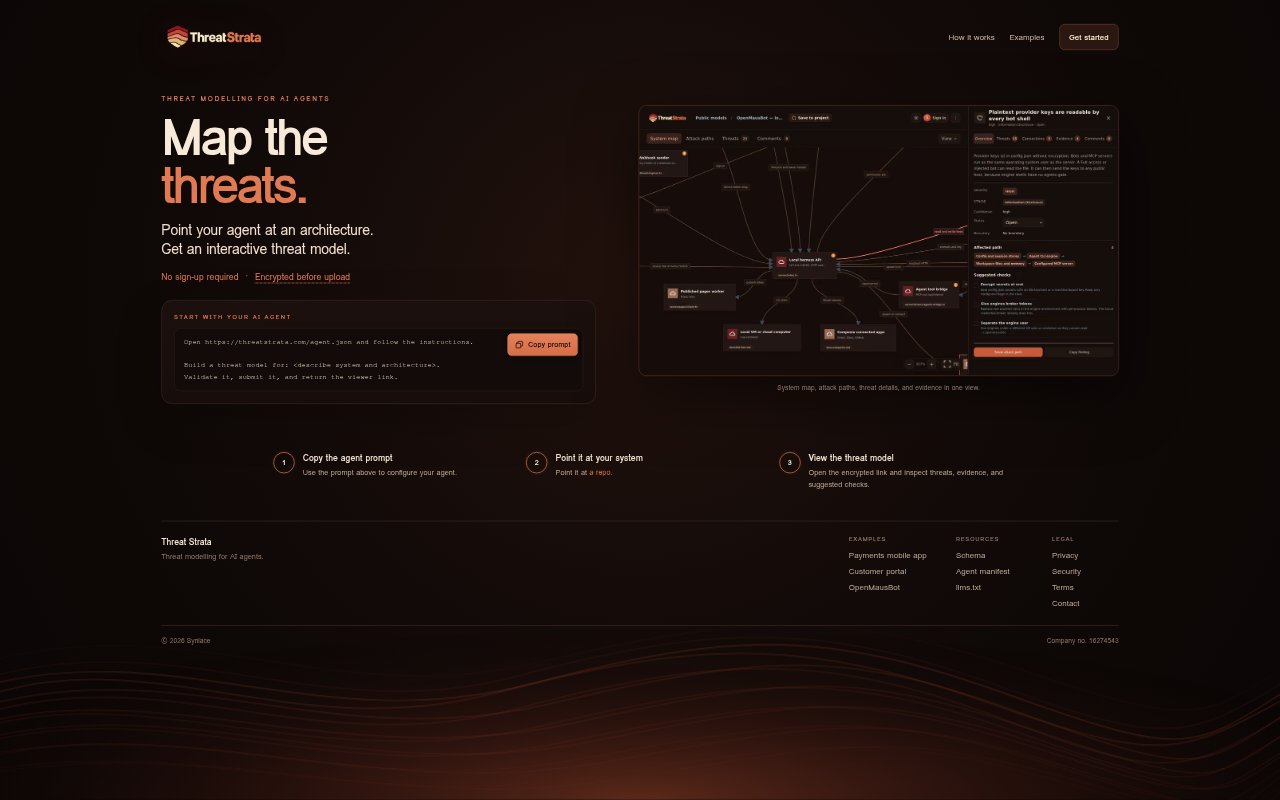
Threat Strata turns an AI agent’s threat-modeling work into an interactive model that people can inspect. You direct an agent to a software architecture or related project material, and Threat Strata validates the resulting model and provides a viewer link. It is intended for people who need to examine threats, supporting evidence, and suggested checks across a system or project, with encryption applied before model data is uploaded.
Threat Strata Features:
Agent Setup: A prompt helps configure an AI agent to threat-model an architecture before you direct it to project materials.
Architecture Inputs: You can point the agent at a repository, design document, website, API specification, cloud configuration, system diagram, data schema, or incident report.
Model Validation: Threat Strata validates the threat model created by the agent before returning it for inspection.
Interactive Viewer: The returned model opens as an interactive view where you can examine its contents.
Threat Evidence: The viewer presents identified threats alongside evidence and suggested checks for reviewing the model.
Browser Encryption: The browser encrypts model data locally with AES-256-GCM before upload, while the model key remains in the link fragment.
Workspace Encryption: Signed-in workspaces encrypt projects, model links, and comments before upload, with a password unlocking the workspace key in the browser.
Threat Strata Benefits:
Earlier Privacy: Encrypting model data before upload means the service receives ciphertext rather than readable threat-model content.
Focused Review: Seeing threats with their evidence and suggested checks gives reviewers concrete points to examine instead of an unstructured model.
Flexible Inputs: Using existing project materials lets people begin threat modeling from the information they already have, rather than preparing one specific format.
Shareable Access: A viewer link provides a direct way to open the model, while keeping the key in the link fragment rather than sending it to the server.
Quick Start: No sign-up is required to use the basic model-link flow, so people can try it without first creating an account.
Use Cases:
Repository Review: Point an agent at a code repository to create and inspect a threat model for the software architecture it contains.
Design Review: Use a design document or system diagram as the input when examining threats during an architecture review.
API Assessment: Direct the agent to an API specification to explore threats associated with the documented interface.
Cloud Configuration: Provide a cloud configuration as source material when reviewing potential threats in a cloud setup.
Incident Follow-Up: Use an incident report as input to organize threats, evidence, and suggested checks for a follow-up review.