

What is Thrum?
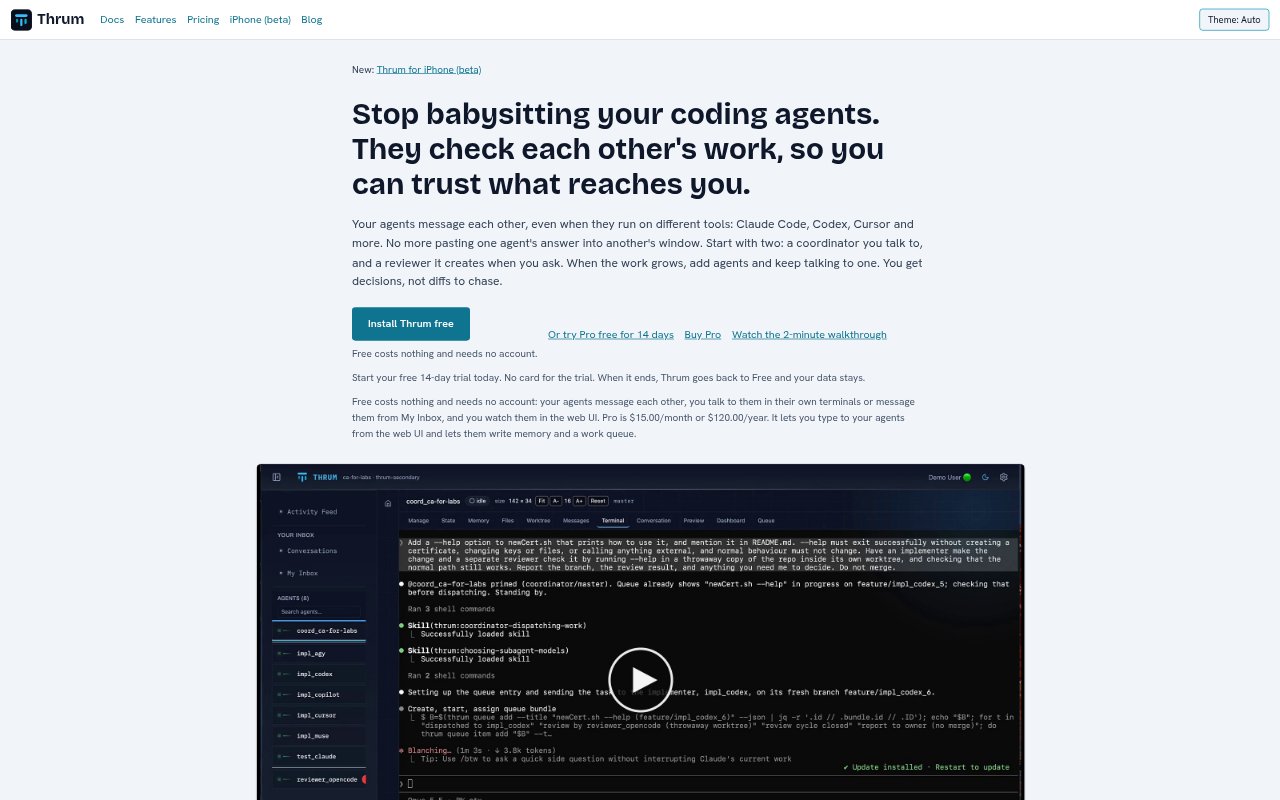
Thrum coordinates teams of AI coding agents, giving developers one place to direct work while agents communicate, review changes and prepare merges. It works with supported coding tools such as Claude Code, Codex and Cursor, and does not call AI models itself; agents use the tools and models you choose. The free edition needs no account, while Pro adds features including web-based agent conversations and saved memory, for $15 monthly or $120 yearly.
Thrum Features:
Agent Coordination: A coordinator receives your request, assigns work to other agents and brings back decisions or questions that need your input.
Cross-Tool Messaging: Agents can message each other across supported coding tools, so you do not have to transfer instructions between separate sessions yourself.
Branch Review: The coordinator reviews agents’ branches before they reach you, and you can add a separate reviewer agent to check their work.
Merge Checks: Thrum is set up to build and test the merged result before pushing, with an optional gate agent that runs tests and reports what it checked.
Deploy Workflow: A deployer agent can run your scripted deployments, handle development and staging, request approval for production, and report on the result.
Saved Context: Pro agents can save rules, personal status and a work queue, giving later sessions shared notes about ongoing tasks and responsibilities.
Thrum Benefits:
Less Message Handling: You can avoid relaying updates and requests between agent sessions, leaving more time for the work that needs your judgment.
Fewer Unchecked Changes: Review and test steps help surface problems before a merge is pushed, so you have clearer evidence to consider when deciding what ships.
Clearer Oversight: A single coordinator and a web view make it easier to follow activity without keeping track of several terminals at once.
Easier Restarts: Saved task details and memory can reduce the need to re-explain work when an agent starts a new session.
Controlled Automation: You can choose whether routine merges happen automatically or wait for your approval, keeping you involved at the level you prefer.
Use Cases:
Parallel Coding: Ask one agent to implement a change and another to review it when you want to divide coding work across separate sessions.
Multi-Tool Teams: Coordinate a project when its coding agents run on different supported tools and you want them to exchange updates directly.
Tested Merges: Add a gate agent to run tests on merged code when you want a reported check before changes are pushed.
Staging Deploys: Use a deployer for scripted development or staging releases, with production deployment held for coordinator approval.
Returning to Work: Use saved memory and work queues when agents need to pick up ongoing tasks across sessions without losing their recorded context.