

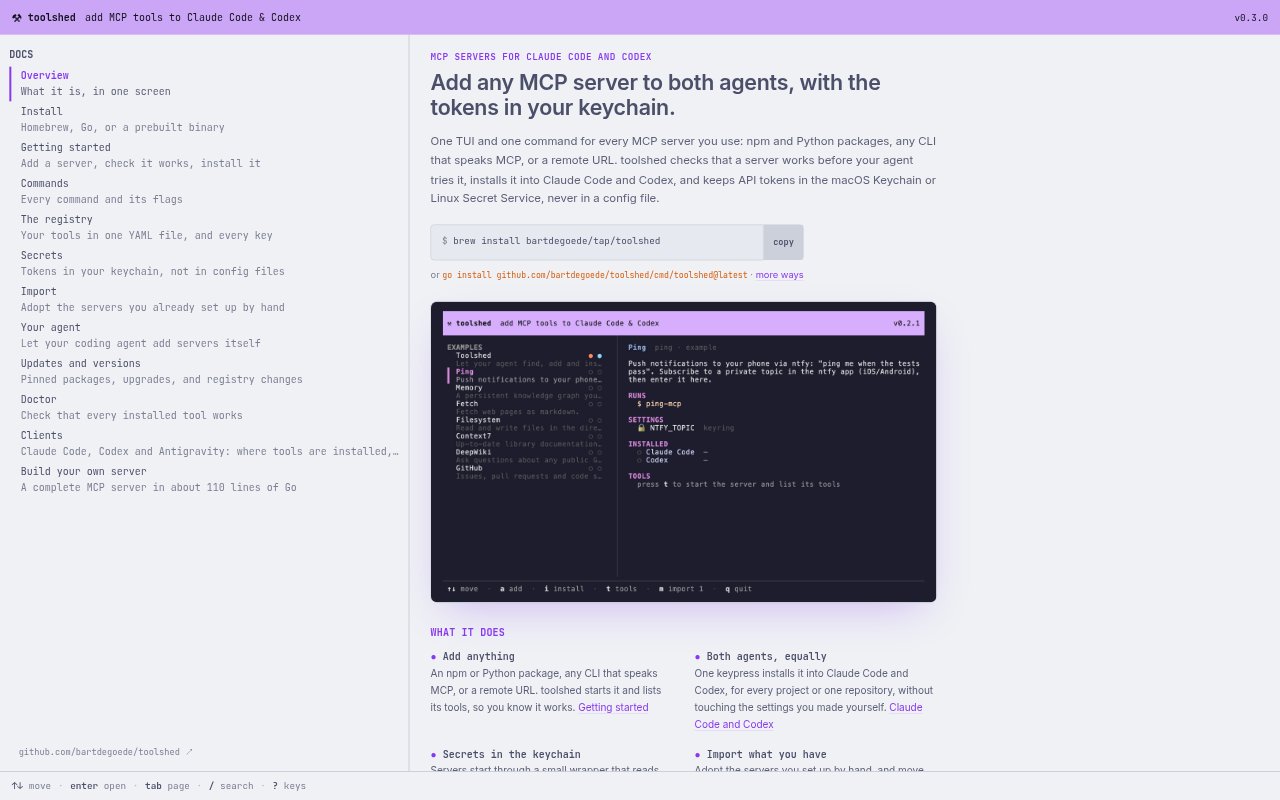
What is toolshed?
toolshed is an open-source command-line tool for managing Model Context Protocol (MCP) servers used by Claude Code and Codex. It lets developers add servers from npm or Python packages, local command-line programs that speak MCP, and remote URLs, then install them into both agents. A terminal interface and a command provide ways to manage servers. Available for macOS and Linux, toolshed keeps server credentials in the macOS Keychain or Linux Secret Service rather than configuration files.
toolshed Features:
Server Sources: Add MCP servers from npm and Python packages, local command-line programs that speak MCP, or remote URLs.
Two Agent Clients: Install MCP servers into Claude Code and Codex through the same tool.
Terminal Interface: Use a terminal user interface or a command to manage the MCP servers you use.
Credential Storage: Store API tokens in macOS Keychain or Linux Secret Service instead of configuration files.
Server Checks: Check that a server works before an agent tries to use it, and run Doctor to check installed tools.
YAML Registry: Keep your tools in one YAML registry, with options for pinned packages, upgrades, and registry changes.
Server Import: Import MCP servers that you have already configured by hand.
toolshed Benefits:
Less Repeated Setup: Manage server installation for two coding agents in one place instead of configuring each client separately.
Fewer Failed Starts: Checking servers before an agent uses them can help catch problems before they interrupt a coding task.
Credentials Outside Configs: Keeping tokens in system credential stores avoids placing them in the MCP configuration files toolshed manages.
Easier Maintenance: A shared registry gives you one place to review server choices and manage pinned packages and upgrades.
Keep Existing Setup: Importing servers configured by hand lets you bring current MCP choices into toolshed rather than re-entering them.
Use Cases:
Set Up Coding Agents: Add the same MCP server to Claude Code and Codex when you use both agents in your development workflow.
Connect Remote Servers: Register a remote MCP URL for an agent without treating it as a local npm, Python, or command-line package.
Adopt Existing Servers: Bring servers you previously configured by hand into a central registry when moving to toolshed.
Check Agent Tools: Run checks on installed servers when an agent cannot use a tool or before relying on it for coding work.
Manage Package Changes: Use the registry to keep track of pinned packages and upgrades as you maintain MCP servers for your agents.