

What is Trama?
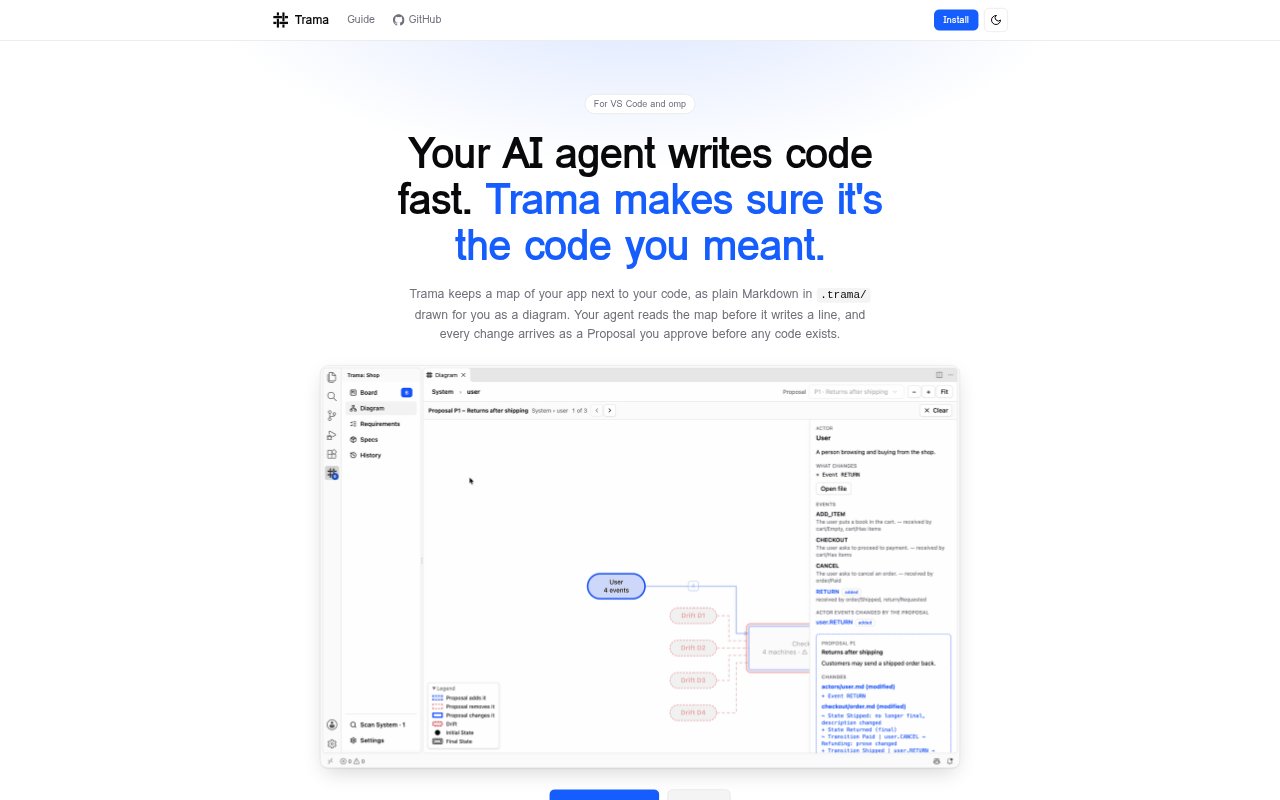
Trama is a VS Code extension for people who use the omp AI agent to change an application. It keeps a diagram of the app, represented as plain Markdown files in a .trama/ folder, alongside the code. Users describe a change, review the agent’s Proposal and approve it before code is built, then follow the resulting Tasks and resolve any disagreement between the code and the map.
Trama Features:
Application Map: Trama keeps an application map as plain Markdown in a .trama/ folder and presents it as a diagram beside the code.
Change Requests: Users describe a desired change in plain language, and Trama places the request on the Board for the agent.
Agent Questions: When the agent needs a decision, it asks a question with a recommended option selected, which users can accept or replace.
Change Proposals: A Proposal shows the planned map change along with its decisions and assumptions, and requires approval before anything is built.
Task Execution: After approval, users can run the Tasks one at a time or together and follow progress on the Board.
Map Drifts: Trama raises a Drift when the code and application map disagree, leaving users to choose whether to change the code or the map.
Trama Benefits:
Fewer Misunderstandings: Reviewing the proposed change before implementation helps catch a mismatch between what was requested and what the agent is about to build.
Visible Assumptions: Having decisions and assumptions together with the Proposal gives users a clearer basis for judging the change’s scope.
Controlled Oversight: Choosing whether to run Tasks individually or together lets users adjust how closely they want to monitor the work.
Current Documentation: Surfacing code-map disagreements helps users notice when their understanding of the application no longer matches its implementation.
Clearer App Structure: Keeping the diagram alongside code makes the application’s mapped structure available while users and the agent work on changes.
Use Cases:
Requesting a Feature: Describe a new application behavior in everyday language and have the agent turn the request into a Proposal for review.
Settling Product Rules: Use the agent’s questions to choose a business rule, such as the conditions for accepting a customer return.
Reviewing Planned Changes: Check the decisions and assumptions behind a proposed map change before allowing the agent to create code.
Supervising Implementation: Run an approved change’s Tasks one at a time when you want to follow each part of the implementation.
Reconciling Code and Map: When Trama identifies a Drift, decide whether the implementation should change or the application map should be updated.