

What is Unsloth?
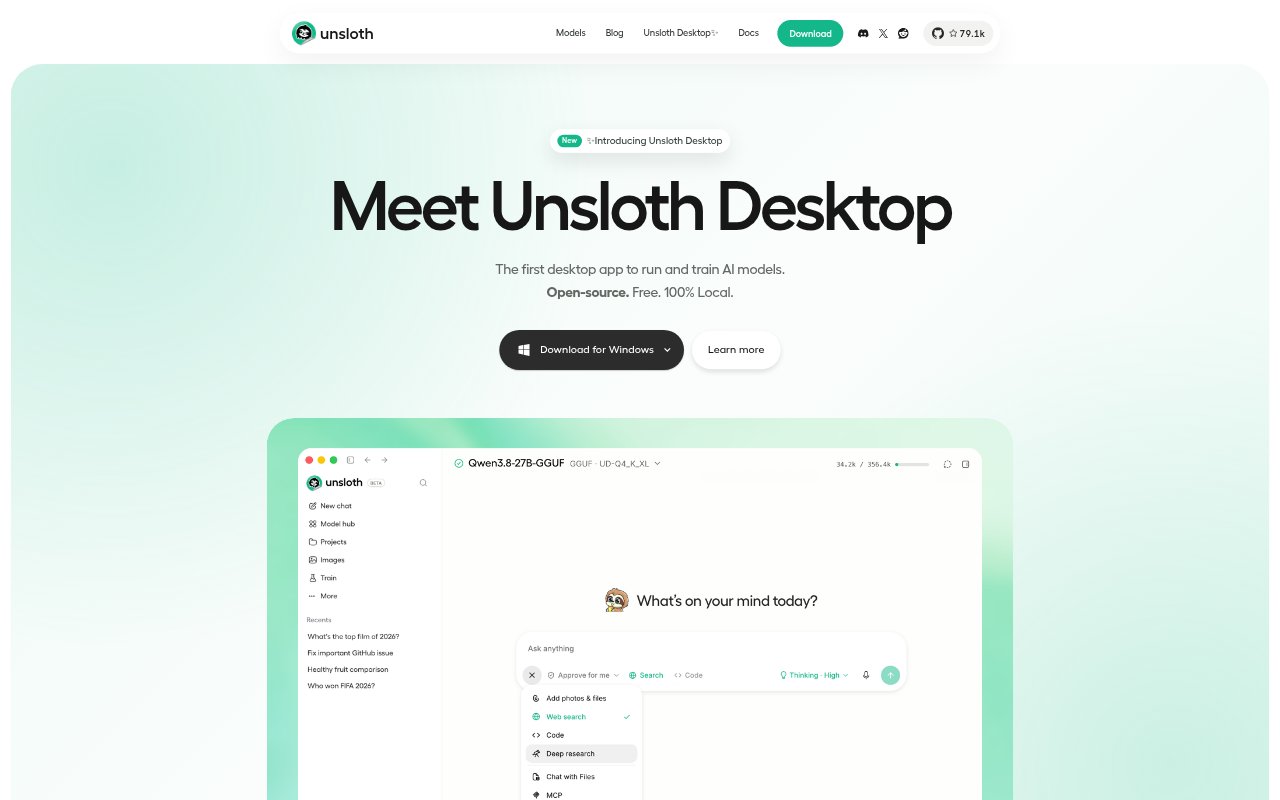
Unsloth is a free, open-source desktop workspace for running and training AI models on your own hardware, without a coding-based setup. It supports text, image, video, and audio models on Mac, Windows, and Linux, with no-code workflows for training and media generation. Founders, developers, creators, and businesses can use it to work with local models, connect coding agents, and serve models to other apps.
Unsloth Features:
Local Model Hub: Browse, download, and manage model quantizations suited to your device, then load a model to start chatting locally.
No-Code Training: Train models through desktop workflows, with support for a wide range of models and new releases.
Image and Video: Generate and edit images with supported models and LoRA adapters, and create video with Wan and LTX.
Agent Connections: Connect Claude Code, Codex, and other agents to local models using the unsloth start command.
Browser and Search: Let a model follow links and fill out forms in a browser, search the web, or create research reports with citations.
Model Serving: Expose local or Colab models through an OpenAI-compatible API or an HTTPS Cloudflare tunnel.
Unsloth Benefits:
Local Control: Keeping model work on your own hardware gives you more control over where your prompts, files, and generated media are handled.
Lower Setup Friction: A desktop interface and no-code workflows make it easier to begin experimenting without building a training or media pipeline from scratch.
Flexible Workflows: Using the same workspace for text, media, and model training reduces the need to move between separate tools for related work.
Agent Continuity: Switching models inside Unsloth lets you change the model behind an agent without changing your established agent workflow.
Remote Access: An HTTPS tunnel lets you check a model run from another device instead of staying beside the computer running it.
Use Cases:
Local Model Testing: Compare downloaded model quantizations on your hardware before choosing one for a project or a team's local workflow.
Coding Assistance: Connect a coding agent to a local model while working on a software project, including when the workflow needs to run offline.
Custom Model Training: Train a model for a business or personal project through desktop workflows instead of assembling a code-based training setup.
Creative Production: Create or edit images, or generate video locally, as part of a creator's visual content workflow.
Web Research: Use a model to search for information, follow relevant pages, and prepare a report with citations for a research task.