

What is vork?
vork is a headless 3D and visual-effects engine designed for AI agents to create scenes as code, render them on a GPU, inspect the image, and revise the scene. Scene programs can define materials, cameras, lighting, simulation, and compositing, while the engine provides geometry and ray-query foundations. It is aimed at people building agent-led 3D or VFX workflows; Python and TypeScript SDKs and direct JSON authoring are also available. vork is source-available and free during its research preview.
vork Features:
Scene Programs: Code defines scene materials, cameras, lighting, simulation, and compositing, with programming hooks for custom effects such as altered light behavior.
GPU Rendering: The engine is written in Rust and Slang and renders through Vulkan or Metal, using raster visibility with hardware ray-traced lighting by default.
Rendering Modes: A path tracer is available alongside the default rendering approach, which combines raster visibility and hardware ray-traced lighting.
Scene Authoring: Agents can write scenes as code, while Python and TypeScript SDKs and direct JSON authoring provide other ways to create scene data.
Footage Compositing: Scenes can be composited against tracked footage using external camera and matte tools, with authored proxy geometry.
Preview Requirements: The research preview runs on Windows and Linux with a recent NVIDIA GPU or on Apple Silicon with Metal; fog and volumes are not yet available.
vork Benefits:
Visual Feedback: Agents can check rendered results as they work, making it easier to judge whether a change improves the shot before continuing.
Flexible Experiments: Writing scene behavior as code makes unusual visual ideas easier to test and revise than relying on a large set of fixed controls.
Automated Workflow: Headless operation lets teams build rendering into agent workflows without requiring an editor session to drive.
Live-Action Integration: Adding rendered elements and lighting changes to existing footage can extend a plate without replacing the live-action scene.
Low-Cost Evaluation: The free research preview gives teams a way to assess an agent-based 3D workflow before paying for cloud GPU access.
Use Cases:
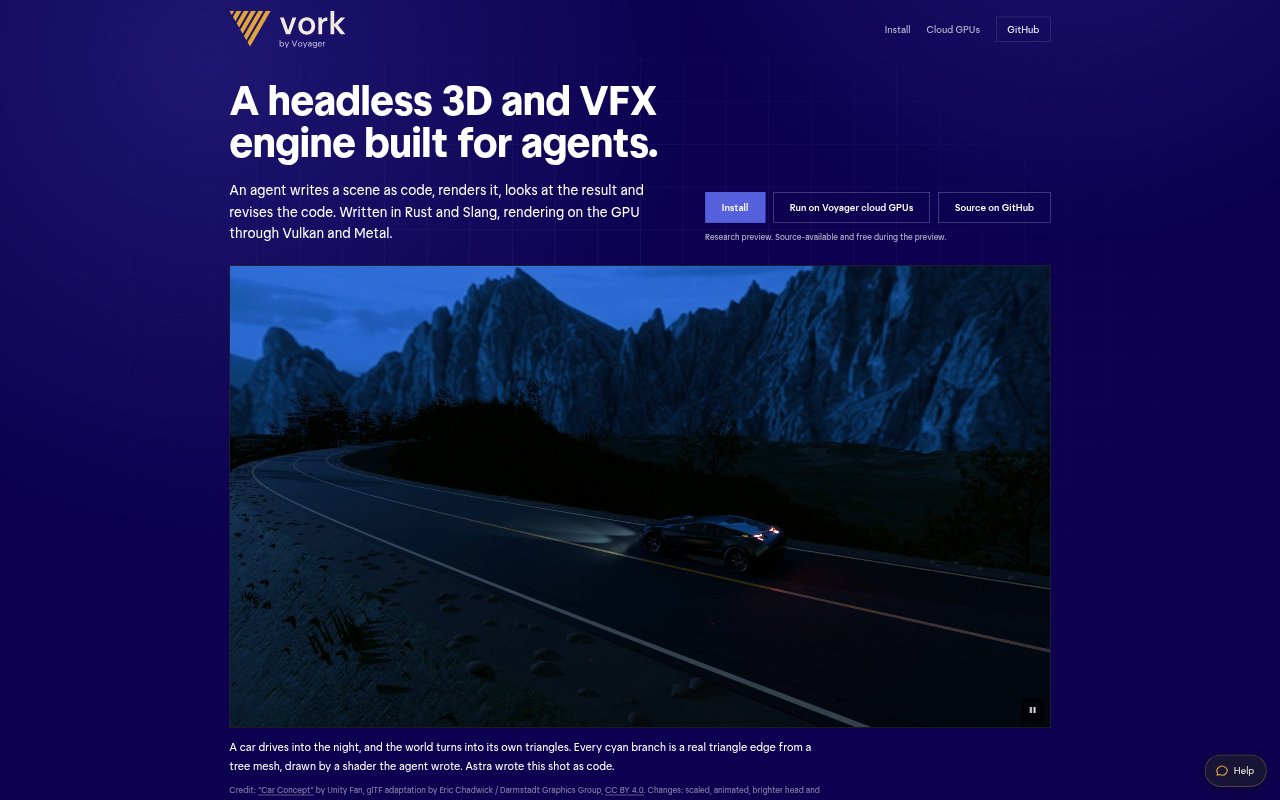
Procedural Motion: Create animated shots with distinctive treatments, such as a moving car scene where trees appear as glowing wireframe geometry.
Large Flocks: Prototype scenes with many simulated birds, using GPU programs for flock behavior and rendering.
Custom Lighting: Build a shot around an unusual light effect, such as a black-hole scene where a program bends light.
Footage VFX: Add a rendered object to tracked footage, then composite the result with a relit version of the filmed environment.
Liquid Simulation: Explore water effects by writing GPU liquid-simulation programs in Slang.