

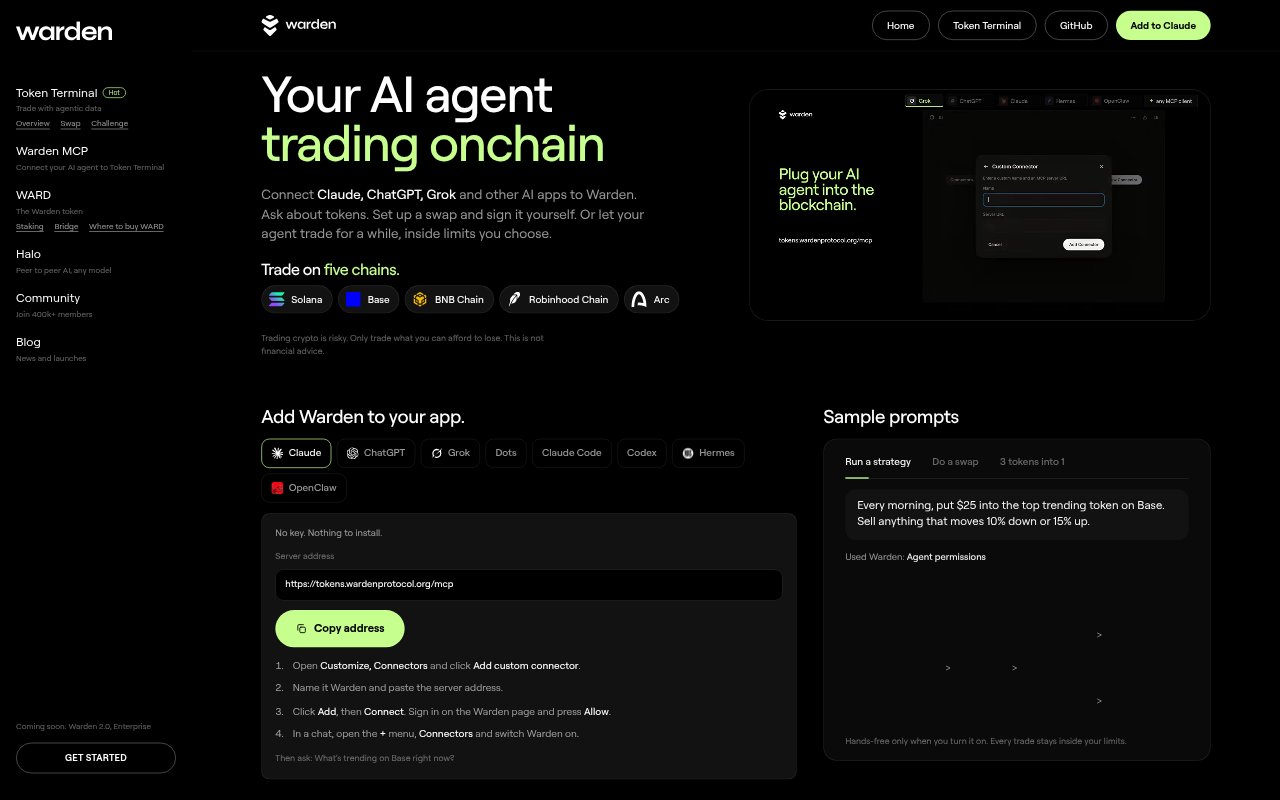
What is Warden MCP?
Warden MCP connects an AI assistant or agent to Warden for onchain market queries and trading. Users can ask about tokens and prices, request a swap quote, or have the agent prepare a trade for approval. For more automation, they can start a time-limited hands-free session with spending rules. It supports Claude, ChatGPT, Grok and other MCP clients, with setup options for agent tools including Claude Code, Codex, Hermes and OpenClaw.
Warden MCP Features:
AI App Connection: Connect an AI app to Warden through an MCP connector, with setup instructions for several assistants and agent tools.
Market Queries: Ask the agent about trending tokens, token prices on supported chains, or which wallet is connected.
Swap Quotes: Request an estimate of what a specified amount of one token would buy without placing a trade.
Trade Approval: Have the agent prepare a swap and review it in Warden, where you sign before the trade goes through.
Hands-Free Sessions: Start a timed session for autonomous trading, with a daily budget and a per-trade cap enforced by Warden.
Trade Safeguards: Warden checks trades before signing and again before execution, and the agent cannot send funds to an address it chooses.
Session Controls: Stop a hands-free session at any time or revoke the agent's access to sign it out.
Warden MCP Benefits:
Faster Market Checks: Get token and price information in a conversation instead of switching between an assistant and separate market screens.
Clearer Decisions: Preview a swap's estimated return before committing funds, so you can decide whether to proceed.
Human Oversight: Keep a chance to inspect and approve ordinary swaps rather than letting a chat message place a trade by itself.
Bounded Automation: Set limits and an end time for hands-free activity, reducing the need to monitor each eligible trade during the session.
More Control: Use Warden's stop and sign-out controls to end an active session or remove the agent's access when plans change.
Use Cases:
Token Discovery: Ask what is trending on Base when looking for tokens to research before deciding whether to trade.
Cross-Chain Pricing: Search for a token and compare its displayed price across Warden's supported chains.
Swap Planning: Check what a set amount of USDC might buy before deciding whether to prepare a swap.
Reviewed Trading: Ask an agent to set up a token swap, then inspect and sign the prepared trade in Warden.
Timed Trading: Run an agent during a set hands-free session when you want it to trade within a daily budget and per-trade limit.