

What is whatsmyagentdoing?
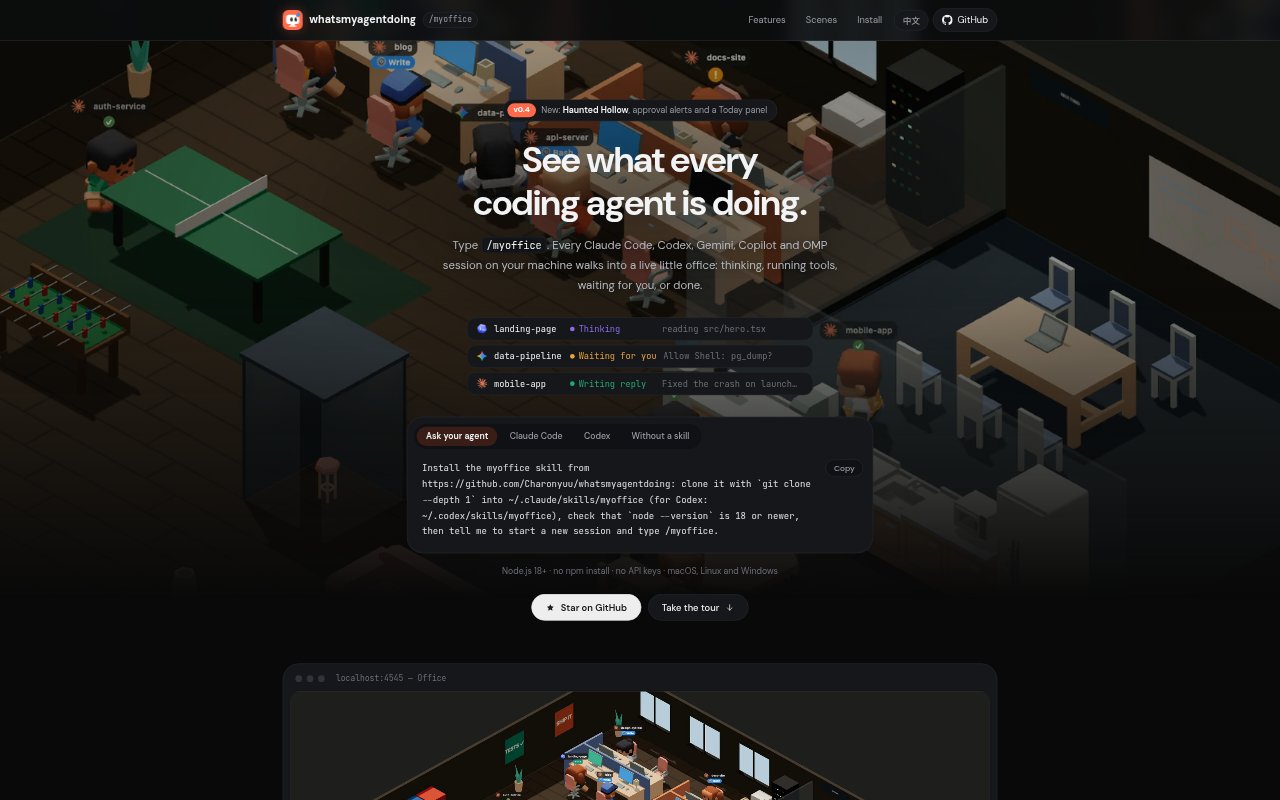
whatsmyagentdoing is a local dashboard for seeing what coding-agent sessions are doing on your machine. Type /myoffice in Claude Code or Codex to open a live office or a simpler list, with sessions from Claude Code, Codex, Gemini, Copilot and OMP. It reads local session logs and turns their latest events into statuses such as thinking, running, waiting or done, without sending that data off your machine.
whatsmyagentdoing Features:
Live Office: View active sessions in a hand-drawn 2D office or a 3D scene, where agents at desks and finished agents have distinct activities.
Live Statuses: The dashboard reads session logs incrementally and streams updated states to the browser, showing whether an agent is thinking, running, waiting or done.
Attention Sorting: Sessions are grouped into Needs you, Working and Finished, with browser notifications and an optional chime to flag agents waiting for input.
Usage Overview: A Today panel totals turns and tokens from Claude and Codex usage records since midnight, broken down by agent and project.
Stuck Detection: The dashboard flags a tool call or thought that has gone silent for too long, helping distinguish a stalled session from one still working.
List and Picture-in-Picture: Switch to grouped status cards with a turn timer and latest prompt and reply, or keep an always-on-top office or list window open.
Local Privacy: The server binds to localhost and reads logs without writing to them; private mode hides prompts, replies and titles during screen sharing.
whatsmyagentdoing Benefits:
Quicker Triage: A grouped view of waiting, working and finished sessions makes it easier to decide which agent needs attention first.
Fewer Long Waits: Stuck alerts can prompt you to investigate a silent session instead of spending time assuming it is still making progress.
Better Workload Insight: Daily totals by project and agent give you a clearer view of where coding-agent activity is concentrated.
Fewer Context Surprises: Context-window bars change color at defined thresholds, making approaching limits visible before a compaction catches you off guard.
Private Monitoring: Because session data stays on your machine, you can monitor activity without sending prompts or log contents to a remote dashboard.
Use Cases:
Multi-Agent Coding: Keep track of Claude Code, Codex, Gemini, Copilot and OMP sessions when several coding agents are running on one machine.
Approval Queue: Use the optional Claude Code hook to spot permission prompts that need your response while other sessions continue working.
Daily Activity Review: Check turns and tokens by agent or project to review how much Claude and Codex work has happened since midnight.
Background Monitoring: Keep the picture-in-picture window above other windows to check agent statuses while working in another application or browser tab.
Screen Sharing: Turn on private mode before sharing your screen when you want to show session status without exposing prompts, replies or titles.