
What is AI-Flow?
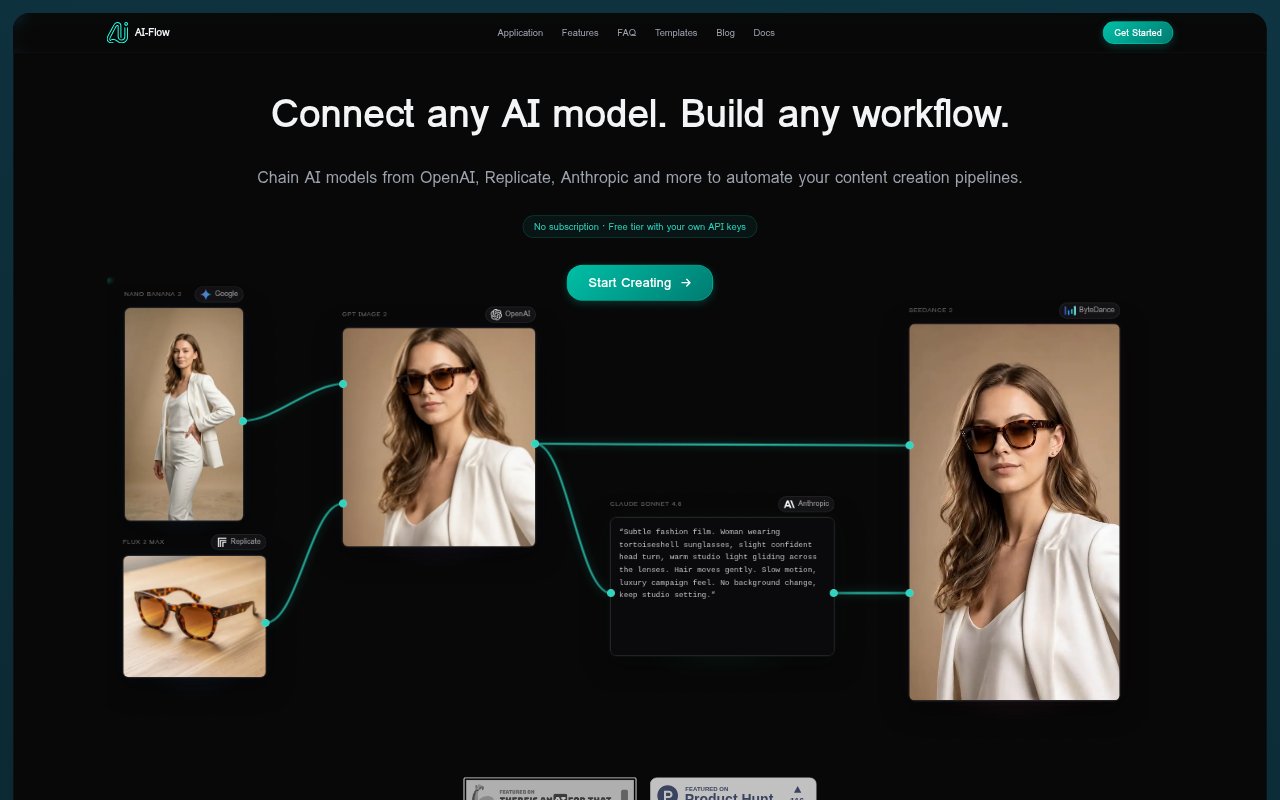
AI-Flow is an open-source workflow builder for connecting AI models and turning their outputs into repeatable processes. It is aimed at people who want to combine models from providers such as OpenAI, Google, Anthropic, and Replicate without moving between separate tools for each step. Users can start with templates or build a workflow, then run it themselves, connect it to other projects through API requests or webhooks, or share it as a simple app for colleagues.
AI-Flow Features:
Multi-Model Workflows: Combine models from OpenAI, Google, Anthropic, Replicate, and other providers in one workflow to carry out connected steps from input through output.
Model Selection: Choose from available models and tools for tasks including text generation, image creation, video generation, image editing, speech, and image-to-3D conversion.
Provider API Keys: Connect your own keys for supported providers and pay those providers directly, or start without configuring keys using the available no-key option.
Workflow Templates: Start from ready-made workflows for tasks such as product mockups, batch image generation, video generation, and product photography, then adapt them.
API and Webhooks: Set up workflow inputs and retrieve outputs through API requests or webhooks, allowing AI flows to connect with other projects.
Shareable Apps: Turn a designed workflow into a simple app where colleagues enter information in a form and run it without handling the underlying workflow.
AI-Flow Benefits:
Fewer Manual Transfers: Chaining models in one flow can reduce the need to copy results between separate services when a task has multiple AI steps.
Repeatable Production: Reusable workflows give teams a consistent process for recurring content tasks instead of rebuilding the steps for each new request.
Flexible Provider Costs: Using your own provider keys lets you pay providers directly at their rates, rather than adding a separate provider charge through AI-Flow.
Easier Team Handoffs: A form-based app lets colleagues run a workflow without needing to understand or change its underlying model connections.
Quicker Experimentation: Templates and the option to begin without configuring API keys make it easier to try a workflow before setting up a custom process.
Use Cases:
Product Mockups: Build a repeatable process for generating product mockups from supplied inputs, adapting a template to the products or visual direction.
Batch Image Creation: Set up a workflow to generate multiple images for a content pipeline rather than submitting each image request as a separate task.
Marketing Assets: Create an ad-production flow that uses product photos and brand tone as inputs for ad copy and a matching visual.
Video Generation: Connect video models into a workflow for producing video content from prompts or other inputs used in the process.
Game Asset Creation: Use a concept-art-to-3D workflow to turn game asset ideas into generated 3D models.