

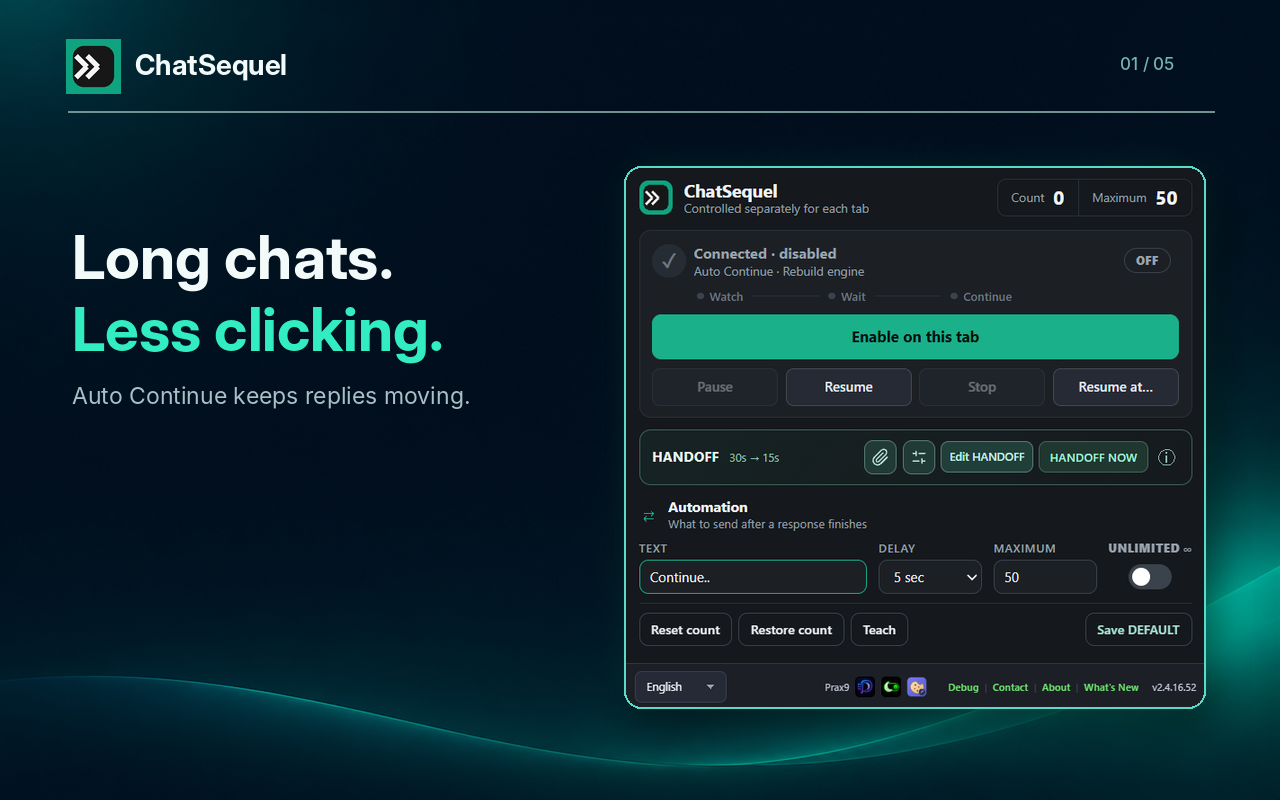
What is ChatSequel?
ChatSequel is a free Chrome extension by Prax9 that helps manage ChatGPT conversation continuation. It automatically continues responses after a user-configured delay, with per-tab pause and stop controls, a visible countdown, and a continuation counter with an optional maximum. For long threads, it carries a working brief into a new conversation using content available on the page. ChatSequel is an independent extension by Prax9 and is not affiliated with or endorsed by OpenAI.
ChatSequel Features:
Automatic continuation: Continues ChatGPT responses after a user-configured delay.
Per-tab controls: Enable, pause, resume and stop continuation separately in each tab.
Visible countdown: Shows when the next automatic continuation is due.
Counter and optional limit: Tracks continuations and lets the user set a maximum.
Context handoff: Carries a working brief from the page-accessible chat into a new conversation.
ChatSequel Benefits:
Less repeated prompting: Continue a long conversation after the chosen delay.
Independent tab control: Pause or stop one tab without treating every tab alike.
Clear timing: See how long until the next automatic continuation.
Bounded continuation: Track progress and optionally limit how many times continuation runs.
Long-thread continuity: Move a working brief into a new conversation when a thread grows long.
Use Cases:
Long conversations: Continue a ChatGPT response sequence with a configured delay.
Multiple ChatGPT tabs: Control continuation independently in different tabs.
Controlled workflows: Set a continuation limit and monitor the count.
Timing-sensitive review: Use the countdown to see the next continuation time.
Context transfer: Carry a working brief into a fresh chat when the original thread gets too long.