

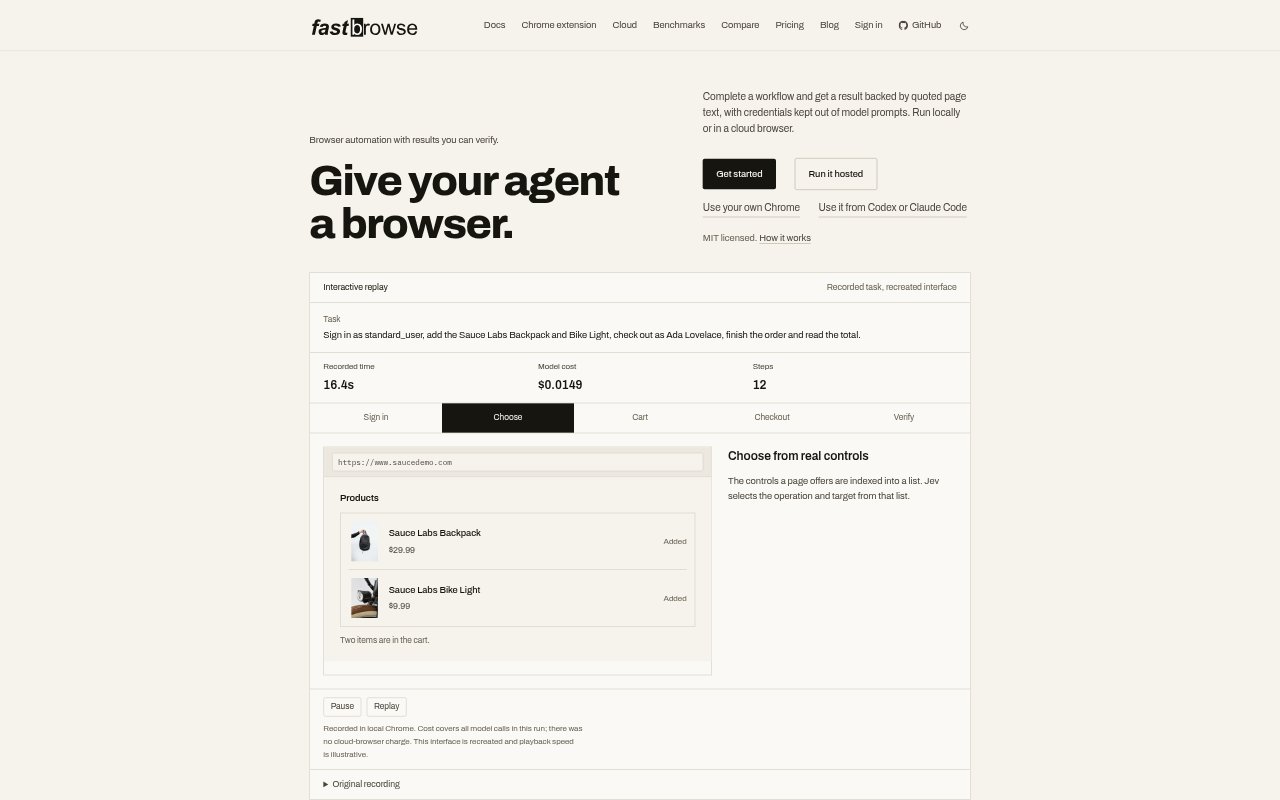
What is fastbrowse?
fastbrowse is a browser automation tool for developers and teams that want agents to complete website tasks and return evidence-backed results. It can run through a hosted service or with browsers on your own machine, including a signed-in Chrome session. Tasks can be launched from its command-line interface or connected to agent tools through MCP, and results can include cited answers or schema-validated data.
fastbrowse Features:
Indexed Page Controls: fastbrowse lists the controls available on a page so an agent can choose an operation and target before taking an action.
Evidence Checks: It checks quoted page text and task requirements before reporting a task complete, and factual answers include citations from the page.
Credential Handling: Named secrets are resolved for permitted websites without putting their values in model prompts, and saved browser profiles can be reused.
Login Support: It can retrieve saved logins from an unlocked Bitwarden CLI, including configured one-time codes.
Action Approval: Actions classified as irreversible pause for approval unless the caller has authorized them, though the classifier can miss such actions.
Browser Options: Runs can use hosted, local, cloud, attached, or extension-connected browsers, including an existing Chrome session.
Run Details: Results include step and model-call information, while recordings can capture a run in local Chrome.
fastbrowse Benefits:
Checkable Results: Page quotes and completion checks give users a way to review what an agent found and whether it finished the requested task.
Less Credential Exposure: Keeping secret values out of prompts reduces the amount of sensitive login information passed through the model.
Human Oversight: Approval pauses for certain irreversible actions let users review consequential steps before they proceed.
Flexible Setup: A choice of browser environments lets teams work with a local session, a managed browser, or a browser they already have open.
Run Review: Step details and recordings make it easier to inspect how a task was carried out and assess its model usage.
Use Cases:
Signed-In Website Tasks: Use a saved browser profile or named secret to have an agent complete a workflow on a site that requires login.
Online Checkout: Automate a shopping practice flow, such as adding specified products, submitting an authorized order, and reading the total.
Page Fact-Finding: Ask an agent to find a detail on a webpage and return an answer supported by quoted page text.
Structured Data Collection: Request schema-validated data from hosted browser tasks when an application needs results in a defined format.
Agent Tool Connections: Connect browser tasks to MCP-compatible clients or use the command-line interface from an agent workflow.