

What is Ternlux?
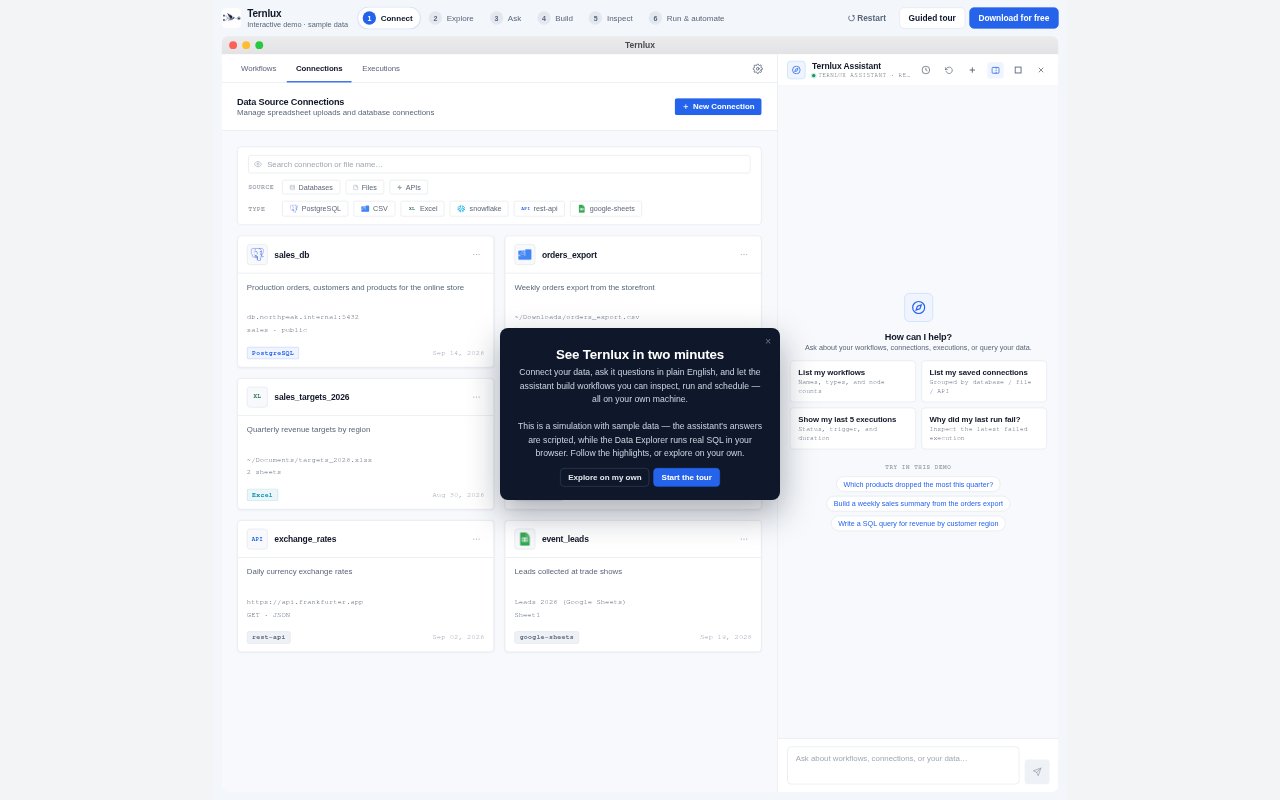
Ternlux is an open-source, no-code AI data pipeline platform for non-technical teams and data groups building ETL workflows and analytics processes. Its desktop application combines a visual pipeline canvas with conversational AI, so users can connect data sources, describe transformations in plain English, and send results to destinations. It also supports SQL generation and chat-based questions about connected data, with an online demo available before download.
Ternlux Features:
Visual Pipeline Canvas: Build multi-step workflows by arranging Source, Transform, Join, Branch, and Output nodes on a visual canvas.
Data Connections: Connect to 81 databases, warehouses, files, cloud drives, business apps, and vector stores, using connections as sources or destinations.
Execution Tracking: Monitor row counts, progress, and status for each node while a pipeline runs, with error messages and suggested fixes.
Automatic Schema Detection: Infer column types, nullability, and relationships across SQL, NoSQL, and file sources.
Natural Language SQL: Describe filters, aggregations, or schema changes in plain English and generate optimized SQL for a database dialect.
SQL Error Recovery: Detect issues such as missing columns or type mismatches, explain the failure, and regenerate a correction.
Unstructured Data Extraction: Extract structured fields from PDFs, invoices, and images, then load the results into a chosen database.
Ternlux Benefits:
Less Pipeline Overhead: Teams can spend less effort on pipeline plumbing and execution details, leaving more attention for the data logic they need.
Faster Data Access: People who do not write SQL can ask questions in plain English and get answers backed by database queries.
Fewer Manual Fixes: Automatic schema detection and SQL error recovery help reduce troubleshooting work when source data or queries cause problems.
Clearer Run Status: Per-node progress and error details make it easier to see where a workflow is delayed or needs attention.
Broader Data Reuse: Using the same connections as pipeline inputs or outputs can help teams bring data from different systems into their workflows.
Use Cases:
Warehouse Loading: Move operational database records into BigQuery, Snowflake, or Redshift, with schema creation and type mapping.
Machine Learning Preparation: Clean, normalize, deduplicate, and standardize raw data before using it to prepare machine-learning datasets.
Cross-System Sync: Combine Salesforce CRM records with PostgreSQL order history and run scheduled syncs with error handling and retries.
Plain English Analytics: Let a team member ask questions about connected data and receive SQL-backed answers without opening a SQL client.
Document Data Loading: Extract fields from invoices or other PDFs and images, then load structured results into a database.