

What is AICamp?
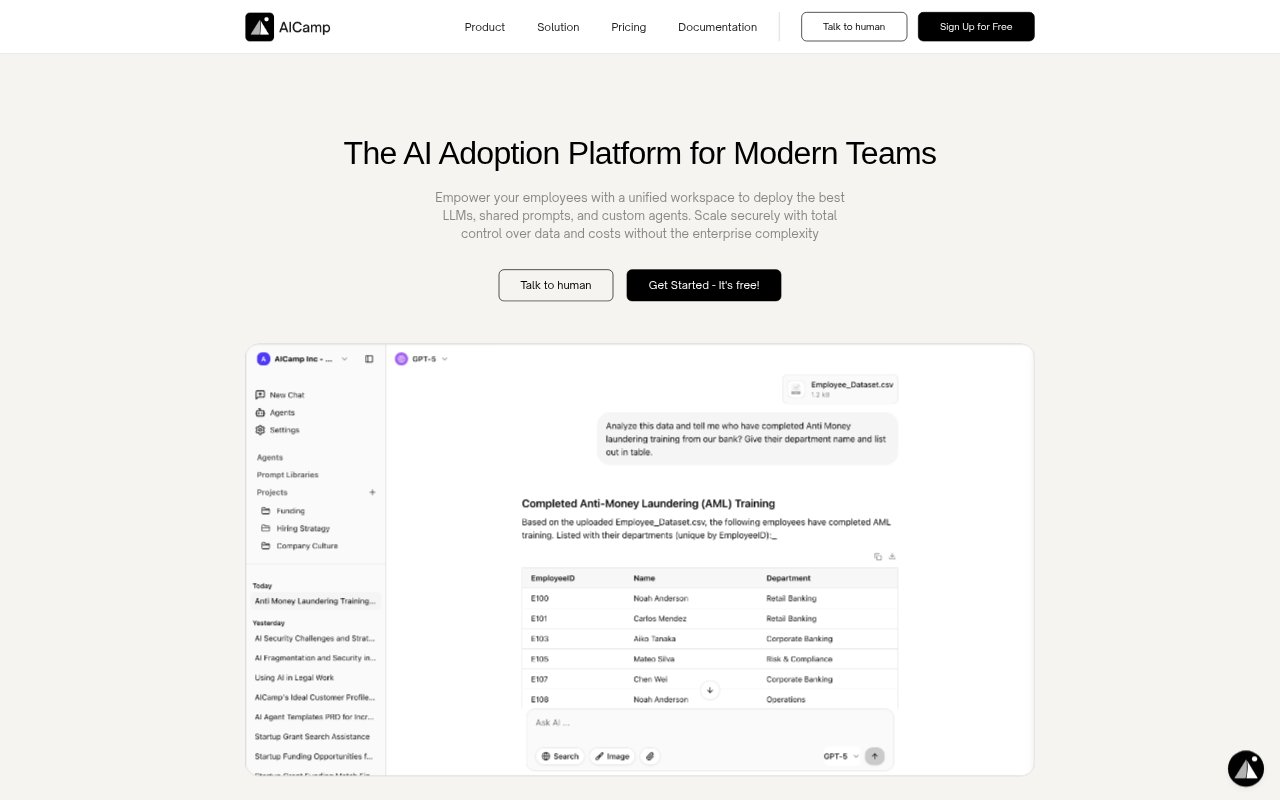
AICamp is a shared AI workspace for companies that want employees to use multiple language models, internal knowledge, reusable prompts, and custom assistants in one place. Teams can chat with models, organize work by project, and manage access through groups and permissions. It is aimed at organizations rolling out AI across departments, from marketing and operations to technical teams, with controls for model choice, usage, and data handling.
AICamp Features:
Multi-Model Chat: Use models from providers including OpenAI, Anthropic, Google, Meta, and Mistral in one chat interface, with options to bring your own API keys.
Internal Knowledge: Upload company documents and files so employees can ask questions, summarize content, compare documents, and get answers with cited sources.
Custom Agents: Build assistants with role-specific instructions and context from documents, folders, integrations, or vector databases, then test and refine them for team use.
Shared Prompt Library: Save, search, and share prompt templates so teams can reuse prompts and maintain a common library of working examples.
Project Workspaces: Group conversations, resources, instructions, and documents by project, with shared spaces where team members can contribute.
Access and Insights: Set permissions for users and groups, restrict models by team, and review activity and usage analytics across the organization.
AICamp Benefits:
More Consistent Work: Reusable prompts and role-specific assistants help teams apply shared approaches instead of starting each task with a blank chat.
Faster File Research: Employees can ask questions about internal files and compare or summarize documents without searching through folders manually.
Fewer Tool Changes: A single workspace for models, projects, prompts, and company knowledge reduces the need to move between separate AI tools.
Controlled Adoption: Team-based permissions and model restrictions let organizations introduce AI access with rules tailored to different roles.
Clearer Usage Picture: Usage analytics give administrators a view of adoption patterns and activity that can inform rollout and cost decisions.
Use Cases:
Marketing Drafts: Marketing teams can use shared brand-voice assistants and prompts to draft or review campaign copy across projects.
Document Reviews: A team can upload reports or presentations, ask for summaries, and compare key points before preparing a review.
Spreadsheet Analysis: Employees can ask an assistant to analyze CSV or Excel files, identify patterns, and turn findings into visual reports.
Internal Questions: Staff can query company documents and knowledge bases for answers rather than relying on manual searches through shared folders.
Department Assistants: Teams can create assistants with department-specific instructions and documents for recurring tasks such as coding support or email formatting.