
What is LetThemBuild?
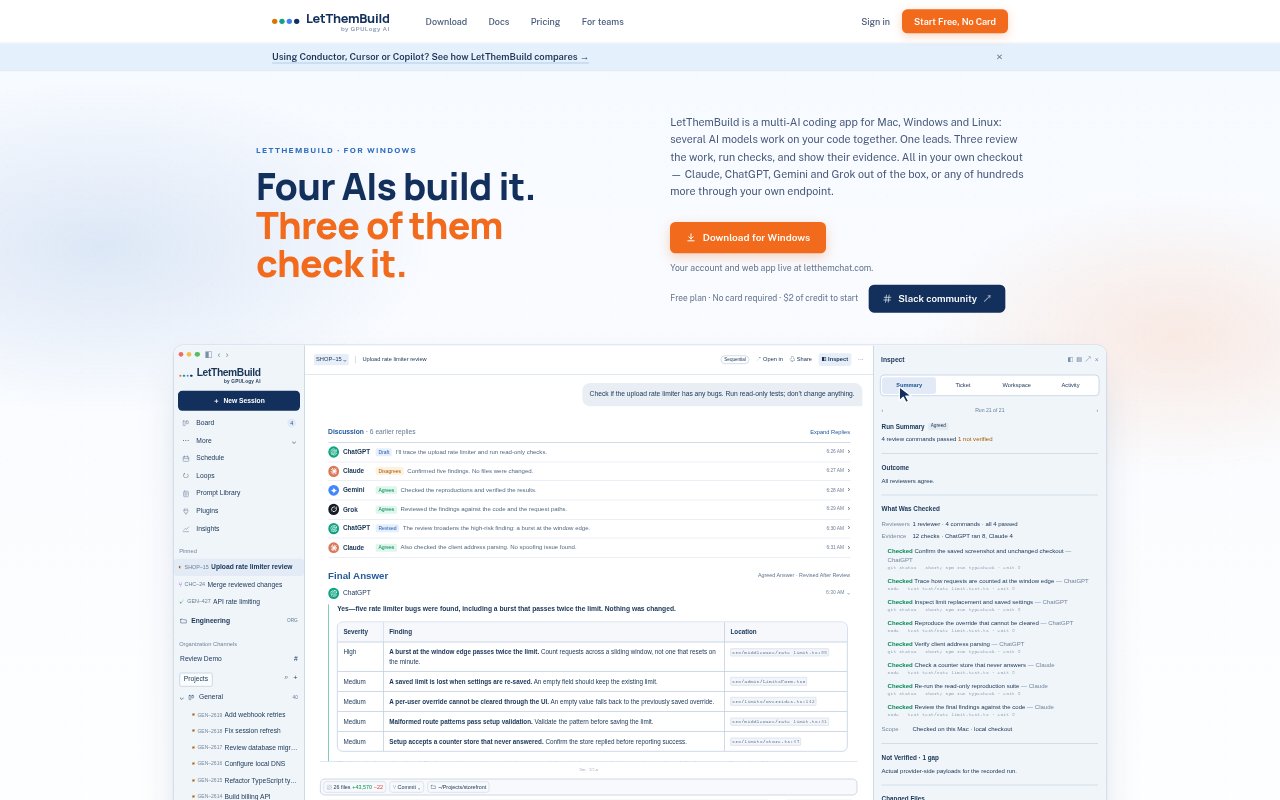
LetThemBuild is a desktop coding app for Mac, Windows, and Linux where a lead AI works on code while other models review the changes and run checks. It supports Claude, ChatGPT, Gemini, and Grok, along with users’ own keys, coding CLI subscriptions, and OpenAI-compatible endpoints. Developers can work in a local Git worktree or send tasks to cloud runs, then follow the work and review its results across devices.
LetThemBuild Features:
Multi-Model Coding: A lead model writes code while additional models review changes, run checks, raise objections, and work toward an agreed result.
Review Receipts: Each review shows the commands run, their exit codes, what passed, and what was not verified.
Git Worktrees: The desktop app works in a Git worktree on the user’s machine, keeping changes in the user’s checkout.
Model Options: Use Claude, ChatGPT, Gemini, or Grok, or connect personal API keys, coding CLI subscriptions, and OpenAI-compatible endpoints.
Collaboration Modes: Choose Quick, Compare, Consensus, or Deep, or let the app select a mode based on the request and work done.
Cloud Runs: Send work to a cloud run, monitor it from another device, approve or stop commands, and bring the result back as a branch.
LetThemBuild Benefits:
Visible Verification: Command receipts make it easier to distinguish checks that actually ran from reviewer opinions without supporting evidence.
Earlier Issue Finding: Multiple models examining the same changes can surface defects and disagreements before a developer decides whether to merge.
Fewer Context Switches: Keeping several model opinions in one discussion avoids manually comparing responses across separate AI tools.
Work Continues Remotely: Cloud runs let developers hand off a task and follow its progress without keeping their laptop open.
Flexible Model Costs: Using personal keys or existing coding CLI subscriptions gives users alternatives to paying for model calls through the app.
Use Cases:
Review a Change: Ask several models to inspect a code change, run relevant checks, and report findings before deciding whether it is ready.
Build a Feature: Describe a requested feature to the lead model, provide files or pasted context, and review the resulting branch.
Investigate a Bug: Have the lead trace a suspected defect while other models check the proposed changes and test results.
Check Risky Commands: Use a cloud run for work that needs monitoring, with the option to approve or stop commands from another device.
Compare Model Advice: Bring multiple AI models into one discussion when choosing an implementation or evaluating competing answers.