

What is Logonomic?
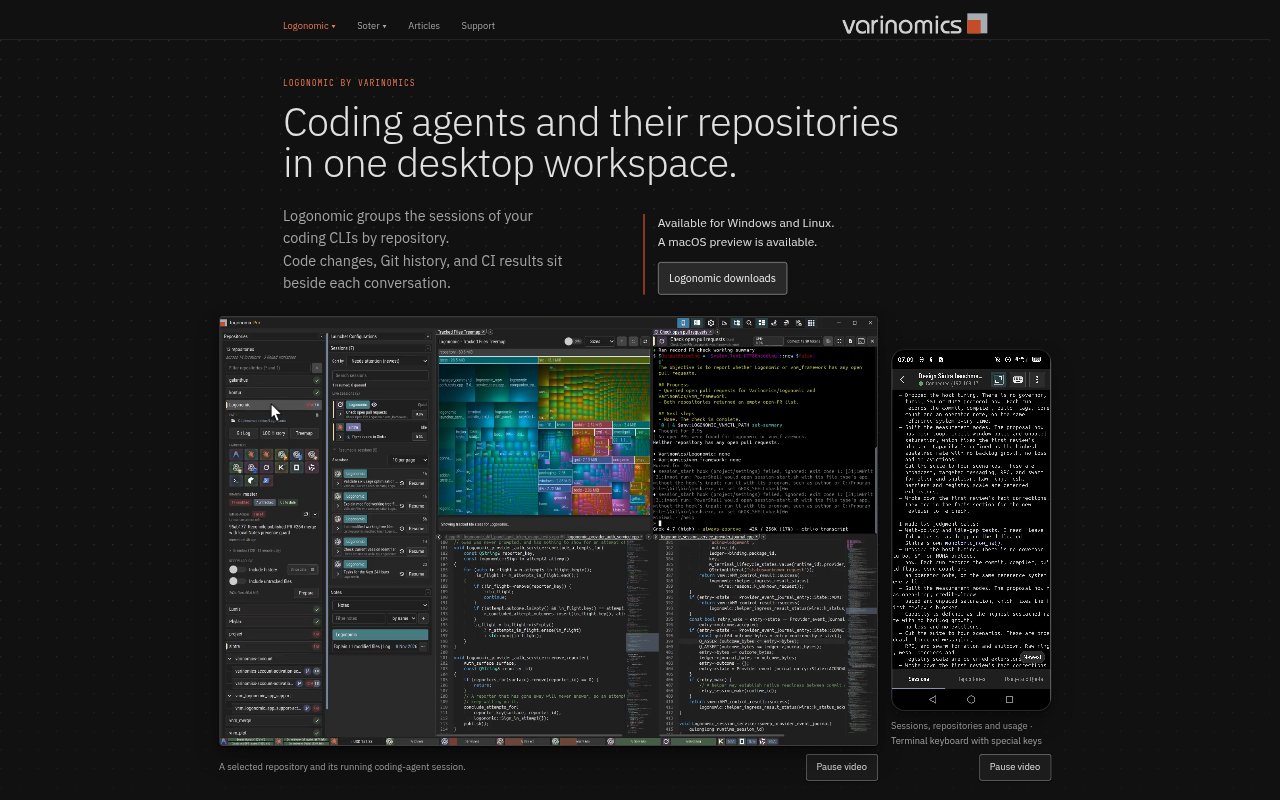
Logonomic is a desktop workspace for people who use coding command-line tools and want their agent sessions organized alongside the repositories they work in. It brings conversations, code changes, Git history, and CI results into a repository-based view, while keeping each CLI’s existing accounts and configuration. The desktop runs on Windows and Linux, with a macOS preview available, and Logonomic Companion provides access to the same running sessions on Android and iOS.
Logonomic Features:
Repository Workspace: Group coding CLI sessions by repository, with each conversation shown alongside relevant code changes, Git history, and CI results.
Running Sessions: View terminals organized by repository to see active agents and identify sessions that need your attention.
Change Review: Inspect an agent’s conversation beside its diff, and narrow the review to uncommitted files when needed.
Commit Links: Use session references attached to commits to find and resume the conversation behind a code change.
CI Workflows: Check GitHub and GitLab workflow status in the repository view, start runs with parameters, and see the latest result.
Mobile Companion: Use the Android or iOS companion to read session output, reply to questions, approve changes, and start sessions or workflows.
Session Handoffs: Carry a discussion into another coding CLI, delegate implementation or review work, and exchange direct messages between sessions.
Logonomic Benefits:
Less Context Switching: Keeping agent conversations, repository changes, and CI results together makes it easier to follow work without piecing information together across separate views.
Clearer Change Reviews: Seeing the discussion beside the diff helps reviewers understand why a change was made while examining what it changed.
Easier Follow Up: A commit’s link to its originating session gives developers a direct route back to the reasoning and discussion behind completed work.
More Flexible Oversight: Phone access and alerts let developers respond to agent questions or approvals without staying at the desktop for every interaction.
Fewer Lost Sessions: Separate terminal processes keep running if the main window crashes, and saved conversations can be restored after a restart.
Use Cases:
Multi-Repository Development: Organize coding-agent sessions across several repositories when moving between projects and checking which agents need input.
Agent Code Review: Review uncommitted changes alongside the agent conversation before deciding whether to approve or adjust its work.
Commit Investigation: Return to the session behind a commit when investigating a change or needing to understand the original implementation discussion.
Pipeline Monitoring: Check repository workflow results or start a parameterized run while reviewing an agent’s work.
Delegated Agent Work: Pass implementation or review tasks between sessions, or ask another session a question while both agents are working.
Remote Session Response: Use a phone to answer an agent, approve a change, or start a workflow when away from the desktop workspace.