

What is rufous?
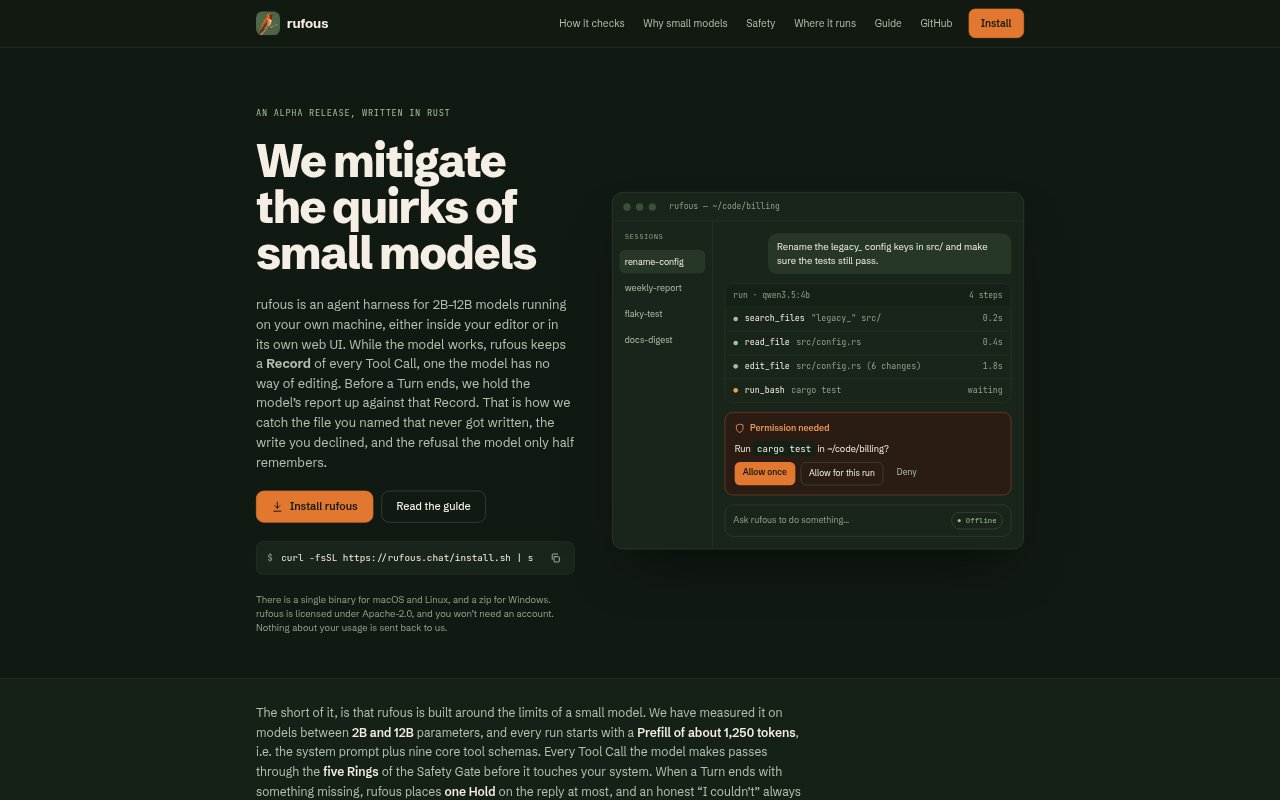
rufous is a local agent harness for running 2B–12B language models on your computer, with workflows available through a web interface, terminal, or compatible editor. It records the model’s tool activity and checks its final report against that record, while applying permission controls to actions that affect files or the environment. The alpha is for people who want to use locally run models for coding and file-based tasks without relying on a large-model agent setup.
rufous Features:
Tool Call Record: rufous records which tool ran, the path or command it received, whether the action succeeded, its exit code, and any write you declined.
End-of-Turn Check: At the end of a turn, it checks whether requested files were written in the expected locations and can hold a reply with a list of missing paths.
Safety Gate: Five safety rings cover default-deny sub-agents, blocked system-level commands, approval for environment changes, workspace boundaries, and reversible deletes and overwrites.
Small Prefill: Each run begins with a system prompt and nine core tools, using about 1,250 tokens before the model starts on a task.
On-Demand Tools: Web, memory, and MCP tools can be enabled as needed, while skills load only when used and folder-specific instructions can come from SYSTEM.md or AGENTS.md.
Run Options: The alpha includes a local web UI, terminal use, and editor support through ACP, and connects to Ollama, LM Studio, llama-server, OpenAI-compatible endpoints, or cloud providers.
rufous Benefits:
Fewer False Claims: Comparing reported results with recorded actions can help users spot when a model says a file was created even though the write did not happen.
Safer File Changes: Approval checks, workspace limits, backups, and a trash folder help users retain control and recover from some unwanted changes.
Less Prompt Overhead: A compact starting prompt leaves small models with less instruction text to process before they begin a task.
Private Local Use: No account is required, usage is not sent back to the project, and offline mode can turn off cloud providers, web tools, and remote MCP servers.
Flexible Model Choice: Users can work with a model running on their own machine and switch to a cloud provider for a harder task when needed.
Use Cases:
Local Coding Tasks: Ask a small model to create or edit project files, then check whether the requested files were actually written where they belong.
Multi-Turn Work: Use a sequence of instructions to build or update a task list and check that later turns follow through on earlier changes.
Retry a Declined Write: Decline a file write and ask the model to try again, with the earlier decision available in the tool record.
Unattended Terminal Tasks: Provide a task file for terminal execution when you want rufous to work through a task without an interactive chat.
Offline Workflows: Run a local model with cloud, web, and remote MCP access disabled for tasks that should stay within the local setup.