

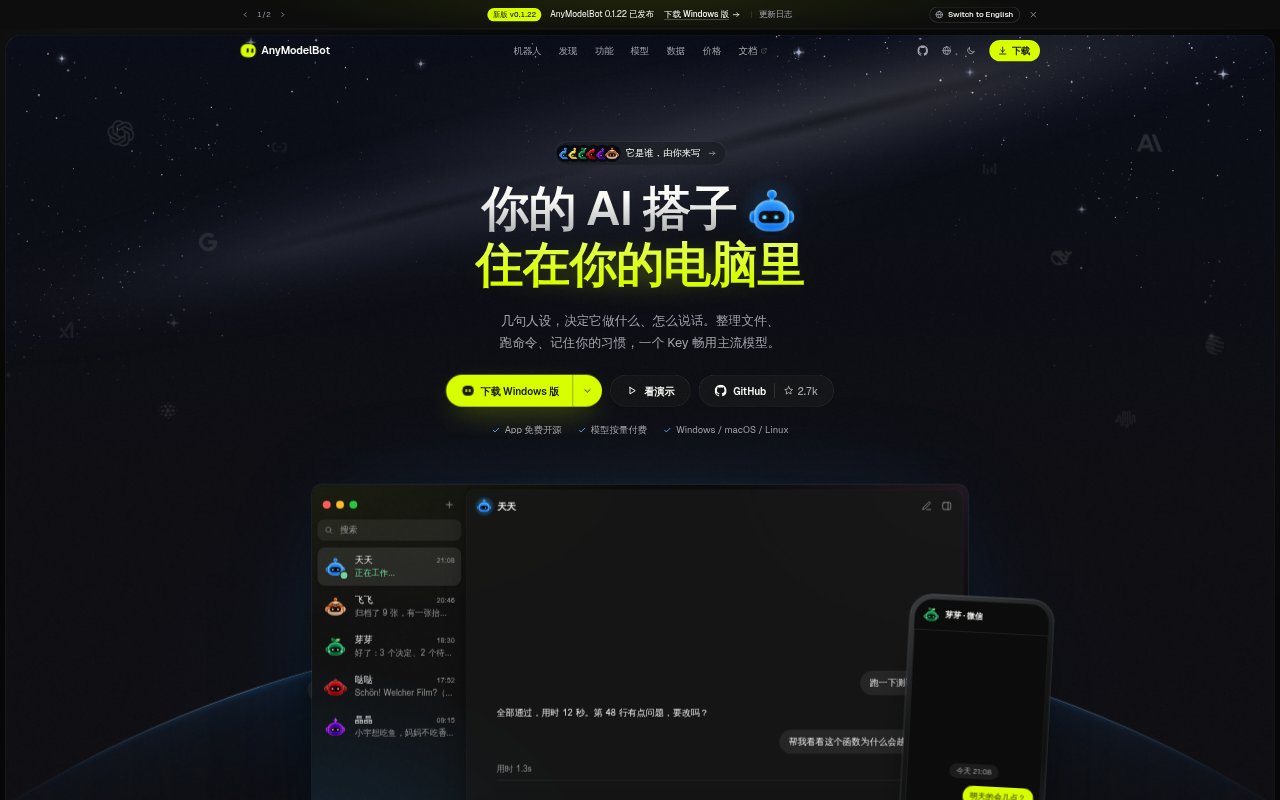
What is AnyModelBot?
AnyModelBot is an open-source personal AI agent that runs on a Windows, macOS, or Linux computer, or in Docker on a server or NAS. People can define its name, role, model, workspace, and memory, then use it through the desktop app, local browser console, WeChat, or Feishu. It connects to hosted models through Modelflare or supported providers’ own API keys; conversations and memory are stored on the user’s device, while model requests are sent to the selected provider.
AnyModelBot Features:
Model Selection: Connect to multiple model providers through a Modelflare key or supported providers’ own API keys, and select a model for each bot.
Separate Bot Spaces: Give each bot its own model, memory, workspace folder, and spending budget, with the option to create several bots for different roles.
Local Memory: Save long-term memories as Markdown files on the device, organized across bot, group, and team levels; credential-like information is automatically skipped.
Computer Actions: On macOS beta, a bot can inspect the screen, open apps, read and write files, and run commands, with actions visible to the user.
Permission Settings: Set read-only, workspace, or full access per bot; work beyond its workspace requires approval, and recursive deletion still prompts for confirmation.
Chat Channels: Use the desktop app, local browser console, Docker console, WeChat, or Feishu; WeChat supports image and file exchange, while Feishu offers cards.
Usage Controls: View balances and daily model usage in the app, set spending limits for individual bots, and use slash commands across the app and chat channels.
AnyModelBot Benefits:
No App Subscription: With no subscription or fixed software tier, occasional users can avoid recurring app charges and pay for model activity as it occurs.
Visible Spending: Usage details and per-bot caps help users notice rising model costs and keep experiments from consuming an unplanned share of a budget.
Data Access: Keeping conversations and memory on the user’s device makes local records available to inspect or edit with ordinary database and text-file tools.
Clear Separation: Distinct bots for different roles help keep work notes, household preferences, and coding conversations from blending into one assistant’s context.
Reviewable Actions: Visible computer activity and approval prompts give users a chance to catch unintended changes before an agent acts beyond its normal workspace.
Use Cases:
Coding Assistance: Ask a bot to explain why a function might exceed an array boundary, run a test, or point out a failing line for review.
Invoice Filing: Have a bot sort downloaded invoices into a reimbursement folder, then review a proposed move or flag an invoice that needs attention.
Daily Reporting: Use a work assistant to recap decisions and outstanding tasks from a daily update, then refer back to those notes in later chats.
Language Practice: Practice writing in German with a bot that responds conversationally and points out word-order corrections in the learner’s sentences.
Meal Planning: Ask a household assistant for dinner ideas that account for family preferences, such as choosing fish while avoiding cilantro for one person.