

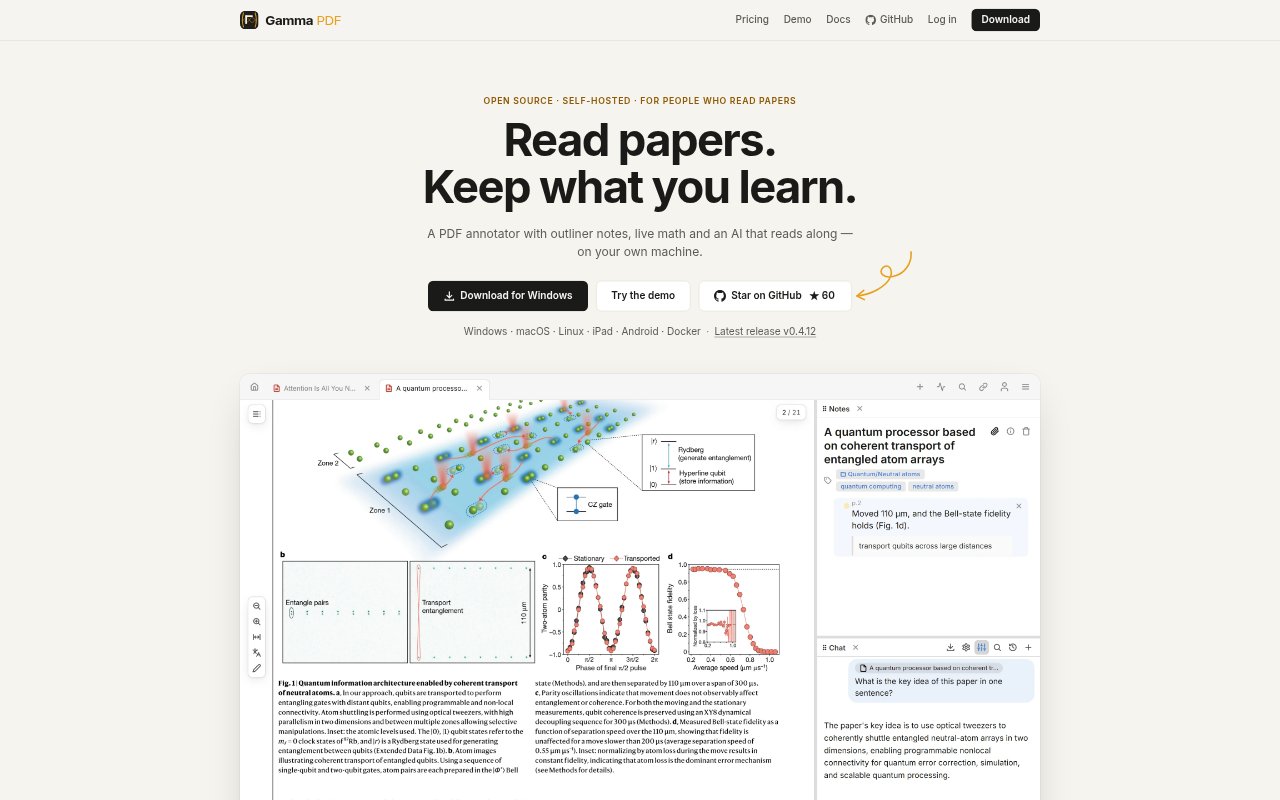
What is Gamma PDF?
Gamma PDF is an open-source PDF annotator and research workspace for people who read academic papers. It combines paper markup with an outliner for notes, live Markdown and LaTeX, and an AI that answers questions about papers with citations to relevant passages. Use it as a desktop app, on a mobile device, or on a self-hosted server; the core app is free, and paid options provide hosted libraries or a managed server.
Gamma PDF Features:
Paper Annotation: Highlight passages, draw on PDF pages, or add typed marks, with each annotation linked to a note that jumps back to its source.
Outliner Notes: Organize notes beside a paper using an outliner with live Markdown and LaTeX, links between pages, and handwriting on a sheet.
Cited AI Answers: Ask questions about papers and receive answers with citations that jump to the passages they reference, using your own supported AI access.
Library Search: Search across PDFs, notes, and highlights in one library to find material from your saved reading.
Metadata and Citations: On opening a paper, Gamma fills in its title, authors, and venue, and lets you copy its BibTeX citation.
Shared Workspaces: Collaborate in workspaces with live cursors and comments on notes or highlights, and import material from Zotero, Obsidian, Logseq, or Notion.
Gamma PDF Benefits:
Connected Reading: Keeping annotations tied to their notes and source passages makes it easier to recover why a detail mattered when returning to a paper.
Faster Retrieval: Searching papers and personal notes together reduces the need to remember which document contains a finding.
Reusable Research: Stored metadata and copyable BibTeX make it easier to carry paper details into bibliographies and other research workflows.
Flexible Setup: A free desktop app, self-hosting, and paid hosted options let individuals and groups choose where their library runs.
Offline Continuity: Offline copies on supported devices let readers keep working with a workspace when they are away from a connection.
Use Cases:
Literature Review: Collect and annotate papers for a literature review, then search notes and highlights to revisit evidence across the reading library.
Technical Reading: Work through math-heavy research papers while keeping LaTeX notes beside the document and linking thoughts to specific pages.
Research Questions: Ask an AI about a paper when checking a claim or locating relevant passages, then follow its citations back into the text.
Lab Collaboration: Give a research group a shared workspace for discussing annotations and notes, with the group able to run its own server.
Field Reading: Read and mark papers on an iPad or supported Android device when away from a network, including with a stylus.