
What is Refinder AI?
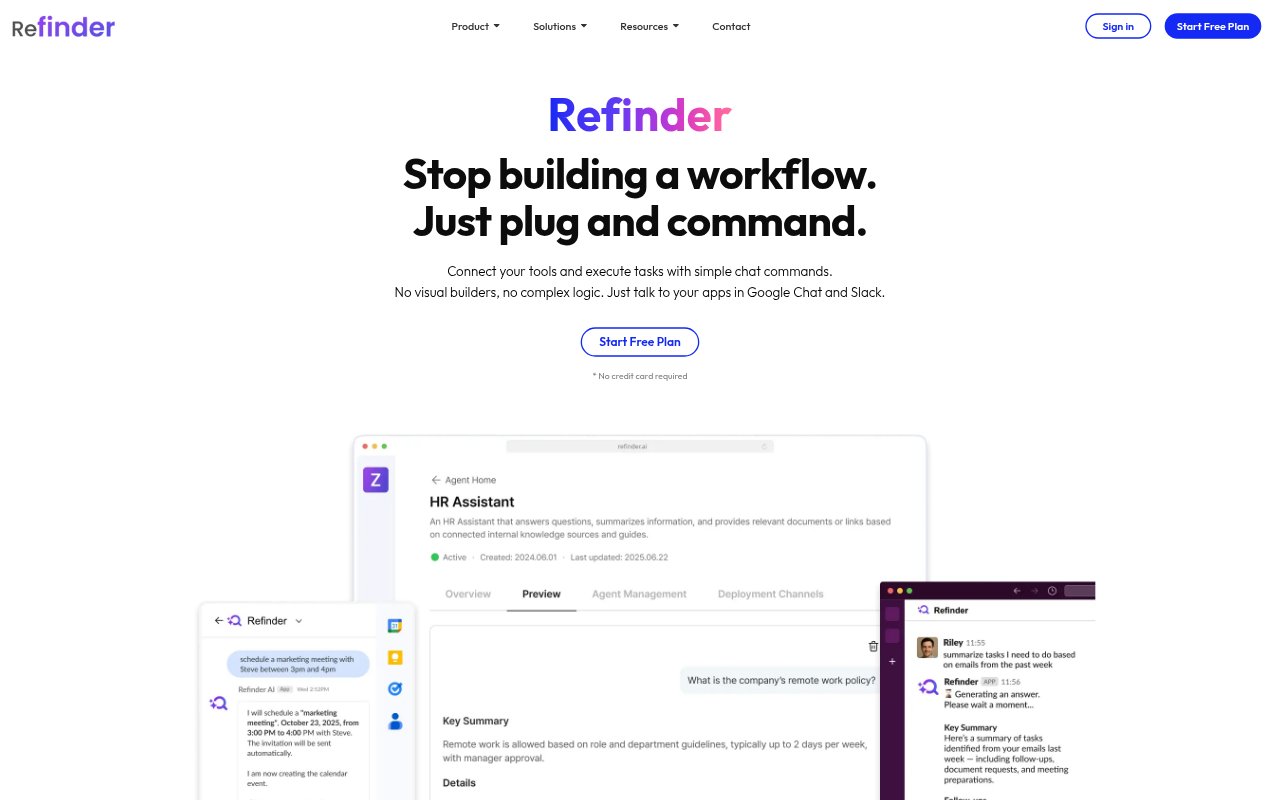
Refinder AI is a work hub for teams that want to search company information and get tasks done through chat. It connects workplace apps and lets people use an AI agent in Slack or Google Chat to request actions across those tools. Its search feature brings information from connected sources into one place and answers questions using company content. Refinder is aimed at organizations with information spread across workplace apps, including teams in sales, marketing, engineering, HR, and customer service.
Refinder AI Features:
Chat Commands: People can talk to the AI agent in Slack or Google Chat to request work from connected apps without setting up visual workflows or complex logic.
Cross-App Actions: The agent can carry out tasks across enterprise tools, including sending emails, updating records, and notifying teams.
Workflow Creation: Users can create workflows through a chat conversation, with the agent handling task automation without coding or complicated setup.
Enterprise Answers: AI search responds to questions using an organization's trusted internal content, bringing relevant information into a conversational answer.
Unified Search: Search spans connected company apps so people can look for information without checking each source separately.
App Connectors: Refinder connects with tools including Slack, Notion, Google Drive, Jira, Confluence, OneDrive, Figma, Dropbox, Gmail, and Google Calendar, with custom connectors available for in-house tools.
Periodic Sync: Connected data sources are updated periodically based on changes in those sources, keeping the information available to users current.
Refinder AI Benefits:
Less Repetitive Work: Delegating routine tasks such as scheduling, notifications, and record updates can leave employees with more time for work that needs their attention.
Faster Information Access: Searching across company sources in one place reduces the need to hunt through separate apps for a document or answer.
Lower Setup Effort: Creating workflows through chat rather than code or a visual builder makes task automation more approachable for teams without development resources.
Fewer Context Switches: Requesting app actions in workplace chat can reduce the need to leave a conversation to complete routine work in other tools.
More Usable Knowledge: Making internal content searchable helps employees find and use information that might otherwise remain scattered across company systems.
Use Cases:
Internal FAQs: Employees can ask questions about company information and get answers based on trusted internal content rather than searching through multiple sources themselves.
Document Retrieval: Teams can search connected storage and collaboration apps to find documents needed for a project, customer request, or internal handoff.
Routine Scheduling: A team can use the assistant to handle scheduling tasks through chat instead of managing each step manually.
Sales Record Updates: Sales teams can request updates to records in connected tools as part of their regular work conversations.
Team Notifications: A team can ask the agent to notify colleagues after an update or another action in a connected app.