

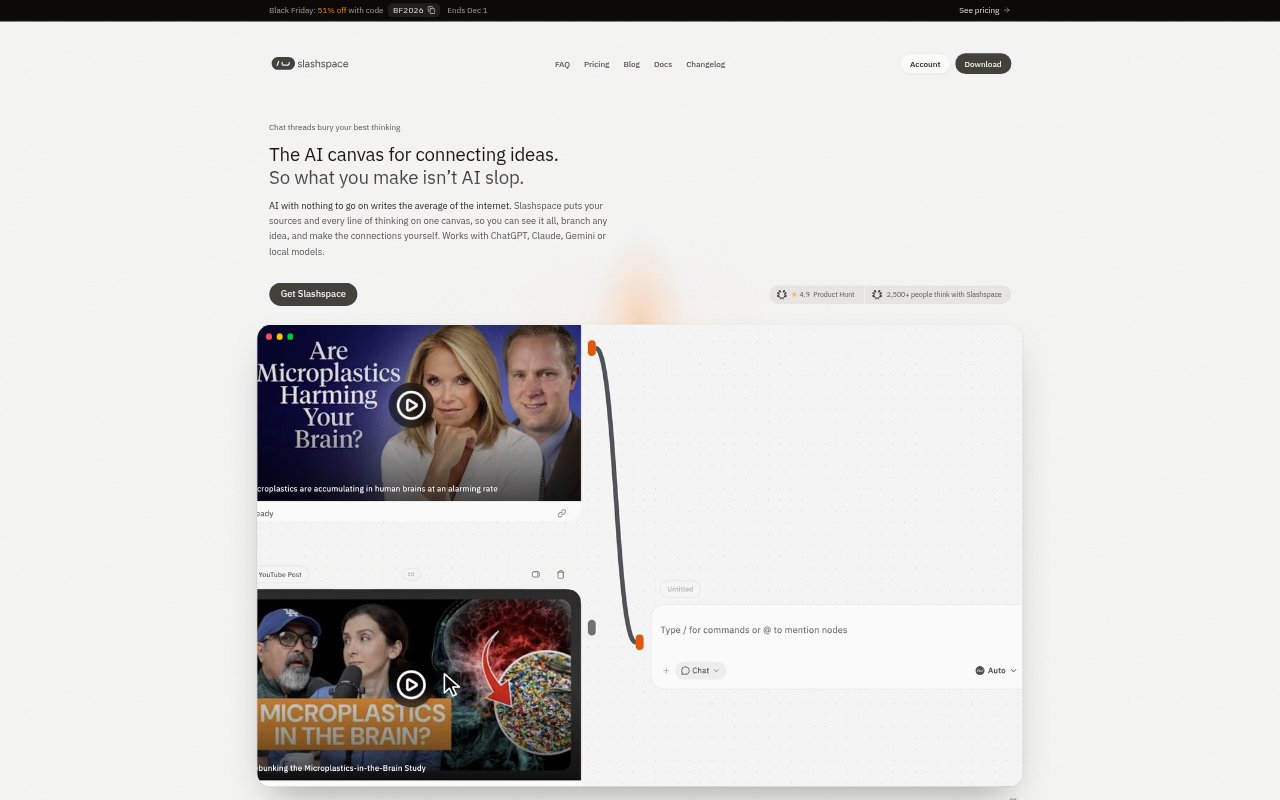
What is Slashspace?
Slashspace is a desktop AI workspace for people doing research, learning, and other work that spans multiple questions and sources. It places AI chats, notes, documents, web pages, videos, images, and sketches on a pan-and-zoom canvas, where connections determine which sources a chat can use. Users can branch conversations, compare models using shared context, and bring their own provider keys or subscriptions. The app runs on macOS, Windows, and Linux.
Slashspace Features:
Canvas Workspace: Place chats, notes, PDFs, Office files, web pages, social video posts, images, and freehand sketches as separate nodes on a canvas you can pan and zoom.
Conversation Branching: Start a new chat from an answer, a selected sentence, or a source while keeping the original conversation unchanged.
Connected Context: Connect sources and notes to chats to control what each conversation can read, including the full content of supported documents and web pages.
Model Comparison: Run the same prompt in separate chats with different models and compare their answers side by side using the same context.
Provider Choices: Use local models, your own API keys, or subscriptions for services including OpenAI, Anthropic, Gemini, and OpenRouter.
Agent Orchestration: Give Orchestrator mode a goal so it can plan work, create and connect canvas nodes, assign tasks to subagents, and return results.
Tool Connections: Connect services such as Notion, GitHub, and Gmail through Composio and MCP, and use skills in agent chats.
Slashspace Benefits:
Keep Your Place: Related questions, source material, and answers remain visible together, making it easier to resume work without retracing a long chat or searching through tabs.
Preserve Reasoning: The visible links between questions and sources help you follow how an idea developed and keep the reasoning behind a decision close at hand.
Explore More Freely: You can investigate a tangent without losing the original line of thought, so side questions need not interrupt the main task.
Assess Answers: Seeing different models respond to the same prompt and context makes their differences easier to review before choosing an answer to use.
Control AI Costs: Using your own provider keys, subscriptions, or local models lets you pay those providers directly rather than relying only on hosted models.
Use Cases:
Literature Review: Bring papers, web pages, and notes into one workspace, then branch questions about individual sources and connect findings across them.
Market Research: Collect competitor and market sources, ask several models the same question, and keep the supporting material beside the analysis.
Studying a Subject: Add lecture PDFs and videos, branch off when a concept needs more explanation, and keep the resulting questions and notes together.
Cross-Field Research: Lay out material from different disciplines and ask AI to explore possible connections between papers, videos, notes, and conversations.
Coding With Agents: Use coding agents such as Claude Code, Codex, or Cursor while keeping agent chats and their related project context visible on the canvas.