

What is Sphinx?
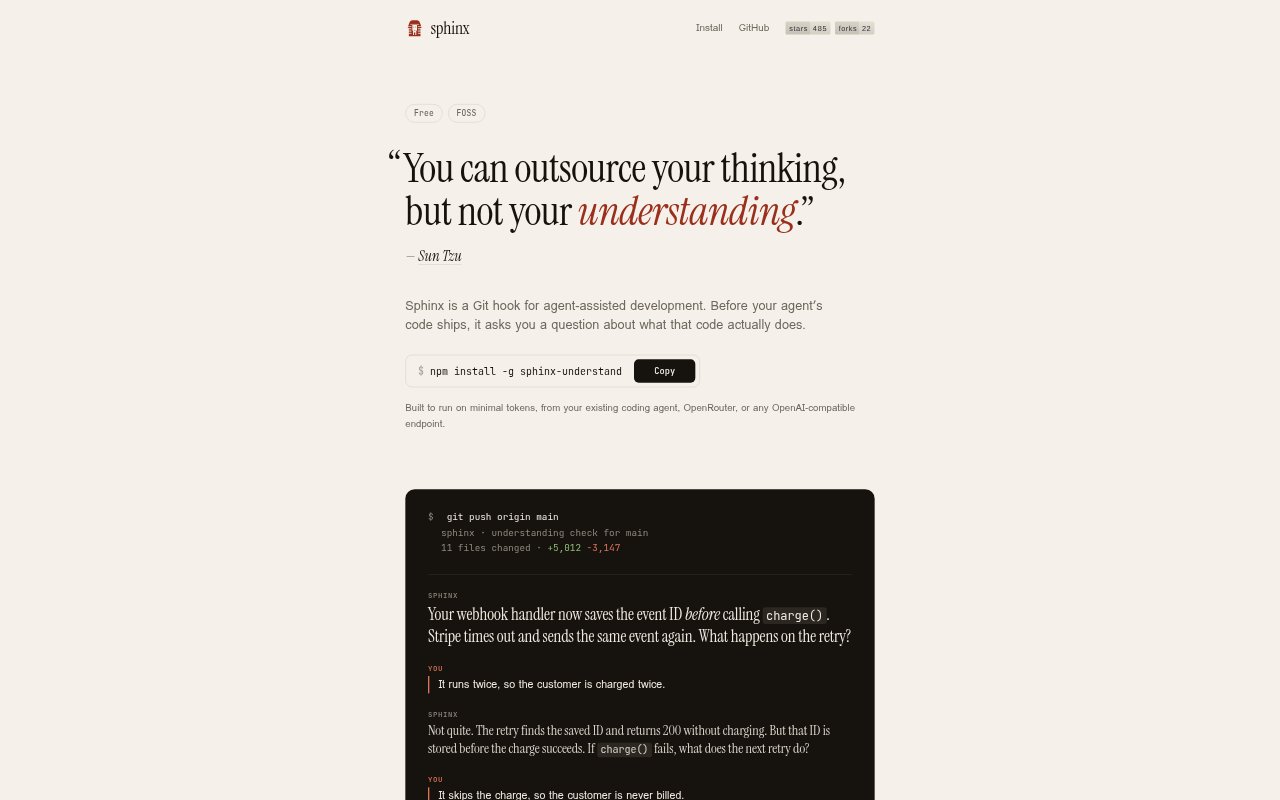
Sphinx is a Git hook for agent-assisted development that pauses pushes on branches you protect and asks you to explain what a code change does. It reviews the diff independently of your coding-agent chat, focusing on what can happen when things go wrong. It is for developers who want to check their understanding of agent-written code before it ships, and it can run with supported coding agents, plain Git, or a compatible model endpoint.
Sphinx Features:
Protected Branch Checks: Sphinx runs when you or your agent pushes and pauses pushes on the Git branches you choose to protect.
Diff-Based Questions: It reads the change and asks a question about what the code does, without relying on the conversation with your coding agent.
Failure Scenarios: Questions probe how a change behaves when things go wrong, such as what happens when a payment call fails and an event is retried.
Answer And Retry: If your answer is wrong, Sphinx explains why and gives you another scenario; a correct answer lets the push continue.
Agent And Model Support: It works with Codex, Claude Code, Cursor, OpenCode, and Pi, or with plain Git, and can use an existing coding agent, OpenRouter, or an OpenAI-compatible endpoint.
Private Answers: Your answers are not sent to the coding agent, and Sphinx does not open .env files or keys.
Logged Push Bypass: The sphinx yolo command lets a push proceed without the check, and Sphinx logs each skipped check.
Sphinx Benefits:
Catch Misunderstandings: Explaining a change before it ships can reveal when you have misunderstood its behavior, including how it responds to a failure.
Review Agent Code: A check based on the diff gives you a way to assess generated changes without treating the agent's explanation as your only review.
Build Understanding: Working through a mistaken answer and a new scenario helps you learn how the code behaves, rather than simply clearing a review step.
Keep Answers Separate: Because your responses do not reach the coding agent, you can answer the review without feeding your explanation back into its conversation.
Control Exceptions: A logged bypass gives you a way to proceed when you are in a hurry while retaining a record that the check was skipped.
Use Cases:
Agent Change Review: Use Sphinx before pushing code written by a coding agent when you want to explain the change yourself before it ships.
Webhook Retry Logic: Check a webhook change that saves an event ID before charging a customer, and consider what retries do if the charge fails.
Protected Branch Workflow: Add a question-and-answer check to pushes on protected branches when you want an explanation of the diff before it proceeds.
Multiple Coding Agents: Use the same Git-based review step across supported coding agents, or with plain Git when a coding agent is not involved.
Urgent Pushes: When a push cannot wait for the review, use the bypass command and keep a log of the skipped check.