

What is Tessera?
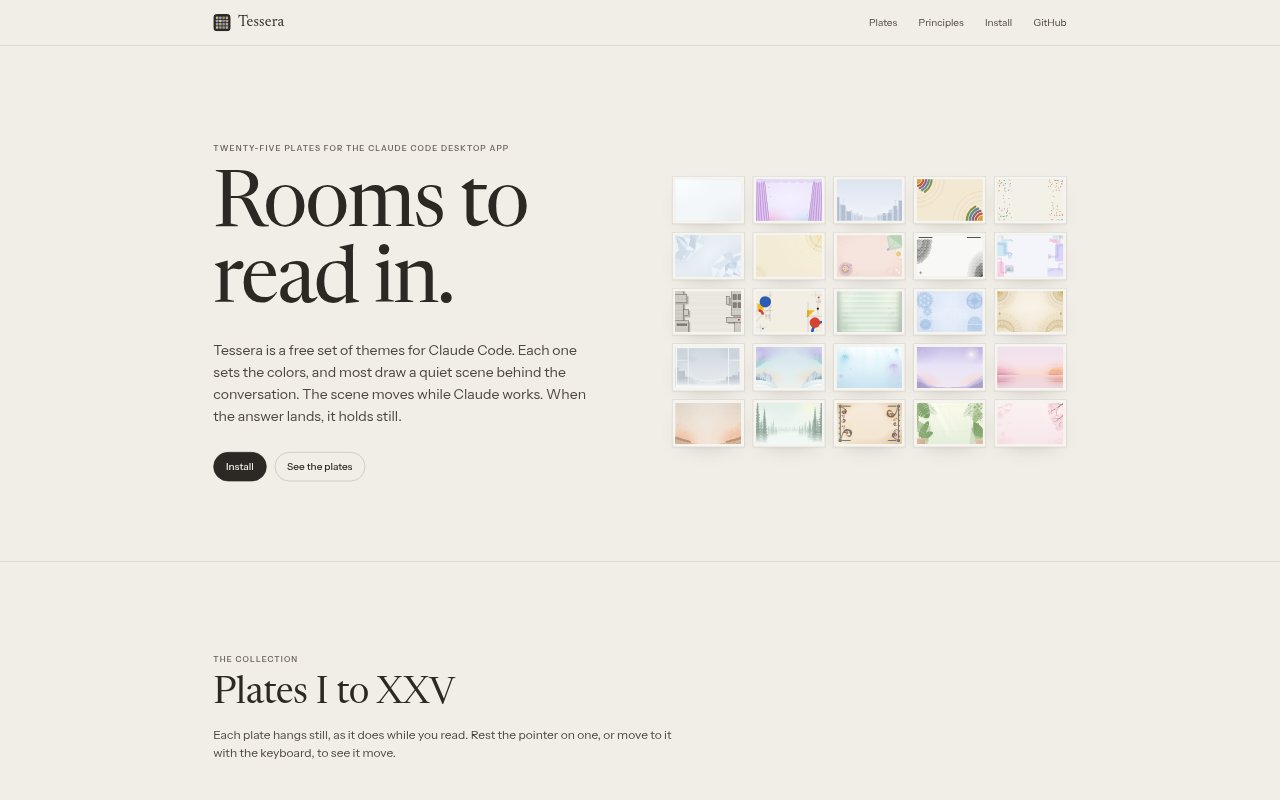
Tessera is a free, MIT-licensed collection of 25 themes for Claude Code, installed as a plugin and switched with a command. It changes the app’s colors, code highlighting, spinner wording, sounds and optional scenes behind conversations, with themes grouped into Essentials, Bold and Places. It is for people who use Claude Code’s desktop or mobile app and want to personalize its reading environment. The terminal keeps its own colors, and themes do not change the app’s fonts, layout or permission prompts.
Tessera Features:
Twenty-Five Themes: The plugin contains 25 plates in three groups: Essentials for minimal scenery, Bold for graphic styles and Places for soft scenes.
Reading Contrast: The faintest text maintains a 4.8:1 contrast ratio, while timestamps and tool summaries meet at least 4.5:1 on pages and panels.
Moving Scenes: Most themes add a scene behind the conversation that moves while Claude works and holds still when its answer arrives.
Sound Controls: Choose silence, a soft chime after turns lasting at least 20 seconds, or an optional quiet music loop while Claude works.
Theme Variations: Plates use low, standard or high contrast, with either calm or vivid accents and distinct colors for danger, success and warning.
Plugin Commands: Install all the plates through one plugin, switch themes by name with a command and keep your choices across sessions.
Tessera Benefits:
Comfortable Reading: Contrast floors help keep supporting text readable during extended sessions, including timestamps and tool summaries.
Personal Workspaces: The range of restrained, graphic and scenic styles lets you choose an atmosphere that suits how you prefer to work.
Fewer Distractions: Scenes stop when an answer arrives, and motion can be disabled, so visual activity need not continue while you read.
Clearer Status Colors: Separating danger, success and warning hues by at least 30 degrees helps distinguish these signals, including for people with color blindness.
Flexible Sound: Sound settings let you avoid alerts entirely or choose a cue for longer turns without requiring music to play by default.
Use Cases:
Long Coding Sessions: Choose a theme with a calm scene and readable supporting text when spending hours reviewing Claude Code conversations.
Theme Migration: Use the suggested plates to find a Tessera alternative if you are coming from themes such as Nord, Dracula, Gruvbox or Tokyo Night.
Quiet Workflows: Set sound to quiet when working in a shared space or when you prefer to rely on the conversation rather than audio cues.
Reduced Motion: Use the still setting or your system’s reduced-motion preference when animated scenes would be distracting.
Mobile Sessions: Apply Tessera themes while using Claude Code’s mobile app, where the collection is also available.