

What is Widefleet?
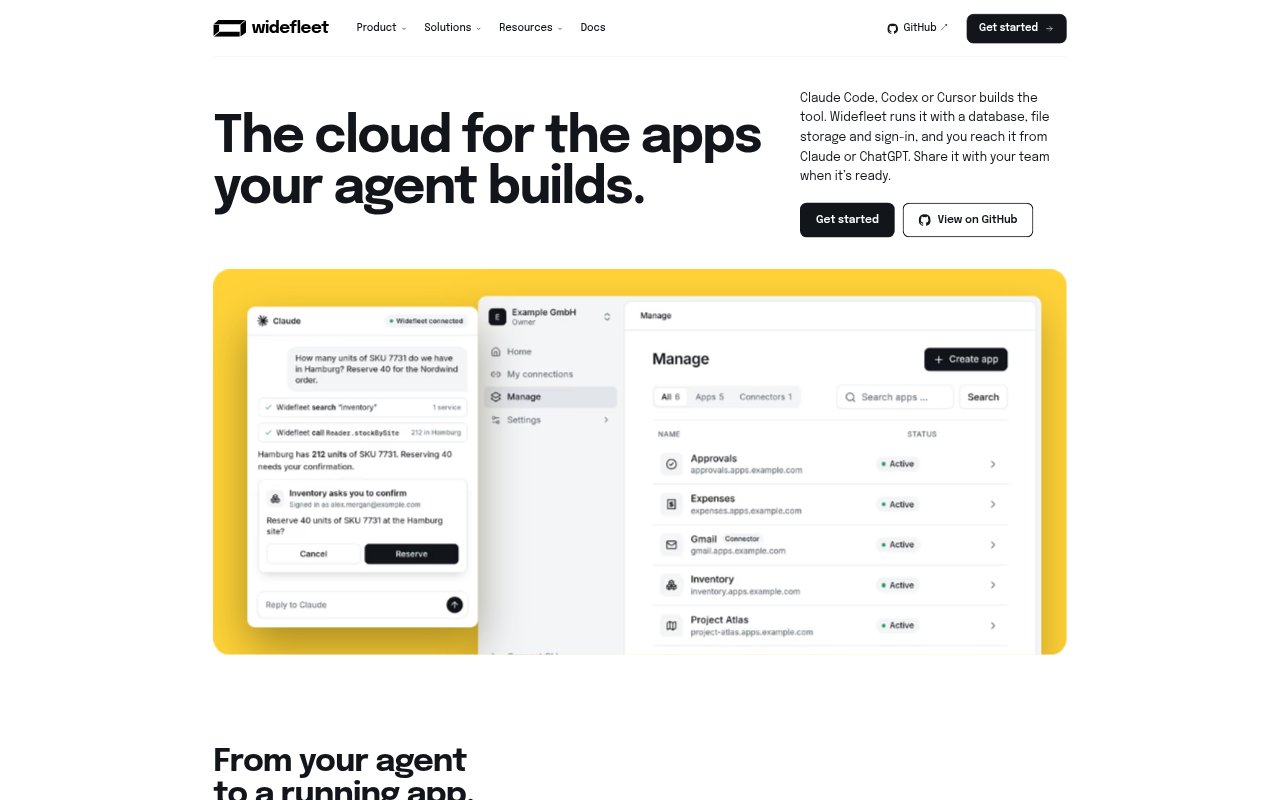
Widefleet is an open-source platform for deploying apps built by coding agents such as Claude Code, Codex or Cursor. It runs each app with its own address, sign-in, database and file storage, and makes app services available through Claude, ChatGPT and other supported MCP clients. Founders, operators and teams can use it to turn agent-built projects into private working tools, then share them with colleagues under organization access rules. It can run on Widefleet Cloud or on a company's own servers.
Widefleet Features:
Agent-Led Deployment: Publish an app created with Claude Code, Codex, Cursor or another command-running agent using a single deployment command; later releases update the existing app.
App Data Storage: Each app has a separate SQL database, private file storage and key-value storage, with application data retained through code deployments.
Background Workflows: Apps can run recurring schedules, handle queued background tasks and execute durable workflows that pause for events such as approvals and retry.
Previews and Rollback: Create isolated previews to test changes before release, keep deployment history and restore earlier code without reverting the app’s data.
AI Client Access: Connect Claude, ChatGPT, Microsoft 365 Copilot and other supported remote MCP clients to discover app services and make calls as the signed-in user.
Identity and Access: Apps can require sign-in, use company groups for access, and request a person’s confirmation before a service changes something.
Cloud or Self-Hosted: Run the platform on Widefleet Cloud or self-host its MIT-licensed software; self-hosting keeps apps and data in your environment.
Widefleet Benefits:
Less Hosting Setup: Agents can handle the deployment command, letting teams focus on shaping a useful tool instead of assembling its hosting environment.
Data Continuity: App data remains available across code releases, so teams can improve a tool without rebuilding its stored records and files.
Safer Changes: Testing in a separate preview and restoring earlier code can reduce the disruption of releasing an unready or faulty change.
Team Collaboration: Colleagues can use the same app under their own accounts, making agent-built tools easier to share than projects kept on one person's laptop.
Controlled AI Actions: Identity-based access and human confirmations help teams limit what an AI client can reach and prevent unapproved changes.
Use Cases:
Fitness Data Apps: Build a personal tool around a Strava, Garmin Connect or WHOOP template and make its services available through an AI client.
Email and Calendar Tools: Create an app using Gmail or Google Calendar templates to support a team's email or scheduling workflow.
Internal Team Apps: Deploy an agent-built tool for colleagues to find in an app catalog and open with their own organization accounts.
GitHub Workflows: Build a team app using a GitHub template and let authorized colleagues access its services from a connected AI client.
Approval Processes: Run a durable workflow that waits for a person's approval before continuing with the next step.