
What is devTopBars?
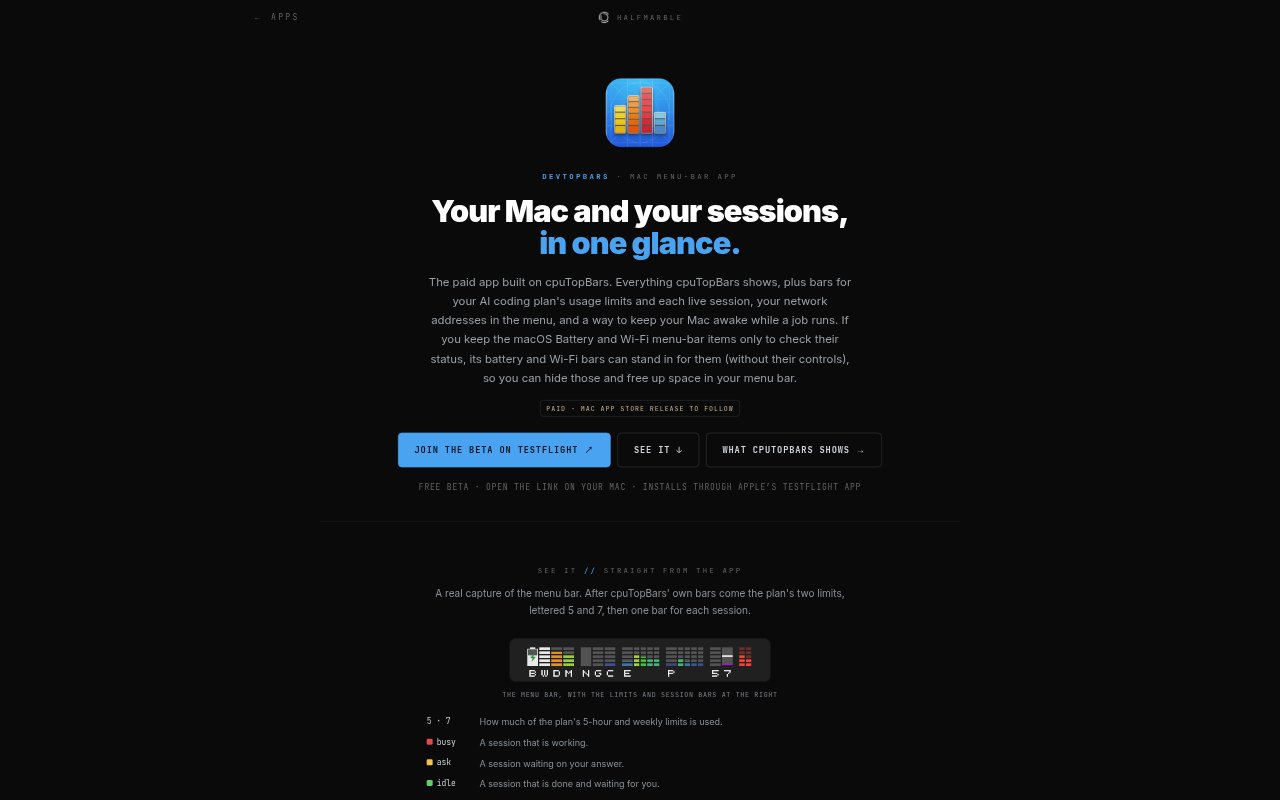
devTopBars is a Mac menu-bar app for developers who want a quick view of system activity and AI coding sessions without opening separate monitoring windows. It combines live readings for CPU, memory, disk, GPU, Neural Engine, battery and Wi-Fi with bars for Claude Code plan usage and running sessions. The menu also includes network address information and a process-based option to keep the Mac awake during a job. It requires macOS 27 or later.
devTopBars Features:
System Activity Bars: View live menu-bar graphs for CPU and individual cores, GPU, Neural Engine, memory, disk, battery and Wi-Fi.
Process Inspector: See your own processes ranked in the menu, inspect their arguments and environment, and view a man page.
Claude Usage Bars: Track the five-hour and weekly usage limits for a Claude Pro or Max plan, plus a bar for each running Claude Code session.
Session Details: Hover over a usage bar for a summary or open the menu to see each session's state; a Terminal session row can bring its tab forward.
Network Addresses: Read your Mac's LAN and VPN addresses in the menu, and request its public WAN address by clicking that row.
Keep Awake: Use the process inspector to prevent the Mac from sleeping while a selected process, such as a build or download, runs.
Usage Feed Setup: Claude Code session bars require a free usage-feed plugin installed once in Claude Code; the app provides the setup command.
devTopBars Benefits:
Fewer Status Checks: A glance at the menu bar can answer whether system resources, battery or Wi-Fi need attention, without opening a monitoring app.
Less Menu Clutter: The battery and Wi-Fi bars can replace those macOS menu-bar items when you only use them to check status, leaving more room for other icons.
Earlier Bottleneck Clues: Seeing system load beside active processes helps you spot what may be consuming resources before deciding what to inspect further.
Fewer Session Interruptions: Keeping a Mac awake for a selected process helps long-running work continue without requiring you to change sleep settings for the whole session.
Local Session Data: Session figures stay on the Mac rather than being sent elsewhere, giving developers a way to monitor activity without sharing those readings.
Use Cases:
Claude Code Work: Keep the five-hour and weekly plan limits visible while using Claude Code, and check which coding sessions are still running.
Long Build Jobs: Select a build process in the inspector and keep the Mac awake while compiling or completing another extended task.
Resource Checks: Use the system bars and process list to check CPU, memory or GPU activity while a development tool or other process is running.
Remote Network Review: Check the Mac's LAN or VPN address from the menu when connecting to it or confirming its current network details.
Menu Bar Tidy-Up: Replace the separate battery and Wi-Fi status items with the app's bars when you need their readings but not their controls.