

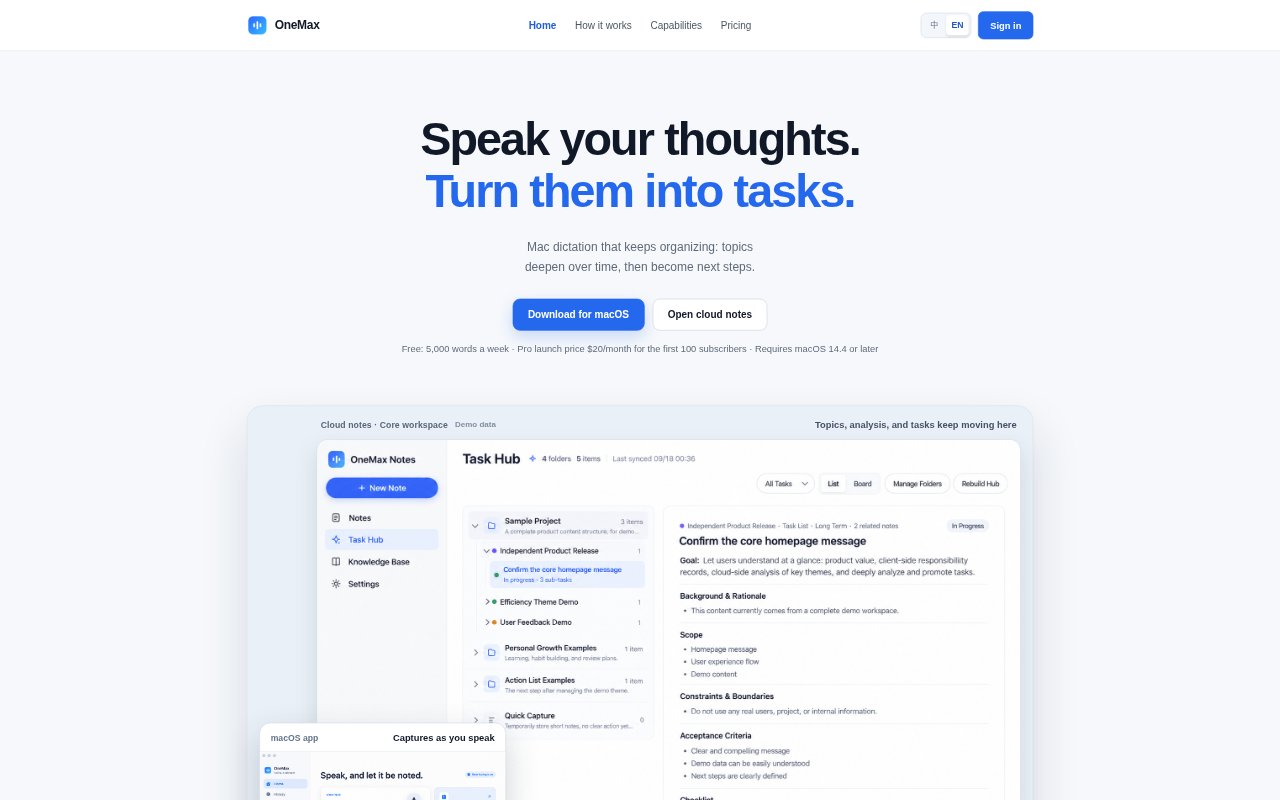
What is OneMax Agent?
OneMax Agent is a Mac voice-dictation workspace for people who want to turn spoken ideas into ongoing work. It syncs voice notes to a cloud notebook, where AI groups related notes into topics, adds context, analyzes the subject, and helps shape tasks and next steps. It is aimed at independent creators, founders, managers, researchers, and other professionals who build on ideas over time. It requires macOS 14.4 or later.
OneMax Agent Features:
Voice Dictation: Speak decisions, ideas, tasks, and observations as they arise, without having to organize them before recording.
Cloud Notebook: Voice notes sync to cloud notes, where they can remain connected with related decisions and tasks.
Topic Synthesis: OneMax connects notes from different times and contexts into an evolving topic with background and current status.
Deep Analysis: AI can surface a topic’s assumptions, tensions, opportunities, gaps, and key questions for closer examination.
Task Synthesis: Turn topic analysis into tasks and next steps, then bring later developments back into the topic.
Personal Dictionary: The app includes a personal dictionary and text replacement for everyday voice capture.
Transcription Allowance: The Free plan includes 5,000 cloud transcription words per week, while Pro has no weekly cap and a four-hour daily limit.
OneMax Agent Benefits:
Less Setup: Capturing thoughts before they are organized makes it easier to record an idea in the moment instead of postponing it.
More Continuity: Keeping related decisions and notes together helps users return to a subject without rebuilding its background each time.
Fewer Gaps: Connecting meetings, decisions, and actions can help keep follow-up work from getting separated from the discussion that prompted it.
Clearer Thinking: Seeing assumptions and unanswered questions can help users identify what still needs attention before drawing a conclusion.
Steadier Progress: Carrying new developments into an existing topic helps users keep work moving as circumstances and plans change.
Use Cases:
Creator Planning: An independent creator can capture an idea, develop it into a topic, and outline content planning and publishing tasks.
Meeting Follow-Up: A founder or manager can keep meeting conclusions, later decisions, and resulting actions together under the same topic.
Research Notes: A researcher can connect observations, evidence, and questions gathered over time while examining what they add up to.
Idea Capture: A professional can dictate inspiration or observations during the day and revisit them as part of a developing line of work.
Project Decisions: Someone managing a continuing project can record new judgments and use the accumulated context to clarify the next action.