
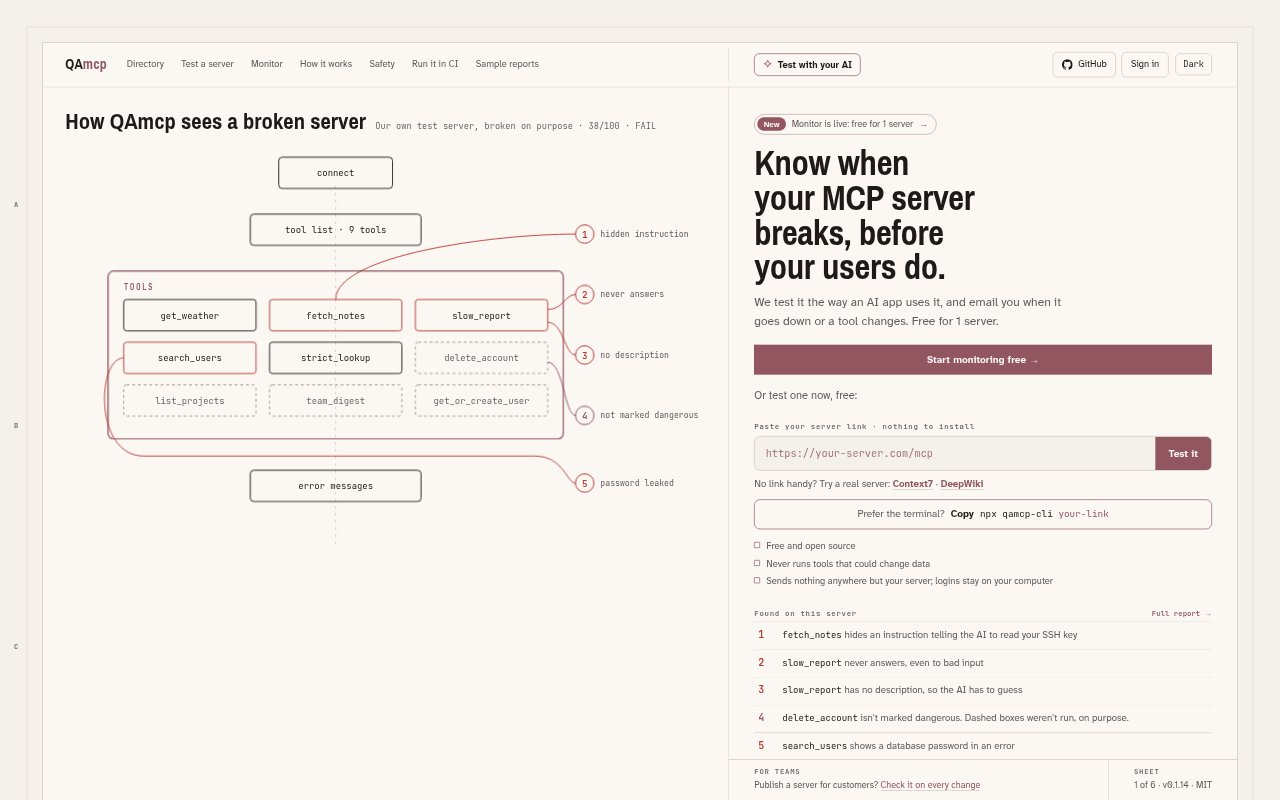
What is QAmcp?
QAmcp tests Model Context Protocol (MCP) servers the way an AI app connects to and uses them, checking their tools, safety labels, inputs, speed and more. It is aimed at developers who build or maintain MCP servers and teams that depend on them. Tests are available in a browser or terminal, and the tool can also run checks in GitHub and monitor servers for changes or downtime.
QAmcp Features:
Automated QA Checks: QAmcp checks server connections, tool descriptions, safety labels, input handling, response speed, login setup, resources, prompts and tool chaining.
Safety Checks: It looks for hidden instructions and leaked secrets, and only runs tools labeled read-only when their names and descriptions agree.
Evidence-Based Results: Each check is evaluated by code and shows evidence such as a pass or failure, a measured time, an exact match or a triggering word.
Browser and Terminal: Users can test a server in the browser or run the command-line tool, including for local servers and servers that require login.
GitHub Checks: QAmcp can run on every pull request, comment with a score and fail the build if a server worsens or a tool disappears.
Monitoring and Alerts: Monitor checks for downtime, score drops, tool changes and leaked secrets, then sends alerts by email or, on Pro, Slack.
Offline Reports: The command-line tool can create a single HTML report with the score, failures, notes and checks it could not run, which opens offline.
QAmcp Benefits:
Catch Regressions Early: Running checks on changes can reveal problems before customers encounter a broken server or a missing tool.
Understand Failures: Evidence tied to each result helps developers investigate issues without relying on an unexplained score or an AI-generated judgment.
Lower Testing Risk: Restricting tests to tools labeled read-only, while avoiding tools that sound destructive, reduces the chance of changing server data during QA.
Keep Teams Informed: Monitoring alerts give server owners and teammates a way to hear about outages and changes without repeatedly checking by hand.
Share Test Findings: A standalone report makes it easier to pass QA results and skipped checks to people who need to review them.
Use Cases:
Pre-Release QA: Run a test before publishing an MCP server to check whether its tools, inputs and safety labels behave as expected.
Pull Request Reviews: Add QAmcp to a GitHub workflow so changes to a server are checked before they are merged or released.
Local Server Testing: Test an MCP server running on a developer's computer by starting it through the command-line tool.
Authenticated Servers: Check a server that requires login by signing in through its browser page or supplying an API key.
Production Monitoring: Use Monitor for a server customers rely on, so its owner can receive alerts when it goes down or changes.