
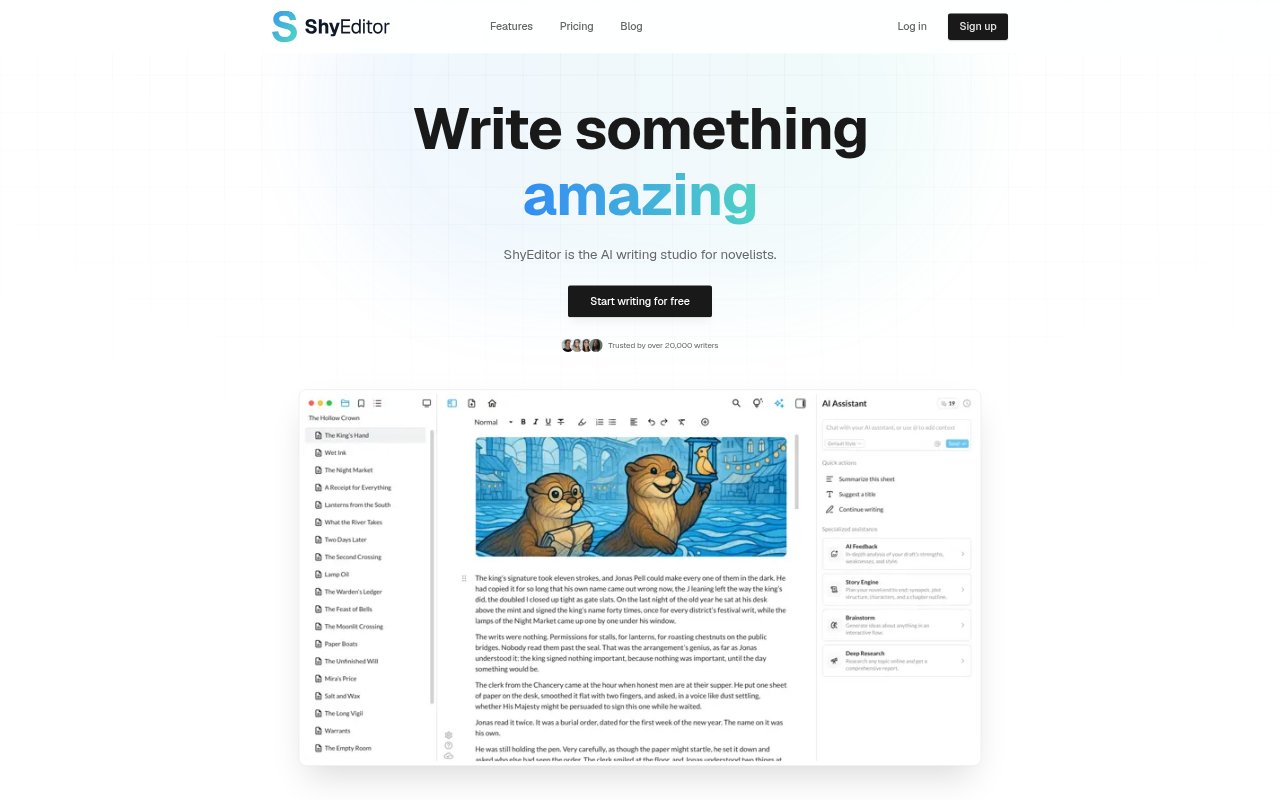
What is ShyEditor?
ShyEditor is a web-based writing studio aimed primarily at novelists, with tools for planning, drafting, revising, and preparing a manuscript. Its AI can help develop an outline, continue or rework prose, answer questions about a project, and provide editorial feedback. The workspace also supports papers, articles, and research. Writers choose what they ask the AI to do and decide what to keep, with project notes and story details available alongside their writing.
ShyEditor Features:
Story Planning: Describe a premise to generate a synopsis and chapter-by-chapter plan, then keep the parts that work and regenerate others.
Story Knowledge Base: Track characters, places, and events in a project, and ask questions about details such as timelines, plot holes, or a character’s appearances.
Writing Assistance: Get next-sentence suggestions, continue a scene, or rephrase a line in the editor, with suggestions informed by the story and your prose.
Editorial Feedback: Request a chapter critique or full-book review covering plot logic and prose, with quoted examples, ranked issues, and a revision plan.
Manuscript Tools: Arrange chapters on a corkboard, restore chapter snapshots, set writing goals, and export in formats including TXT, DOCX, PDF, and Markdown.
Research Support: Use a PDF library with chat, search for sources by DOI, and create deep research reports with cited sources.
ShyEditor Benefits:
Fewer Context Switches: Planning, drafting, and revision in one workspace can reduce the need to move between separate tools as a book takes shape.
Clearer Revisions: Evidence and severity rankings help writers distinguish major manuscript problems from smaller edits and decide what to address first.
More Consistent Drafts: Keeping story facts together makes it easier to catch mismatches in details and avoid repeatedly searching through chapters.
Steadier Writing Habits: Goals, progress stats, and streaks give writers a way to notice their effort and maintain a regular practice.
Less Layout Work: Configurable export presets can reduce the manual formatting needed when preparing a manuscript or paper for sharing.
Use Cases:
Planning a Novel: A novelist starting with a premise can map out chapters before drafting and keep recurring characters and events organized as the story grows.
Continuing a Draft: A writer stalled on a scene can request a next-sentence suggestion or ask for help rephrasing a clunky passage without leaving the editor.
Revising a Manuscript: An author preparing a new draft can request feedback on a chapter or the full book, then use the findings to plan revisions.
Sharing With Readers: A writer seeking early reactions can share a chapter through a read-only link that beta readers can open without an account.
Writing Research Papers: A student or researcher can organize PDFs, search for sources by DOI, and prepare structured paper drafts with citations and bibliography tools.