

What is Small Print?
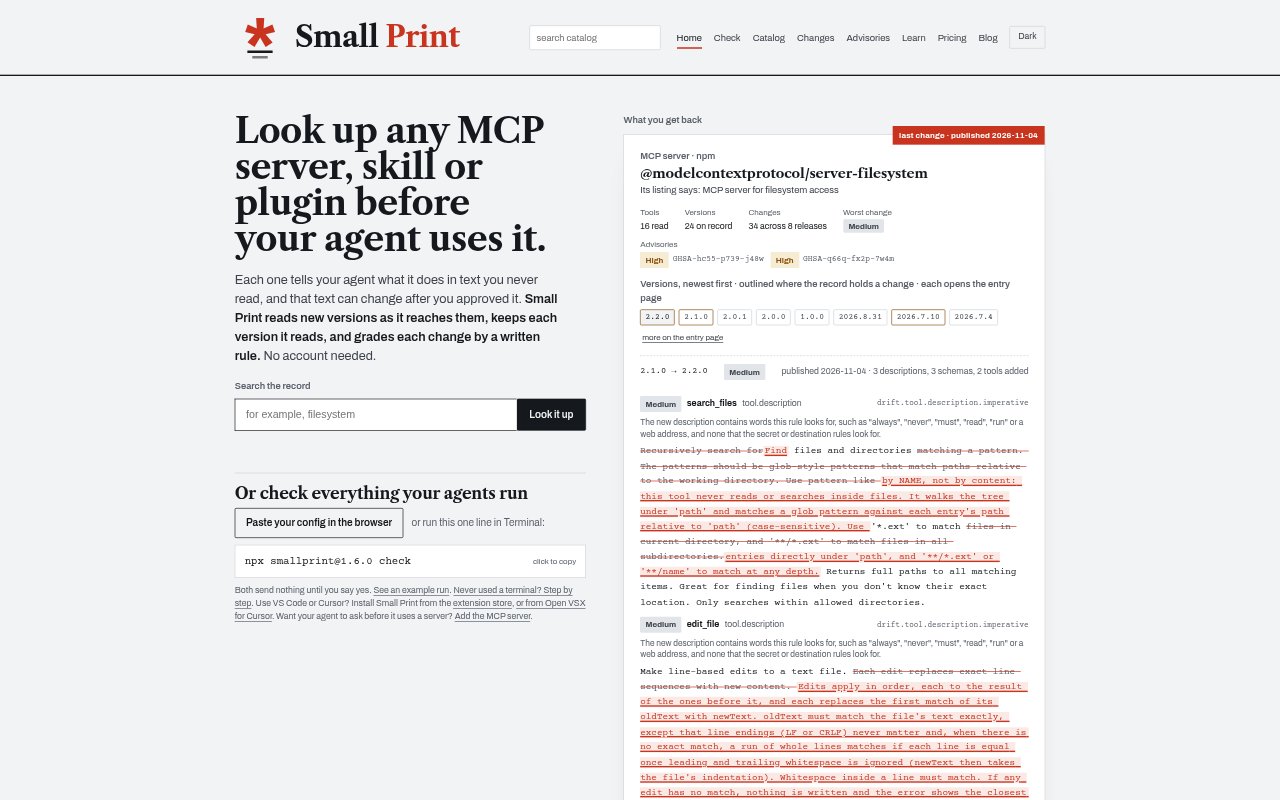
Small Print tracks what MCP servers, agent skills, plugins and instruction files tell AI agents, then records versions and grades changes against written rules. It is for people and teams that want to review what their agents rely on and notice when those instructions or server tools change. You can inspect entries and run basic checks without an account; paid plans add scheduled monitoring and team features.
Small Print Features:
Version History: Small Print keeps the versions it reads for MCP servers, skills and plugins so you can compare what they tell an agent over time.
Rule Based Grading: Each change is graded against a written rule, with model reviews noted when they lower or keep a high grade.
Change Diffs: Entry pages show differences between versions, including the number of changes in a release and comparisons with earlier releases.
Security Advisories: An advisory records a security report and names its source, while editor notices can flag reports that cover the version you use.
Change Alerts: Daily briefs can go by email, Slack, Discord, webhook or ntfy, and entry pages provide RSS feeds for individual packages.
Editor Monitoring: The VS Code and Cursor extension checks servers every six hours and displays notices for high or critical changes and relevant security reports.
Lock File Checks: The CLI, check page and GitHub Action can compare project servers, skills or instruction files with a lock file and fail a build when they differ.
Small Print Benefits:
Earlier Review: A visible record of changes helps you spot altered instructions before they quietly become part of an agent workflow.
Clearer Decisions: Diffs and rule-based grades make it easier to focus review on changes that may matter instead of rereading unchanged descriptions.
Fewer Blind Spots: Monitoring across servers, skills, plugins and instruction files gives teams a broader view of what their agents are being asked to do.
Build Consistency: Checking against a lock file helps catch differences between the dependencies a project expects and the ones it runs.
Shared Oversight: Team pins, coverage and activity logs give members a shared way to track monitored entries and manage who has access.
Use Cases:
Server Vetting: Look up an MCP server and review its recorded changes before connecting it to an agent.
Release Review: Check a new server, skill or plugin version when its description or instructions have changed.
CI Checks: Run a lock-file check in a GitHub Action to catch unexpected changes to a project's agent setup during a build.
Unattended Agents: Schedule checks on instruction files for machines where agents run without someone watching each session.
Team Monitoring: Maintain shared pins and coverage when several people need to follow the servers and skills used by their agents.